Rafaelis
Inspiring
June 21, 2025
Answered

Home Screen persists!

  • June 21, 2025
  • 2 replies
  • 203 views

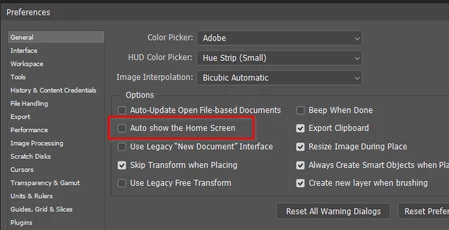
I turned off "Auto Show the Home Screen" and I still get this:
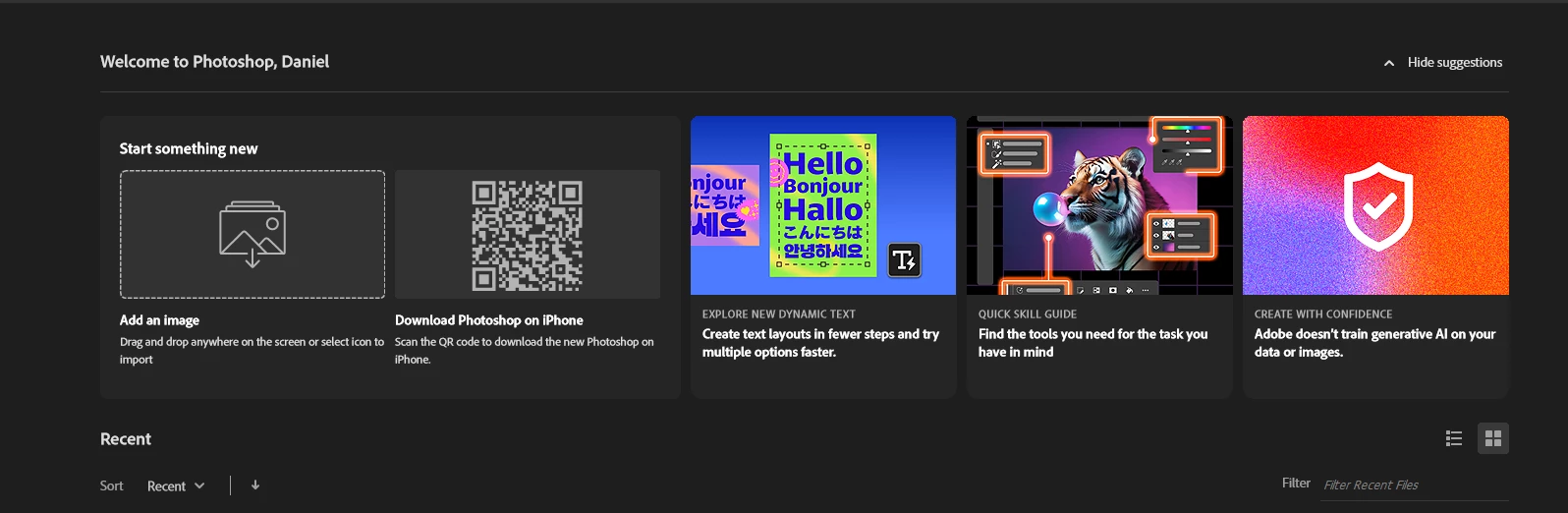
How do I get rid of it?

Correct answer AxelMatt

Here's another way to solve this.

In the first step you have to disable the option "Auto show the Home Screen" in the preferences.


After restarting PS the Home screen is still displayed.

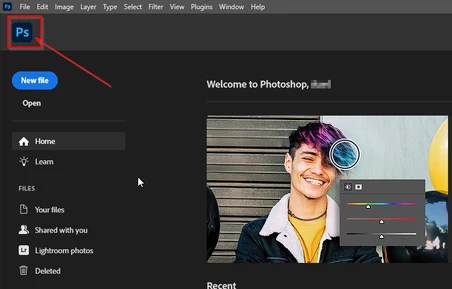
The click on the PS symbol in the upper left corner. Then the "normal" PS screen will be shown.


After closing PS the Home Screen should be never displayed on startup.


2 replies

AxelMatt
Community Expert
AxelMattCommunity ExpertCorrect answer
Community Expert
June 22, 2025

Here's another way to solve this.

In the first step you have to disable the option "Auto show the Home Screen" in the preferences.


After restarting PS the Home screen is still displayed.

The click on the PS symbol in the upper left corner. Then the "normal" PS screen will be shown.


After closing PS the Home Screen should be never displayed on startup.


My System: Intel i7-8700K - 64GB RAM - NVidia Geforce RTX 3060 - Windows 11 Pro 25H2 -- LR-Classic 15 - Photoshop 27 - Nik Collection 8 - PureRAW 6 - Topaz Photo AI
D Fosse
Community Expert
Community Expert
June 22, 2025

I've had this happen a few times.


The home screen should not be up when you close Photoshop. So:

  1. Uncheck the box in Preferences
  2. Open an image
  3. Close the image out so that you only have the Photoshop UI
  4. Close Photoshop


Then it should stick. If not, your preferences may be corrupt and you need to reset them.