Participant
April 11, 2025
Question

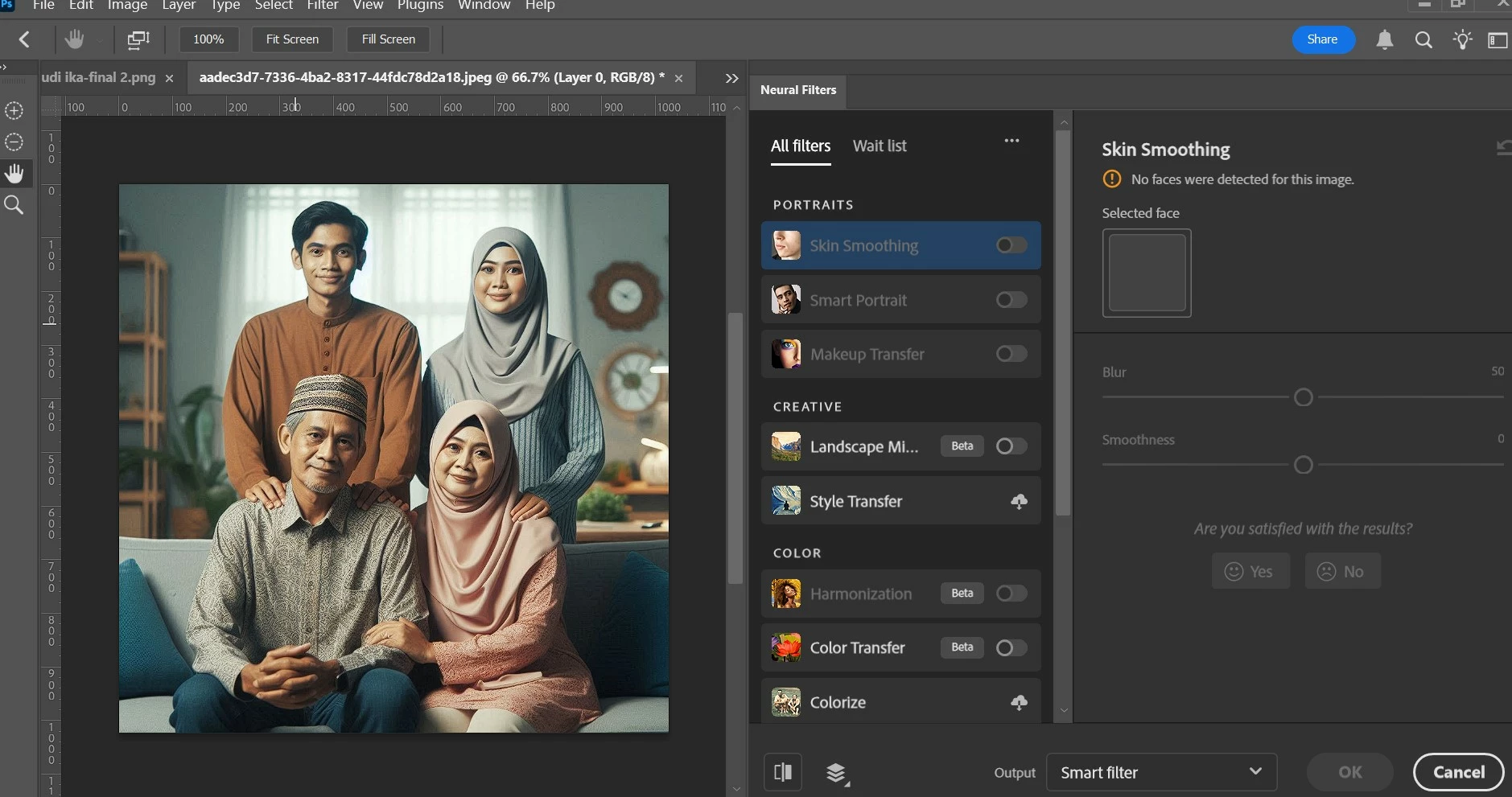
how can fix this , neural filters won't work properly

  • April 11, 2025
  • 1 reply
  • 83 views

how can fix this , neural filters won't work properly

1 reply

Sameer K
Community Manager
Community Manager
April 11, 2025

Hey, @klik_8939. Welcome to the Photoshop Community. I'll need more information to help you figure this out. Please share the system information from Photoshop Help > System info > Copy and paste into a text document > upload and attach here.


Does this happen only with the Skin Smoothing and Smart Portrait Neural Filters? Does it happen with any specific images you're working on? 

Try these things & let me know the outcomes:

  • Try with a different set of images that has an identifiable face of a person.
  • Try to remove & redownload the Neural filter library by going to this location on
    Windows: %appdata%\Roaming\Adobe\UXP\PluginsStorage\PHSP\26\Internal & delete the folder called  com(.)adobe nfp gallery
    Head here to learn more: https://adobe.ly/44H5cyC

Also, you can try Photoshop Beta from the Creative Cloud desktop app - the Neural filter models will be downloaded

separately. 


Let me know how it goes. Thanks!
Sameer K


(Type '@' and type my name to mention me when you reply)