
Participant
June 20, 2022
Question

How can I export several images with same size?

  • June 20, 2022
  • 3 replies
  • 229 views

Usually selecting images layers with format name like image.png > File>Generate>Image assets allowed me to generate exactly same size of images but for some reasons, some images are not what I expected and not sure the reason and how to solve this problem.


I need 1000x1000 square images but as thumbnail shows images are already rectangle which tells me there images are not 1000x1000 square images.
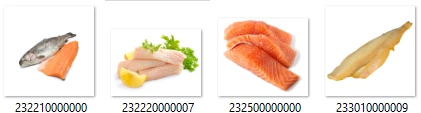


What I did was to create 1000x1000 background layer then put image layer on it. Next was to group them as 1 layer and named on it as 0000.png. 

This topic has been closed for replies.

3 replies

Bojan Živković11378569
Community Expert
Community Expert
June 23, 2022

There is and File > Export > Layers to Files > PNG 24 with Transparency and Trim option which can be unchecked. 

Nancy OShea
Community Expert
Community Expert
June 23, 2022

See screenshot of CROP tool.


Once all the images are properly cropped, you can run an image processor.


Nancy O'Shea— Product User & Community Expert
S_Gans
Community Expert
Community Expert
June 23, 2022

Try File>Scripts>Image Processor. There, you can specify the export location and dimensions of your images.

Adobe Community Expert / Adobe Certified Instructor