Participant
February 17, 2026
Question

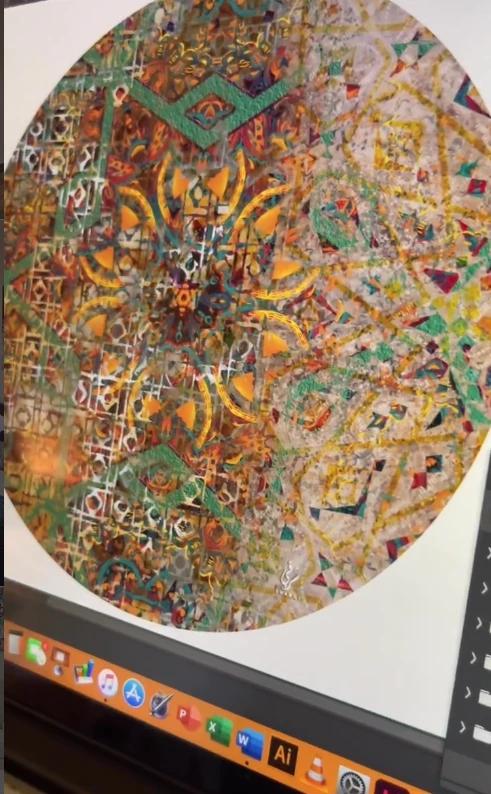
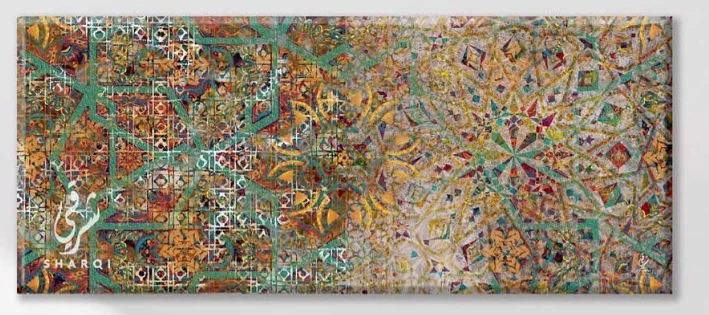
how can I make this design inside photoshop

  • February 17, 2026
  • 7 replies
  • 88 views
how to make such design in photoshop
any guidance to make designs like this
 

    7 replies

    c.pfaffenbichler
    Community Expert
    Community Expert
    February 23, 2026

    @tanha_4902 , were you able to make progress with your artwork? 

    c.pfaffenbichler
    Community Expert
    Community Expert
    February 18, 2026

    One can also use the Library’s (Window > Libraries) »Extract from Image« to create different Patterns. 


    c.pfaffenbichler
    Community Expert
    Community Expert
    February 18, 2026

    If you want to distress sharp lines there is a technique using the Blend Mode »Hard Mix«. 


    c.pfaffenbichler
    Community Expert
    Community Expert
    February 17, 2026

    You can create individual elements and use Smart Objects and Pattern Layers to stack them atop one another. 

    Additionally you can use stock images, generative AI backgrounds, artificial clouds etc. to add a distressed or chaotic look. 


    Participant
    February 17, 2026

    its layer upon layer creating unique and complex design any artist here that can guide me to start fresh

    davescm
    Community Expert
    Community Expert
    February 17, 2026

    Also consider brush symmetry, set to radial or mandala. 
    Dave

    c.pfaffenbichler
    Community Expert
    Community Expert
    February 17, 2026

    (Linked) Smart Objects can be useful. 

    They allow to have multiple instances of the Smart Object in the containing document, which can then be flipped, rotated etc. to create a kaleidoscope effect.