

wong168
Known Participant
December 8, 2019
Question

how can i remove the fonts display as a long rectangles in mac photoshop cc 2020

  • December 8, 2019
  • 2 replies
  • 7989 views

i have quite a long dropdown menu fonts list as it shown in the attached jpg file for your reference.
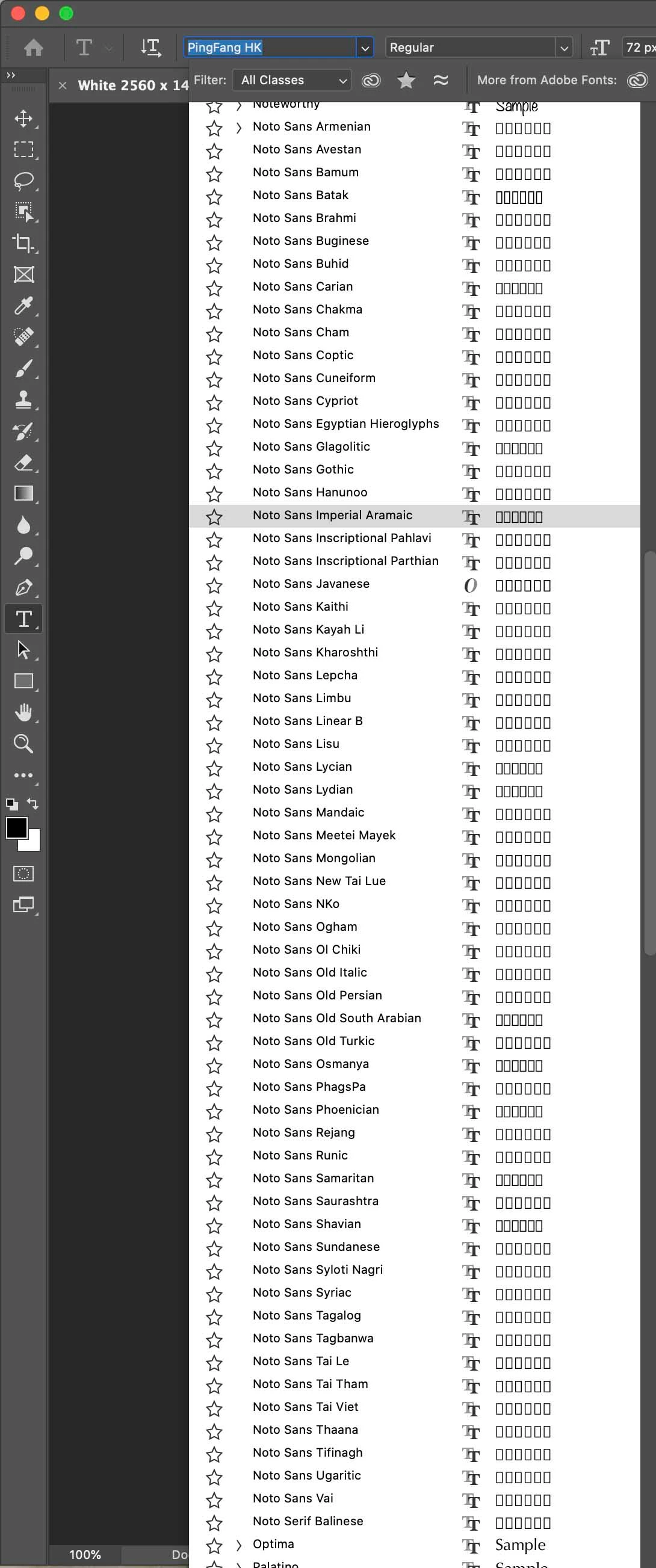
how can i remove all these fonts from photoshop?...

i have tried using the font book in mac, but without much help ... i could not find all these fonts as well...

any help to resolve this issue?...

cheers,

This topic has been closed for replies.

2 replies

marliton
Community Expert
Community Expert
December 8, 2019

The Noto fonts are used by the MacOS system, this is why they are not easily removed.

Marlon Ceballos
silk-m
Community Expert
Community Expert
December 8, 2019

Hi,

Are you using macOS Catalina?. Photoshop won't need those Fonts, but whether macOS doesn't need it is another matter. I take those Fonts out of the library at my own risk.

These Fonts should be in the “/Library/Fonts” folder, so take them out. Authentication is required.


--Susumu Iwasaki
wong168
wong168Author
Known Participant
December 8, 2019

Susumu,

you took these fonts out of the “/Library/Fonts” folder and kept it in the "unused fonts"... where do you keep the "unused fonts" folder? ... is this "unused fonts" folder be accessible to the mac os?...

do you have any operating issue with mac os catalina since the removal?...

so i can remove any font that i do not use and put it into the "unused fonts" folder ... the font list in the dropdown menu is too long in photoshop and i hope i could shorten the list with fonts i preferred to use...

thanks for your help...

cheers,

silk-m
Community Expert
Community Expert
December 8, 2019

Hi. wong

I created the Unused Fonts folder in the Document folder. Catalina uses it with NotoSans removed, but as long as it is used in English and Japanese, there is no problem behavior so far. However, please go at your own risk.

However, you can't move while using Catalina, in my case I can double boot with Mojave. Launched and moved with Mojave.

--Susumu Iwasaki