
Answered
How do I apply a curve to one layer only?
CC20 Catalina:
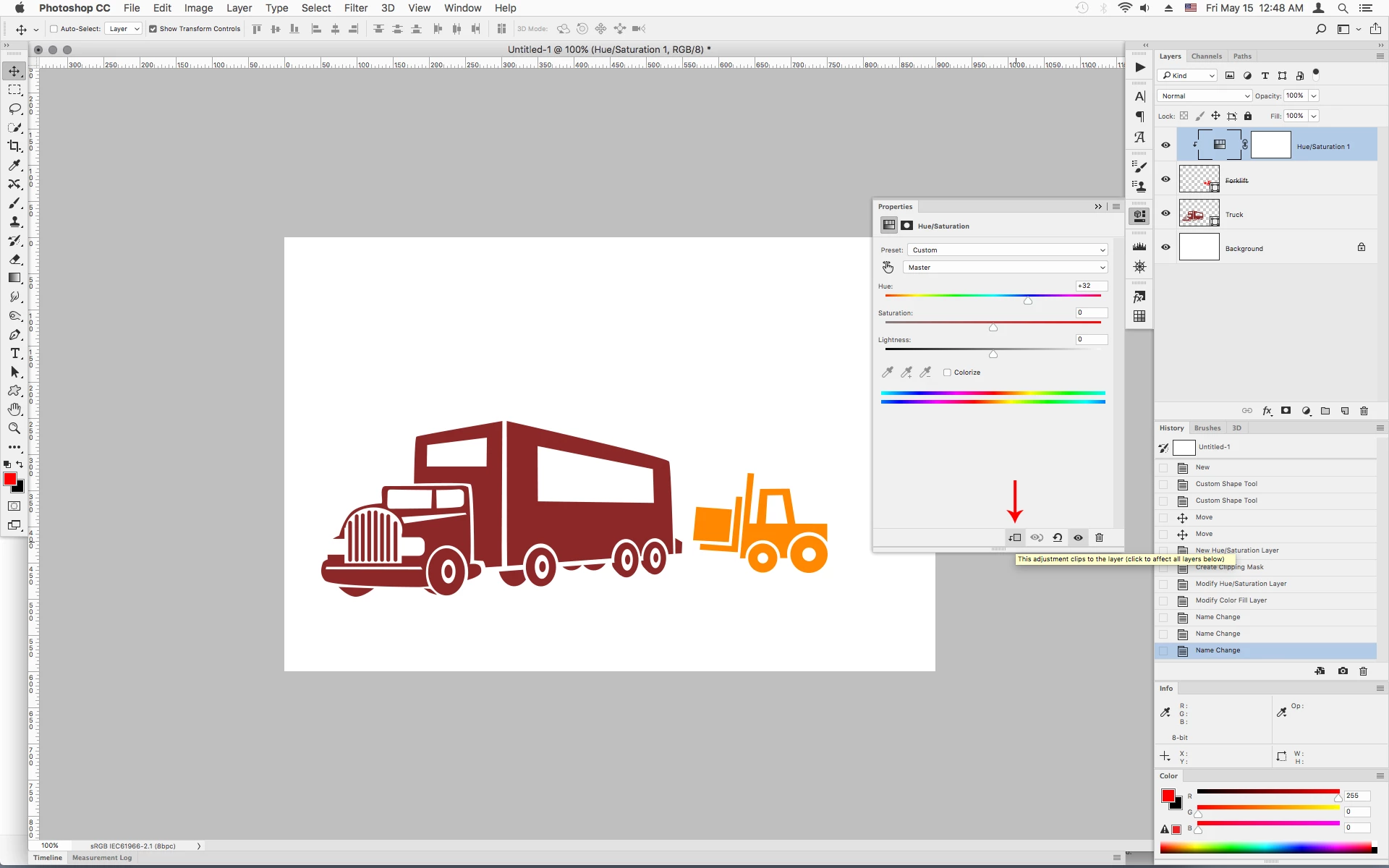
How do I apply a curve (or a hue change, or a any other adjstment) to ONLY ONE LAYER? Everytime I try, I apply the curve (or any other adj.) to everything BELOW the curve.

CC20 Catalina:
How do I apply a curve (or a hue change, or a any other adjstment) to ONLY ONE LAYER? Everytime I try, I apply the curve (or any other adj.) to everything BELOW the curve.
You can use what's known as a Clipping Mask
In the Properties panel after adding an adjustment layer click on the Small Square with the Down turned Arrow at the bottom of the panel.
Already have an account? Login
No account yet? Create an account
Enter your E-mail address. We'll send you an e-mail with instructions to reset your password.


 AdChoices