

How do I change the spot healing brush tool to its legacy version?
I'm not to fond of how the current spot healing brush tool works, and I wanted to revert it to its previous version. I tried the method of going through Preferences > Tools > Use Legacy Healing Algorithm For Healing Brush. However, when I got the menu the option was not available.
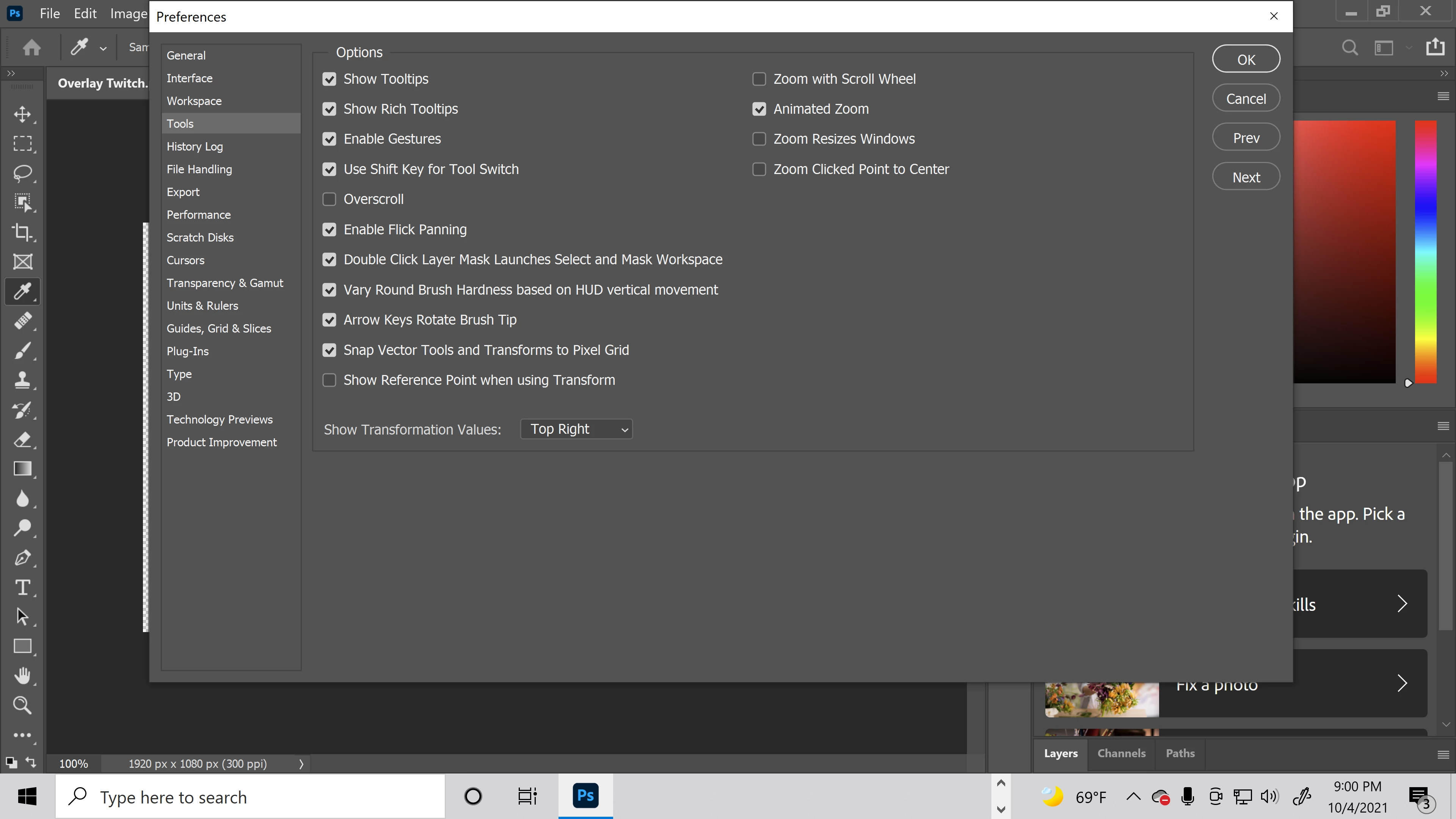
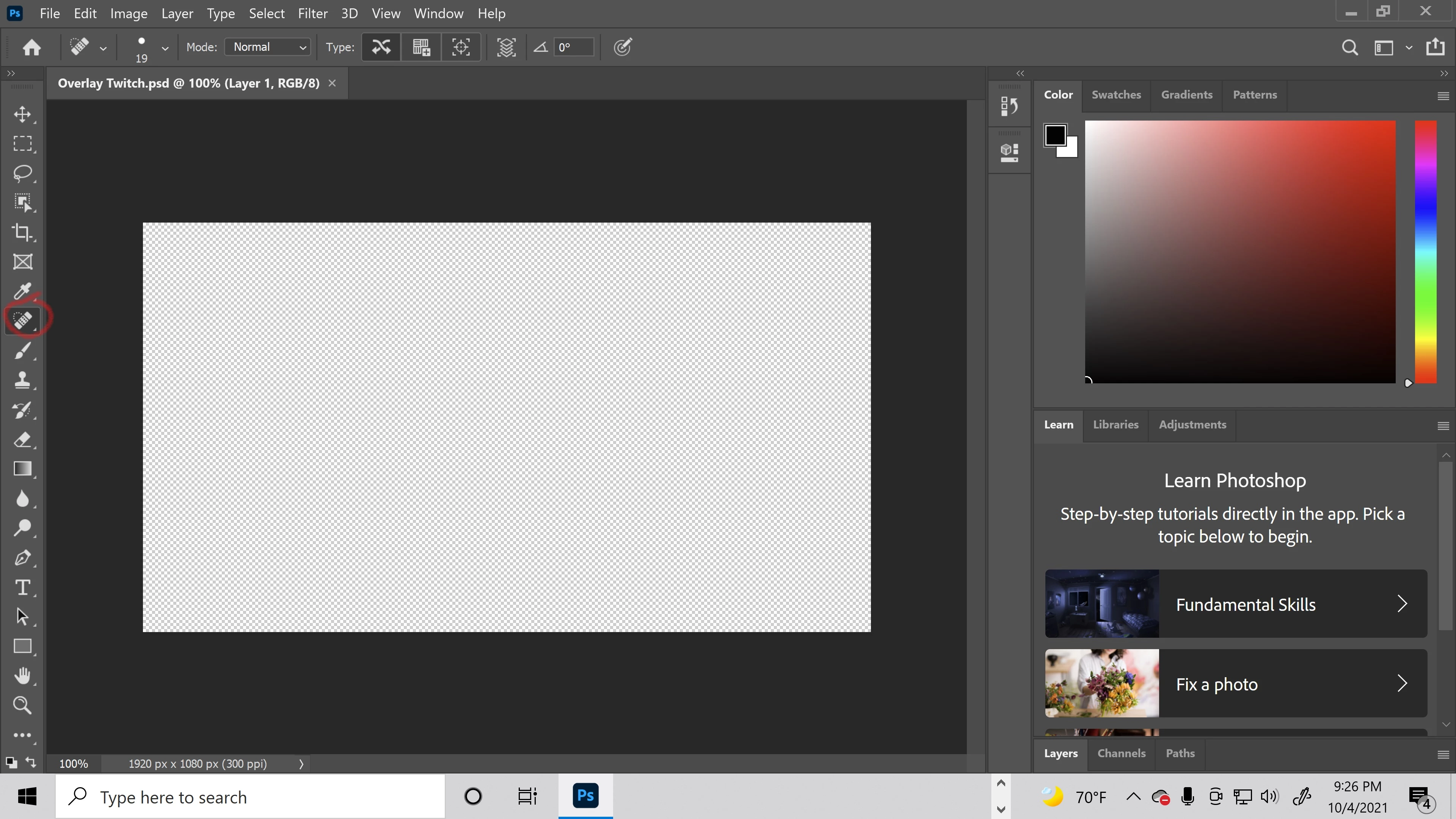
The next option I tried was clicking on the icon which says use the legacy Healing Brush algorithm (Photoshop CC 2014 and earlier), but I had to switch from the spot healing brush tool to the healing brush tool, which is the only way I was able to find the option as shown in the images below.
First Image is the spot healing brush tool, while the second image is the healing brush tool.
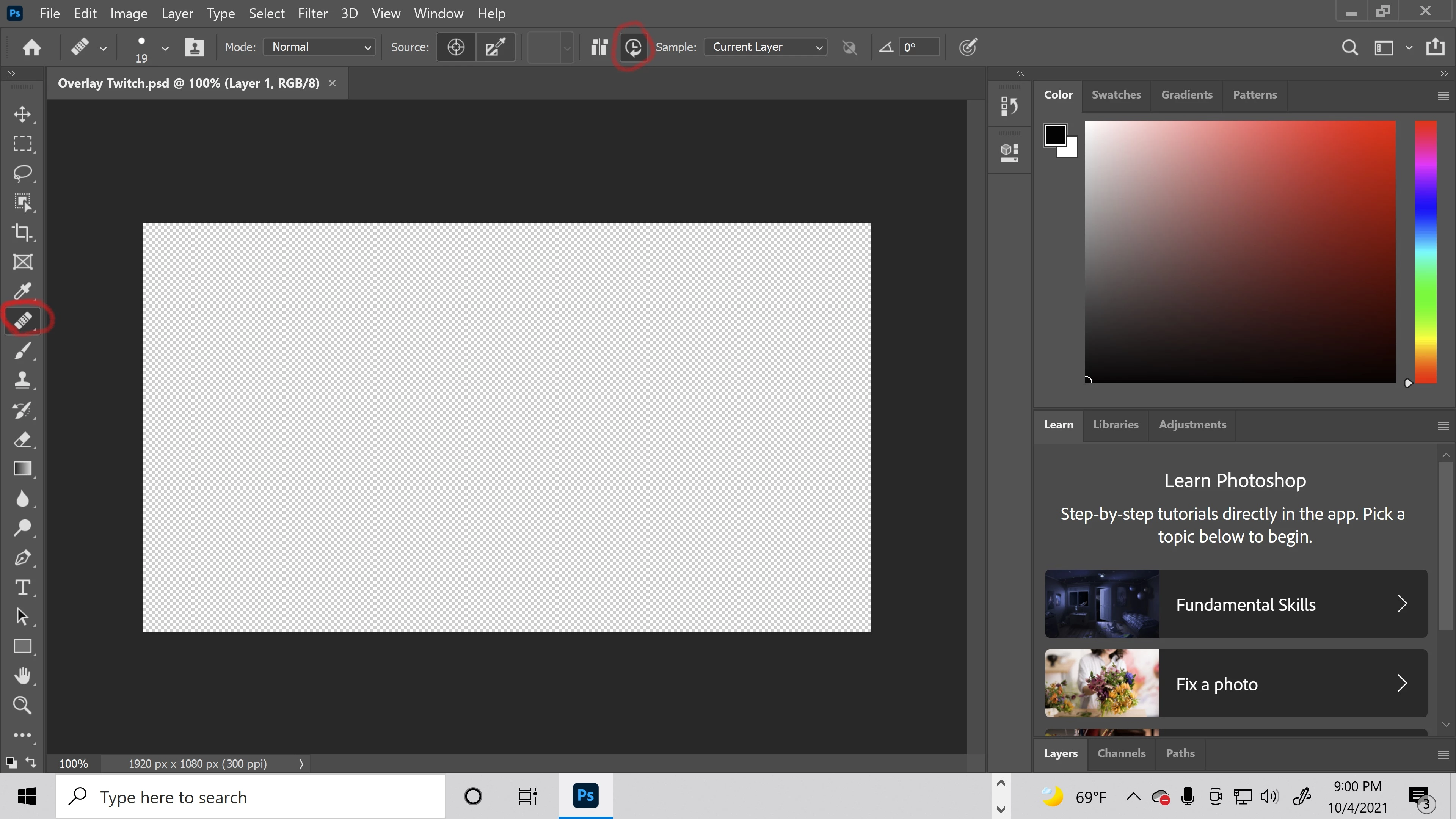
I thought that doing so would revert the spot healing brush tool to its previous version but it did not. I even tried using the method I found through the adobe help center located in the image below.
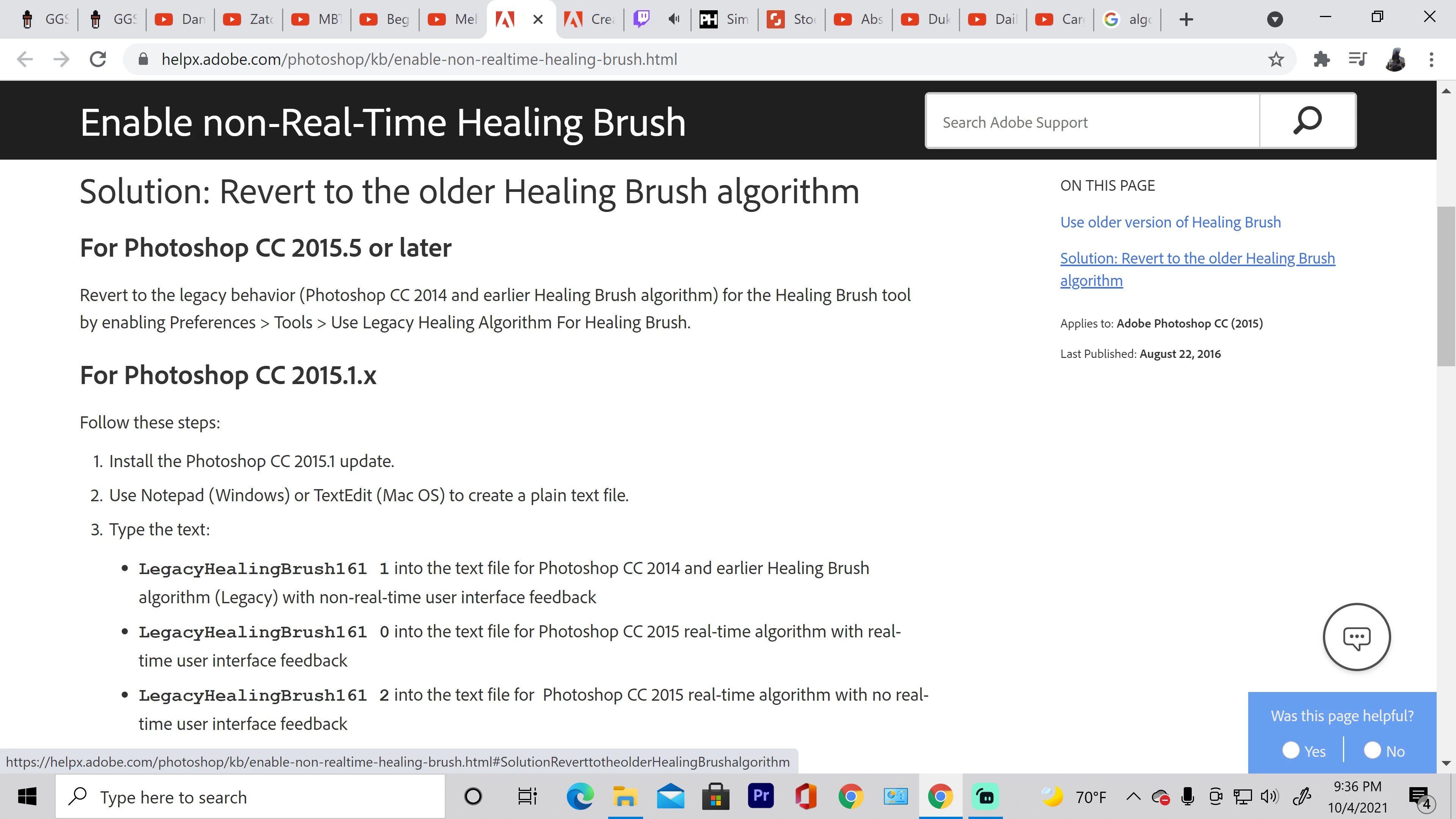
After doing so I restarted photoshop and still ran into the same problem. I just want to be able to use the old spot healing brush tool instead of this new one. My learning process is being somewhat hindered since many of the tutorials that show how to use the spot healing brush tool showacase how to do so by using the old tool. Please can someone help ASAP, I would truly be thankful if so.
 AdChoices