


Answered
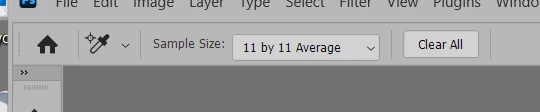
How do I clear all color samples?
After selecting several color sample points I have numbered cross-hair points on the image and the RGB values shown in the side Info panel. How do I clear all these color samples?
I have seen mentions of a “clear all” context menu option but I do not see such a thing. How do I get rid of the sample points on the image and the data in the side panel?

 AdChoices