


January 16, 2026
Question

How do I create a seamless pattern in Photoshop?

  • January 16, 2026
  • 5 replies
  • 155 views

When I do the pattern preview I just see rows of lines. This is for Spoonflower fabric. I've watched and read so many videos about training and can't come up with a good way to do this. 


here is my original painting

 

Here is my pattern preview.
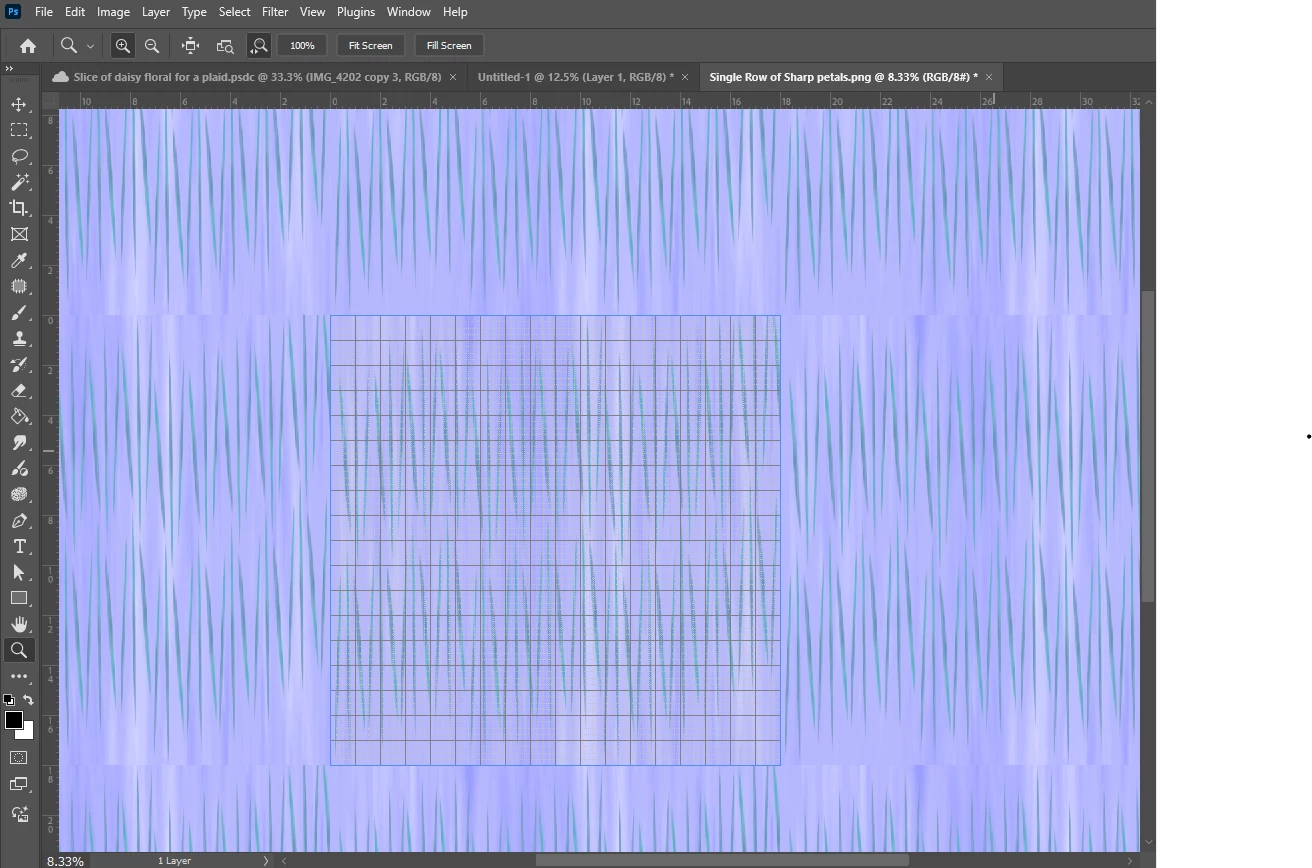
 

thanks so very much!

5 replies

Trevor.Dennis
Community Expert
Community Expert
January 19, 2026

This is would have to be one of the best tutorials on how to do it.  In fatc this is the absolute best Photoshop tutorial channel on YouTube.   Also check out View > Pattern Preview

davescm
Community Expert
Community Expert
January 18, 2026

Hi
As you have found, the pattern you are repeating is not seamless. That is easy to address in Photoshop though.
1. With your pattern open, go to Filter > Other > Offset and set the Horizontal and vertical offset to half the width and height of your pattern tile. This will move the edges to the centre of the pattern tile.

2. Now the old edges are centred, paint them out with a brush (or use the spot healing tool) so that those harsh transitions are gone.

3. Go to Filter > Other > Offset and offset the image by half the width and height again. This will put those repaired edges back at the edge of the tile.
Your pattern should now work seamlessly.

Dave

January 18, 2026
Thank you so much Dave! You are the Best! I will try this today.
creative explorer
Community Expert
Community Expert
January 18, 2026

@creative_6146 I haven't created a pattern in Photoshop, but I did it with Illustrator for my fashion students a few years ago. You can watch this, and see if it's adaptable for Photoshop. https://www.youtube.com/watch?v=S_xyNThdGlc

m
January 18, 2026
Thank you so very much! You are so very kind to help me. I will watch this
today.