Mike McCollister
Participating Frequently
July 17, 2026
Question

How do I get a nice clean cartoon look of this scan?

  • July 17, 2026
  • 2 replies
  • 35 views

I scanned a stuffed animal from my childhood. It has this early 1970s pattern on a velvet-type fabric. Can anyone come up with a technique in Photoshop that will make it look like a clean cartoon without the velvet-like texture? I’ve tried blurring it but I can’t figure out how to get then crips black outlines over it.
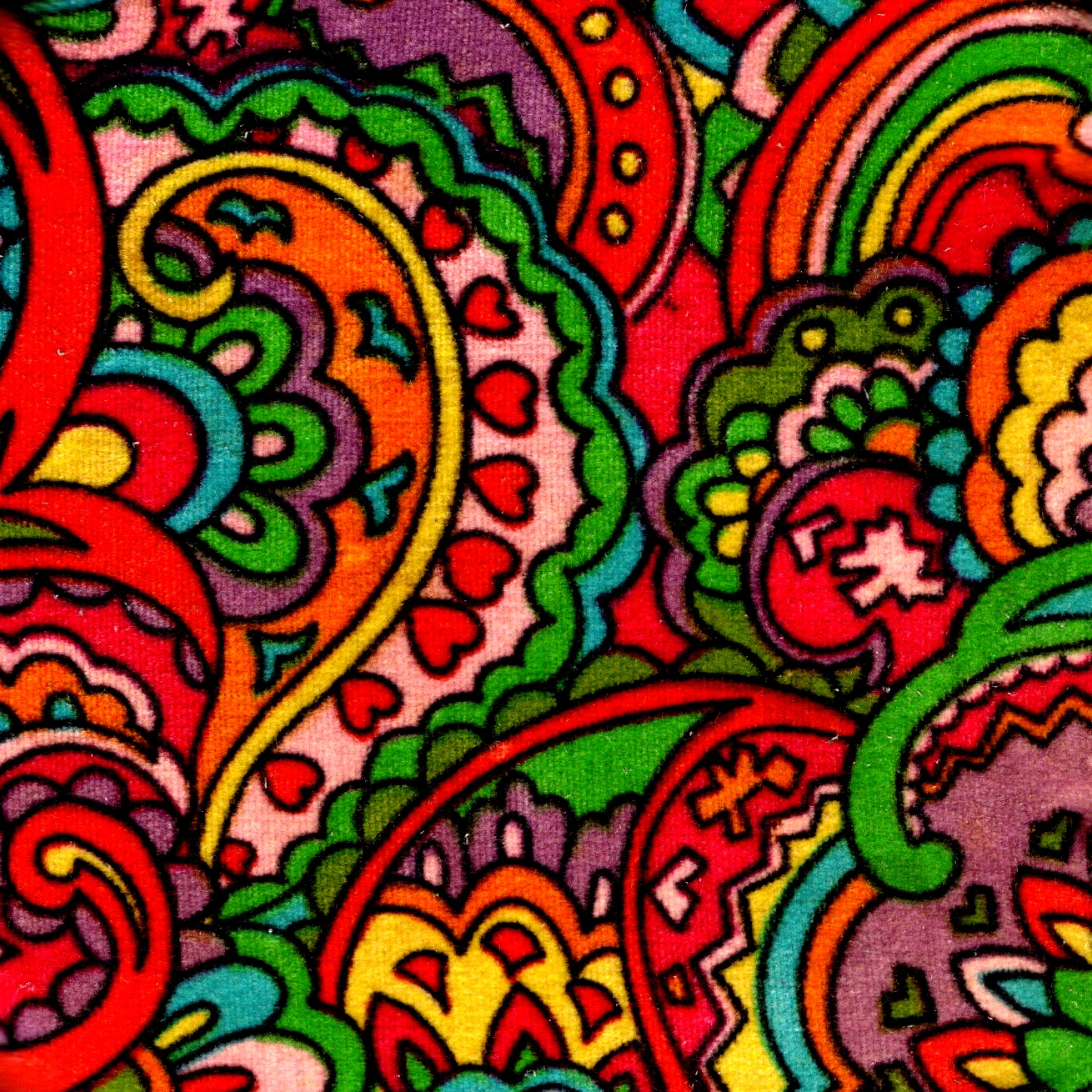
 

I appreciate your help.

    2 replies

    Mike McCollister
    Participating Frequently
    July 17, 2026

    Thank you ​@Conrad_C. I keep forgetting about the Filter Gallery. That is close to what I want. I’ll play around with it some more.

    I did try using google Gemini, I got something that looked inspired by my scan but nothing like it. I then tried ChatGPT and got pretty good results on the first try. I’ve tweaked it some and it got a little better then ran out of my free image generation for the day.


    Conrad_C
    Community Expert
    Community Expert
    July 17, 2026

    Good one. I’m so old-school that I don’t always remember to try generative AI, but it’s definitely become more and more effective at this kind of clean-up.

    Conrad_C
    Community Expert
    Community Expert
    July 17, 2026

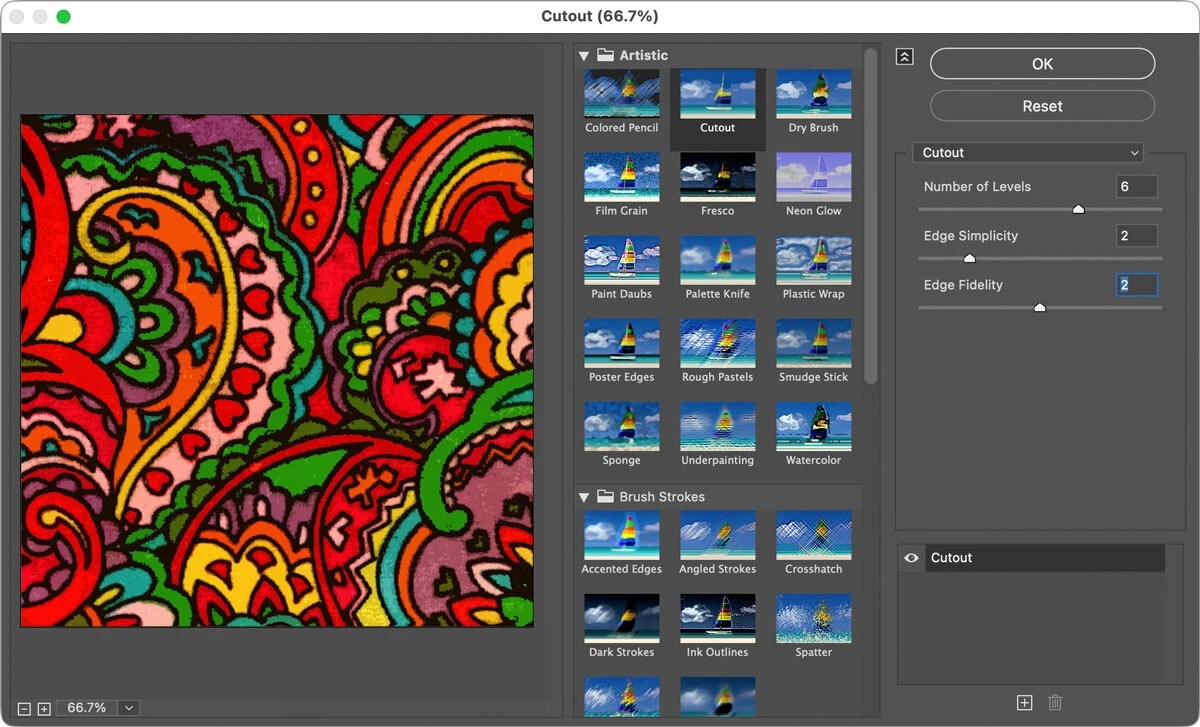
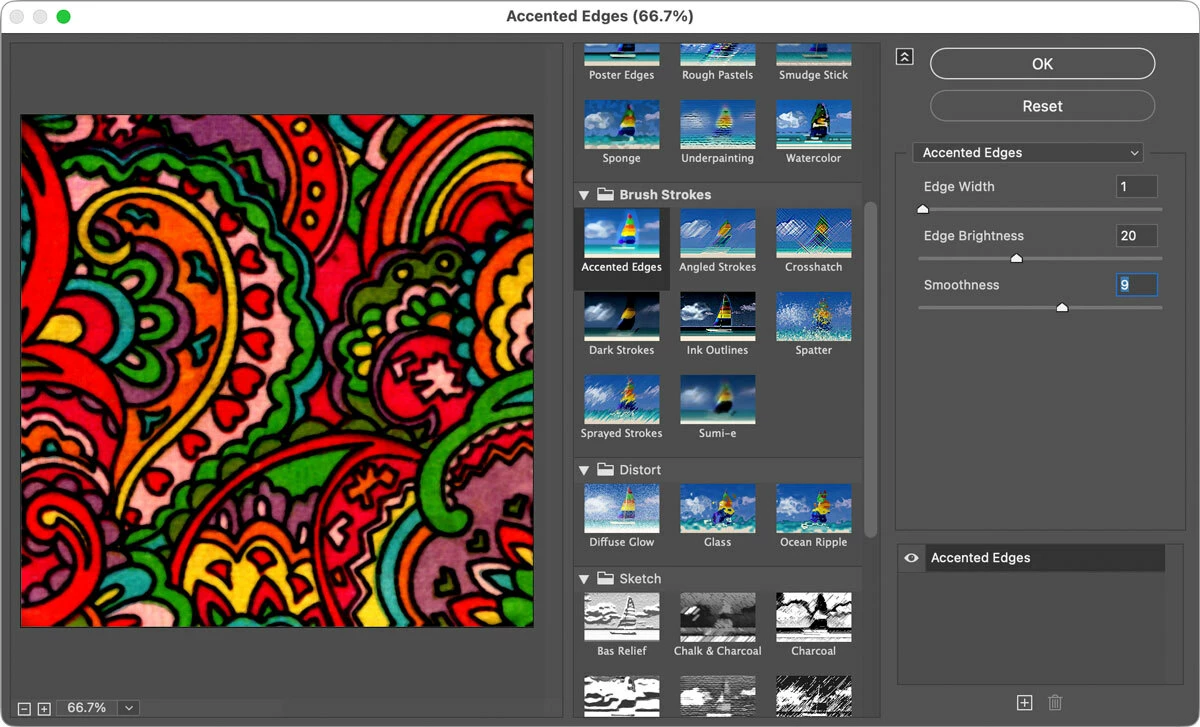
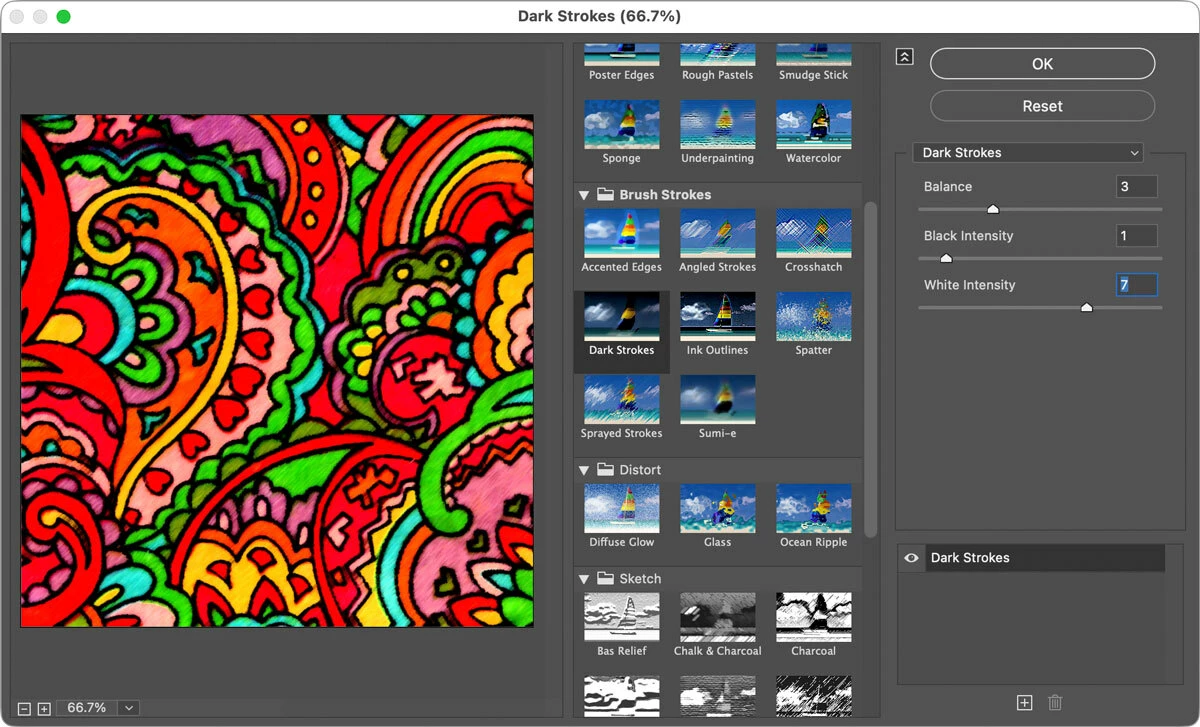
    One of many possible approaches is to choose the command Filter > Filter Gallery and experiment with some of its effects. The examples in the pictures below only took a few seconds to try out. Note that you can stack multiple effects in Filter Gallery, in case a combination of them gets you the kind of cartoon look you want.


    Cutout filter


    Accented Edges filter


    Dark Strokes filter


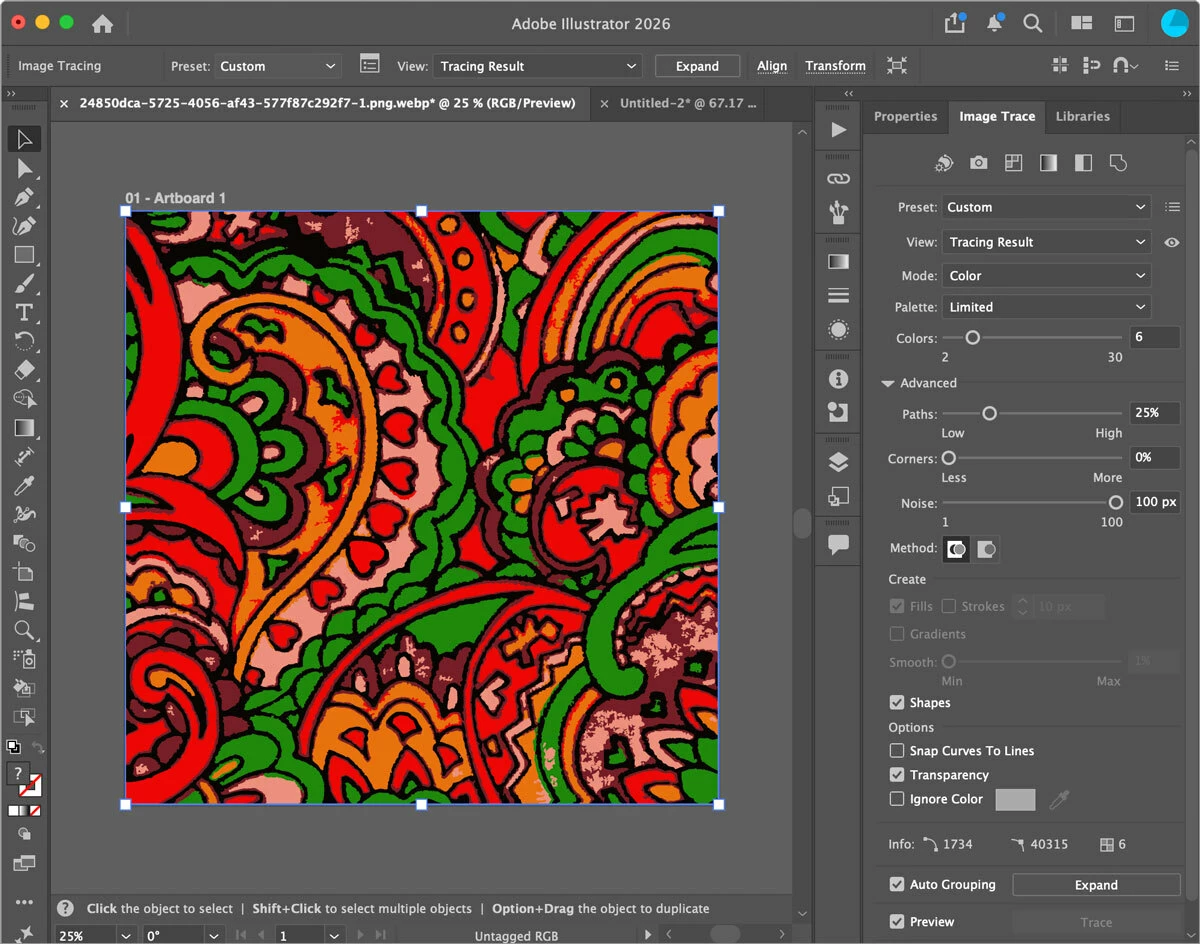
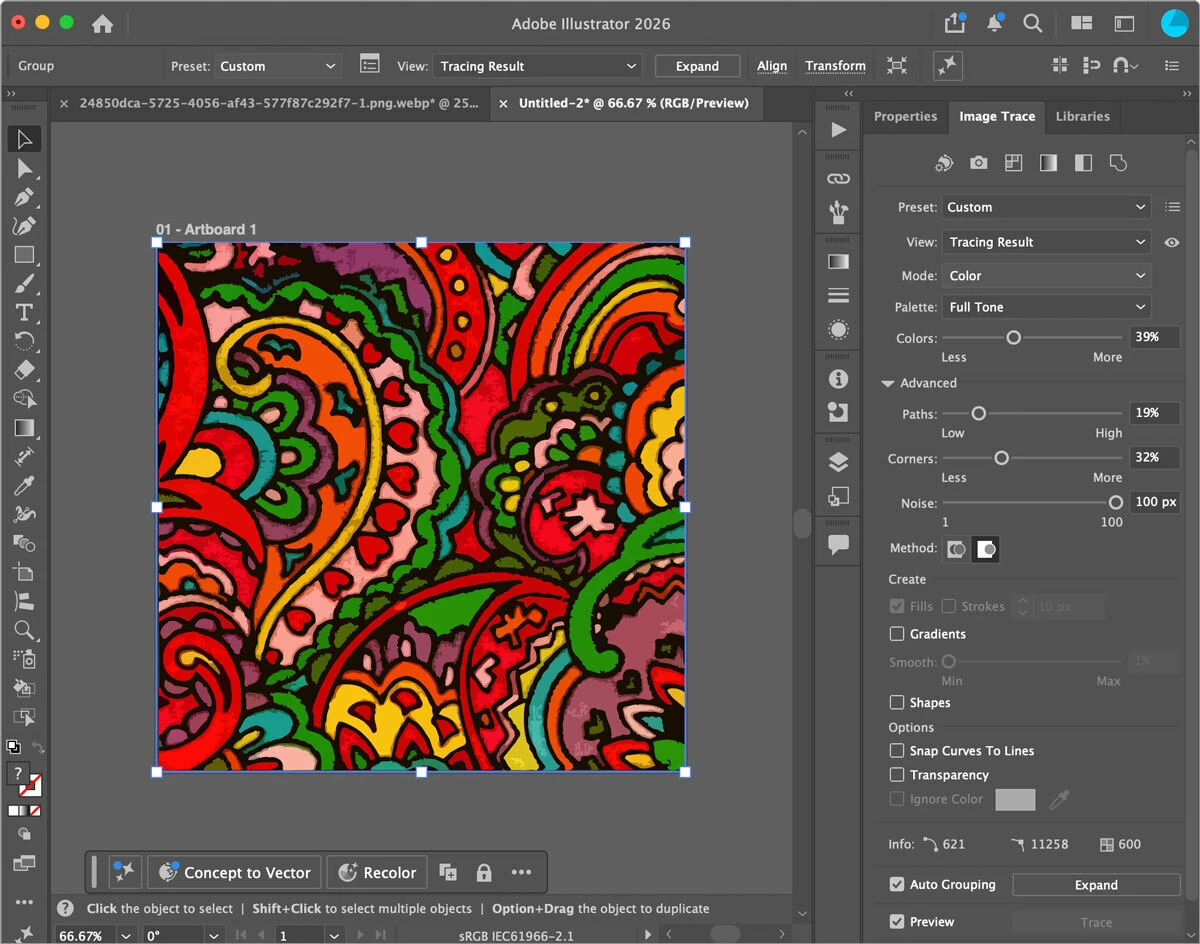
    If your subscription includes Adobe Illustrator, you can also try its Image Trace feature. I tried it two different ways:

    Image Trace alone


    Image Trace of the version created by the Cutout filter in Photoshop

    (in other words, pre-processed in Photoshop to simplify for Illustrator tracing)