
Known Participant
December 17, 2018
Answered

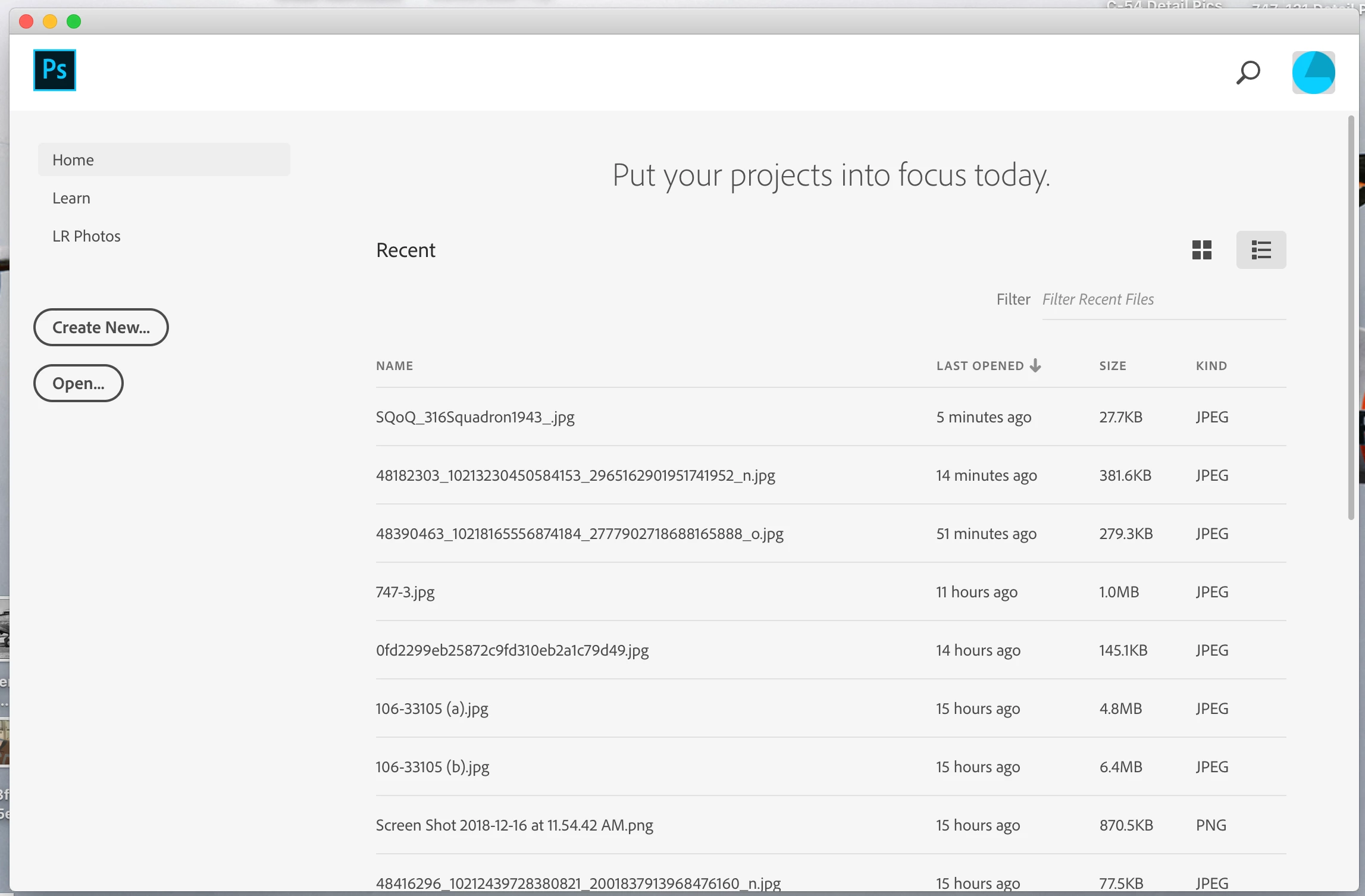
How do I get rid of this annoying window??

  • December 17, 2018
  • 3 replies
  • 6304 views

Just installed CC 2019.  Every time I close an image, this really annoying window pops up on my desktop.  I've been through every preference I can find, and I can't see any way to get rid of it.

What am I missing??

Thanks!
    This topic has been closed for replies.
    Correct answer Sahil.Chawla

    Hi there,

    You can turn this off by going to Photoshop's Preferences > General and choose "Disable the Home Screen".

    Regards,
    Sahil

    3 replies

    Inspiring
    December 15, 2022

    had to reinstall photoshop in 2022. Version 24.1.0 doesn't seem to have a Preference choice of Disable the Home Screen. There are options to Auto Show the Home Screen and Use legacy "new document" interface. Enabling or disabling those does nothing. Adobe chat did a remote session and took a trip all over the computer and couldn't figure it out. Anyone who reads this in 2022 and knows the new answer, please help. Thank you.

    Trevor.Dennis
    Community Expert
    Community Expert
    December 15, 2022

    Did you restart Photoshop?  Turning off 'Auto Show Home Screen' disables it for me.

    BTW, it is usually better to start a new thread with this sort of issue, as so much will have changed in the last four years.  If you do this, include what Operating System and version you are using.

    Inspiring
    December 15, 2022

    I disabed Auto Show the Home Screen. Closed and restarted Photoshop. Nothing. I did start a new thread but because I am not the expert at knowing just exactley where to post the thread I made mention of that and requested it be mnoved to the correct location. The reason I asked the question here is because this is the thread that the official Adobe Virtual Assistant gave as a link to the answer. I have also done three chats with Adobe technical people and one of them did a remote and only knew how to change the white screen to black. Windows 10, PS version 24.1.0.

    D Fosse
    Community Expert
    Community Expert
    December 17, 2018

    Yes, just kill it in preferences.

    I think it's mainly intended for new and inexperienced users, to give them a "soft" first encounter. To the rest of us it's only in the way.

    Sahil.Chawla
    Adobe Employee
    Sahil.ChawlaCorrect answer
    Adobe Employee
    December 17, 2018

    Hi there,

    You can turn this off by going to Photoshop's Preferences > General and choose "Disable the Home Screen".

    Regards,
    Sahil