

bellevue scott
Inspiring
February 10, 2026
Answered

How do I get the color wheel back for color selection?

  • February 10, 2026
  • 1 reply
  • 22 views

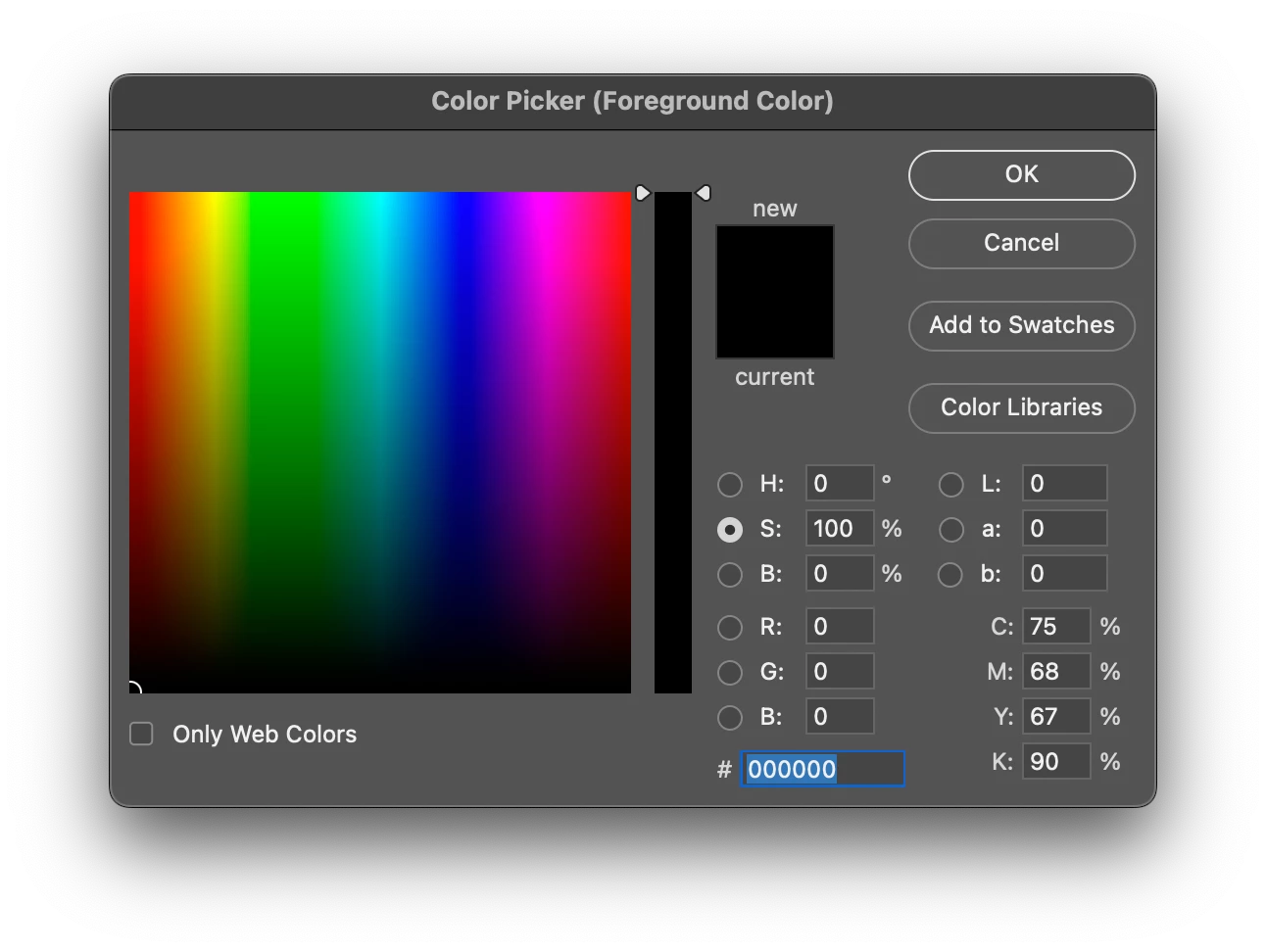
The color picker has completely changed from what it was. It’s now bands of color rather than a gradiant of color in the middle square with color range on the bar on the right. Here is what I see in PS 2026: 
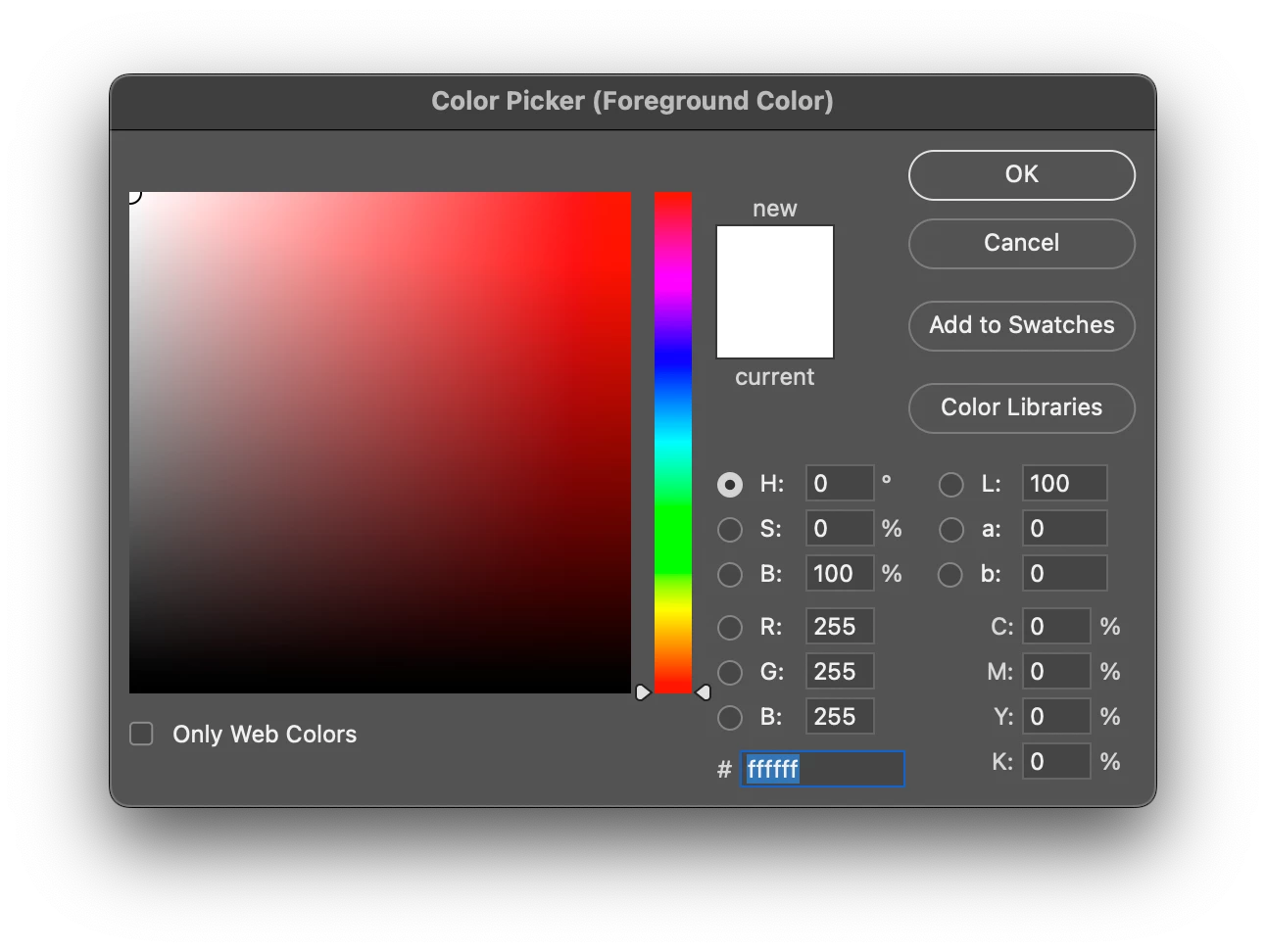
I find this confusing and difficult to use after using PS for 20 years and seeing this: 
 

Question: How do I get this back? 


Same is true of selecting a color fill when using Shift+F5 for fill. Now I see this: 
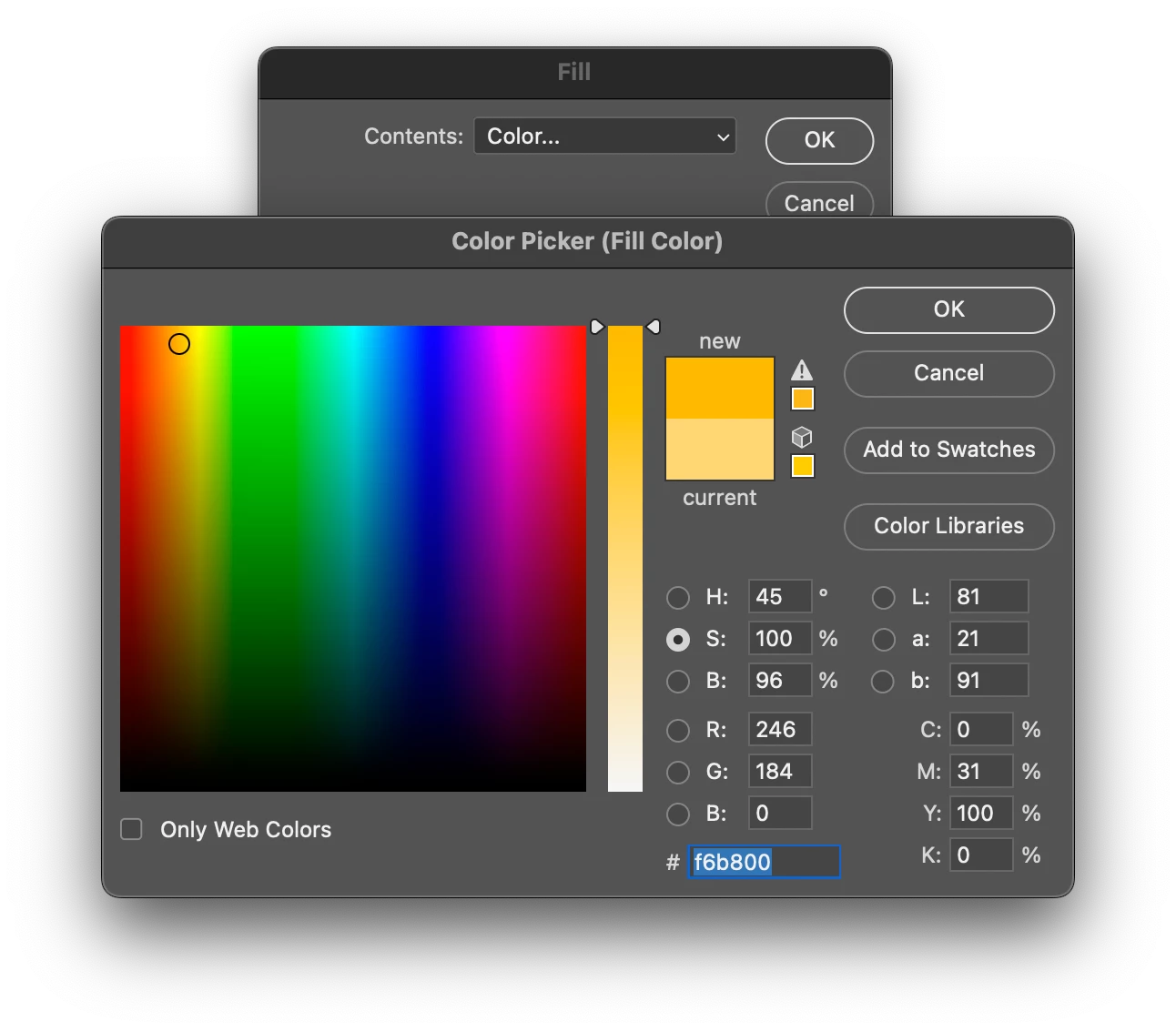
 

How do I get the old color picker back? I find this confusing and disorienting after two decades of using PS. 
    Correct answer Conrad_C

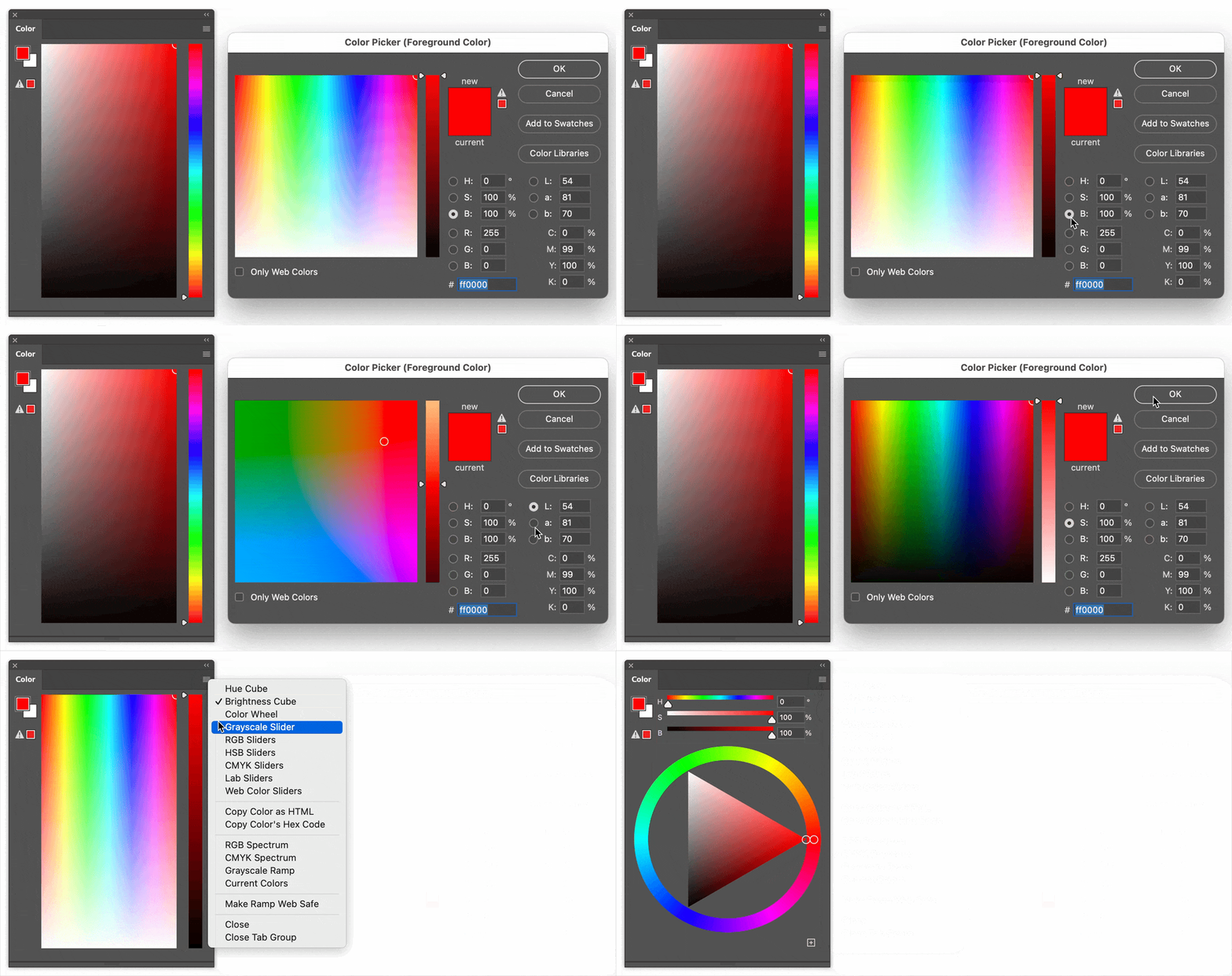
    This actually hasn’t changed much over the years. The way the Color Picker dialog box organizes colors depends on which color model and color component you selected, as shown in the demo below.


    Yours are different because in one you’ve selected H (Hue), and in the other you selected S (Saturation), both in the HSB group. The color display changes again if you select a component in the RGB or Lab groups. 


    For example, if you select H (Hue), you are telling the Color Picker to set the vertical bar to pick a Hue, and then you use the big square to select the other two components in that color model (Saturation and Brightness). But if you select S (Saturation), you’re telling the Color Picker to set the vertical bar to pick a Saturation, and now the big square switches to let you select the other two components (Hue and Brightness). And so on. 


    You asked about a color wheel, but I don’t think there’s a way to display that in the Color Picker dialog box. There is a Color Wheel option if you’re using the Color panel, as shown at the end of the demo below.


    1 reply

    Conrad_C
    Community Expert
    Conrad_CCommunity ExpertCorrect answer
    Community Expert
    February 10, 2026

    This actually hasn’t changed much over the years. The way the Color Picker dialog box organizes colors depends on which color model and color component you selected, as shown in the demo below.


    Yours are different because in one you’ve selected H (Hue), and in the other you selected S (Saturation), both in the HSB group. The color display changes again if you select a component in the RGB or Lab groups. 


    For example, if you select H (Hue), you are telling the Color Picker to set the vertical bar to pick a Hue, and then you use the big square to select the other two components in that color model (Saturation and Brightness). But if you select S (Saturation), you’re telling the Color Picker to set the vertical bar to pick a Saturation, and now the big square switches to let you select the other two components (Hue and Brightness). And so on. 


    You asked about a color wheel, but I don’t think there’s a way to display that in the Color Picker dialog box. There is a Color Wheel option if you’re using the Color panel, as shown at the end of the demo below.


    bellevue scott
    Inspiring
    February 10, 2026

    Thanks. That’s helpful. Maybe the defaults changed as I’ve never ever selected saturation. Appreciate the reply 

    Conrad_C
    Community Expert
    Community Expert
    February 10, 2026

    Either that, or sometimes it happens to me because a stray mouse click unintentionally clicked another button.