
Participant
September 26, 2022
Answered

How do I get the transparency gradient to apply to the stroke?

  • September 26, 2022
  • 2 replies
  • 723 views

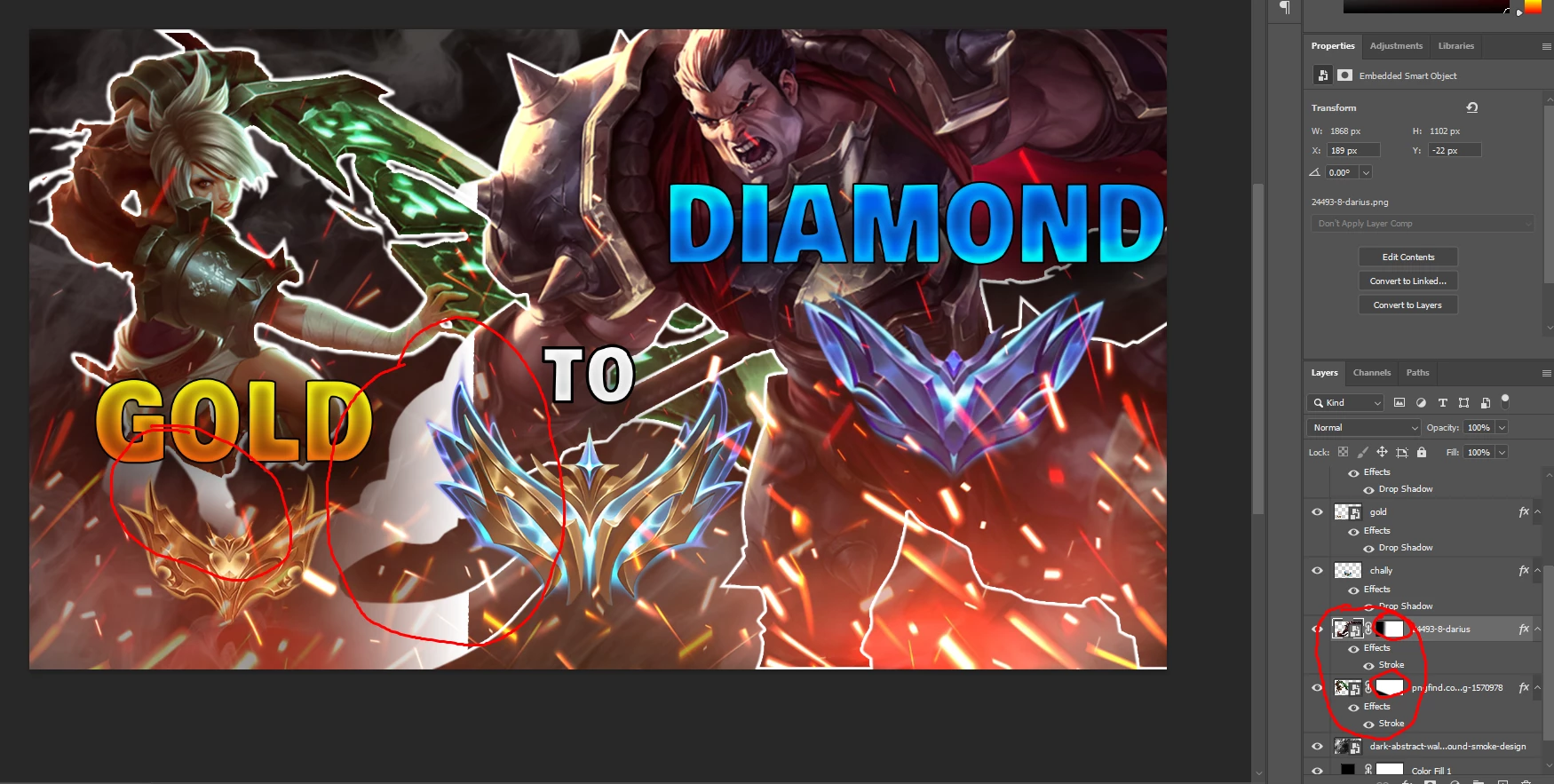
I added a transparent gradient to the two characters here, you can see I circled them in the bottom right. But when I add a stroke to them, even the areas of opacity are outlined by the stroke, as you can see circled. How do I fix this?
This topic has been closed for replies.
Correct answer Trevor.Dennis

Yes Bojan.  That's a better way of doing it.

2 replies

Trevor.Dennis
Community Expert
Community Expert
September 26, 2022

Nice artwork.  There is so much going on, I have a very strong feeling that I am not understanding what you are trying achieve?  I initially took 'transparent gradient' to mean that the stroke faded away from the subject, which is better done with outer glow.

Now I am thinking you mean as below.  The two red circles are the same, with one having a white stroke, which, as you said, is not working.


If you are after the following effect

Add the stroke

Make the layer a Smart Object

Add layer mask and run the gradient.


Having now answered every question _except_ the one you actually asked, I'd better let you explain so we can try again.

Bojan Živković11378569
Community Expert
Community Expert
September 26, 2022

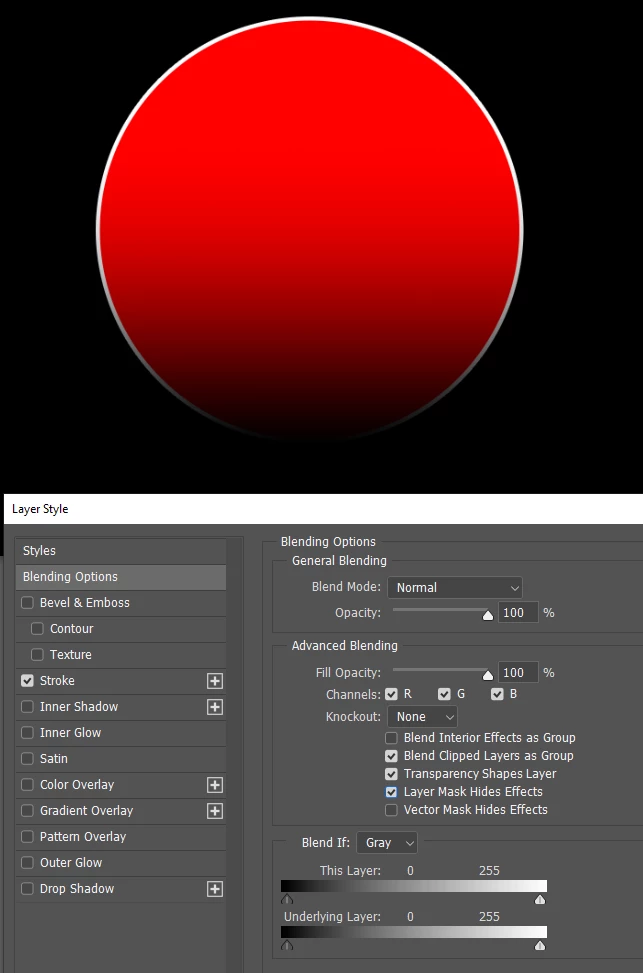
Not sure what exactly you want to achieve. Perhaps Layer Mask Hides Effects from Layer Style dialogue can solve your problem?

Trevor.Dennis
Community Expert
Trevor.DennisCommunity ExpertCorrect answer
Community Expert
September 26, 2022

Yes Bojan.  That's a better way of doing it.