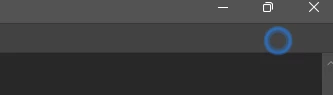
Green_Warlock
Participant
January 30, 2026
Answered

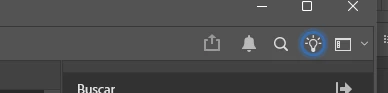
How do I hide or get rid of the "learn" panel on the upper right corner (the bulb light)?

  • January 30, 2026
  • 3 replies
  • 75 views

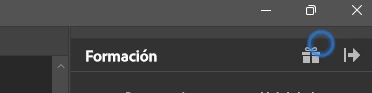
This icon keeps glowing even when I hide the whole bar, I keep looking for options to disable it but haven’t been lucky
 

    Correct answer D Fosse

    @Green_Warlock 

    Enable "quiet mode" in preferences, that will stop all notifications inside Photoshop.

    3 replies

    D Fosse
    Community Expert
    D FosseCommunity ExpertCorrect answer
    Community Expert
    February 1, 2026

    @Green_Warlock 

    Enable "quiet mode" in preferences, that will stop all notifications inside Photoshop.

    creative explorer
    Community Expert
    Community Expert
    February 1, 2026

    @Green_Warlock so, I have opened my Photoshop 27.3 (PC)


    If I look at my workspace, I am on Essentials. Have you updated to the latest version of PS?


    m
    Green_Warlock
    Participant
    February 3, 2026

    Hi, I’m also on the PS 27.3 Version, even switching the Workspace didn’t change those icons
    I’ll stick to Quiet Mode and keep on the look for that blue circle

    Community Manager
    January 30, 2026

    Hey ​@Green_Warlock 

    Could you let us know which version of Photoshop you’re using? The icon shouldn’t have that blue circle around it all the time. When you get a chance, try clicking it and activating Workspace Map, then deactivate it again to see if that clears the circle.
    Thanks a bunch!
    Alek

    *(If you mention me with an @, like @Aleke, I’ll get a notification and can respond faster.)*
    Green_Warlock
    Participant
    February 3, 2026

    Hi, I’m on the PS 27.3 Version
    I didn’t took screenshot but I’m pretty sure I saw it too on the Home Screen
    I’ll stick to Quiet Mode for a while, let’s see if it appears again