Answered
How do I increase the size of this image so I can print it out?
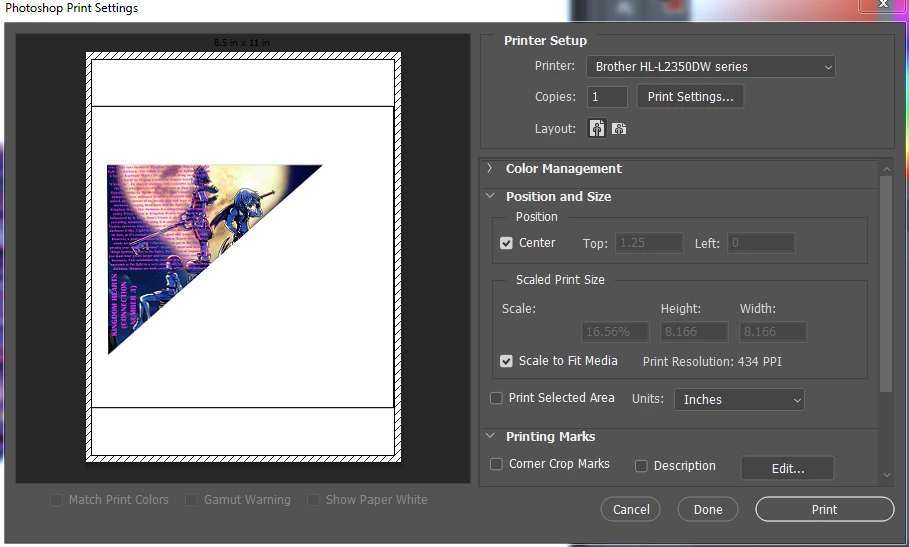
I tried printing out this image but it came out too small. How do I make it bigger?

I tried printing out this image but it came out too small. How do I make it bigger?
In the same Print dialog box that you showed, deselect the "Scale to Fit Media" and enter larger dimensions until the preview looks right.
The way the preview looks now, it looks like there's a lot of empty white around the image. That's why Scale to Fit Media isn't filling the page like it should. If you don't want all that empty white space, exit the Print dialog box and use the Crop tool to take it out.
Already have an account? Login
Enter your E-mail address. We'll send you an e-mail with instructions to reset your password.
 AdChoices