Participant
October 11, 2025
Answered

How do I invert my Vector mask in a layer mask?

  • October 11, 2025
  • 1 reply
  • 809 views

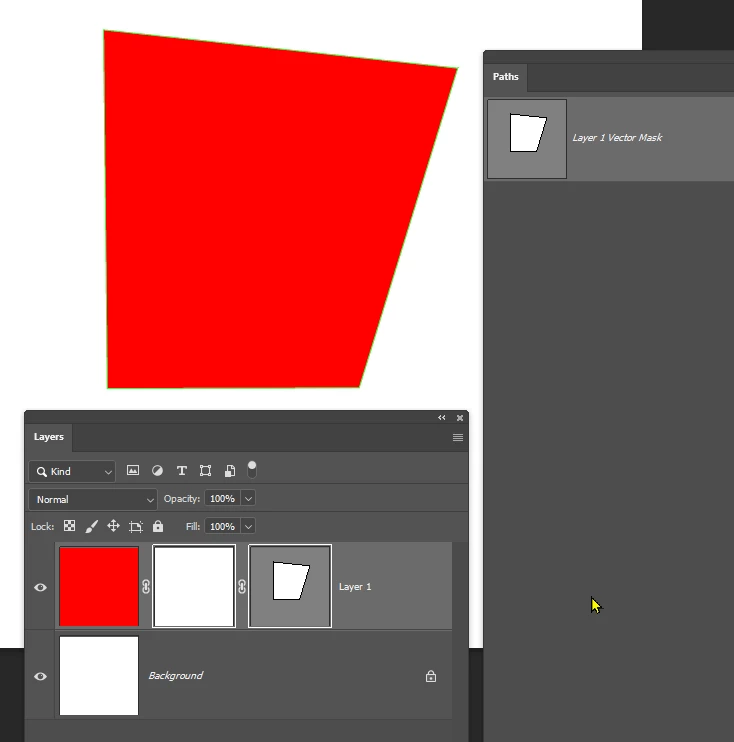
I'm trying to invert my Vector mask (The right one) while it's inside of my Layer mask (the middle one). I can't seem to invert. 
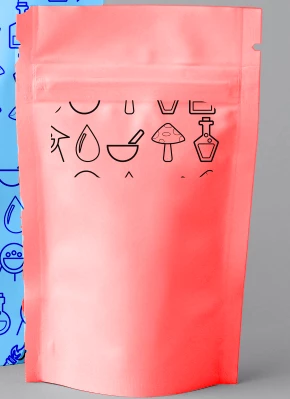
I want to invert this patter. I want the rounded recatangle be blank and the outside to have the pattern.

 

Correct answer Trevor.Dennis

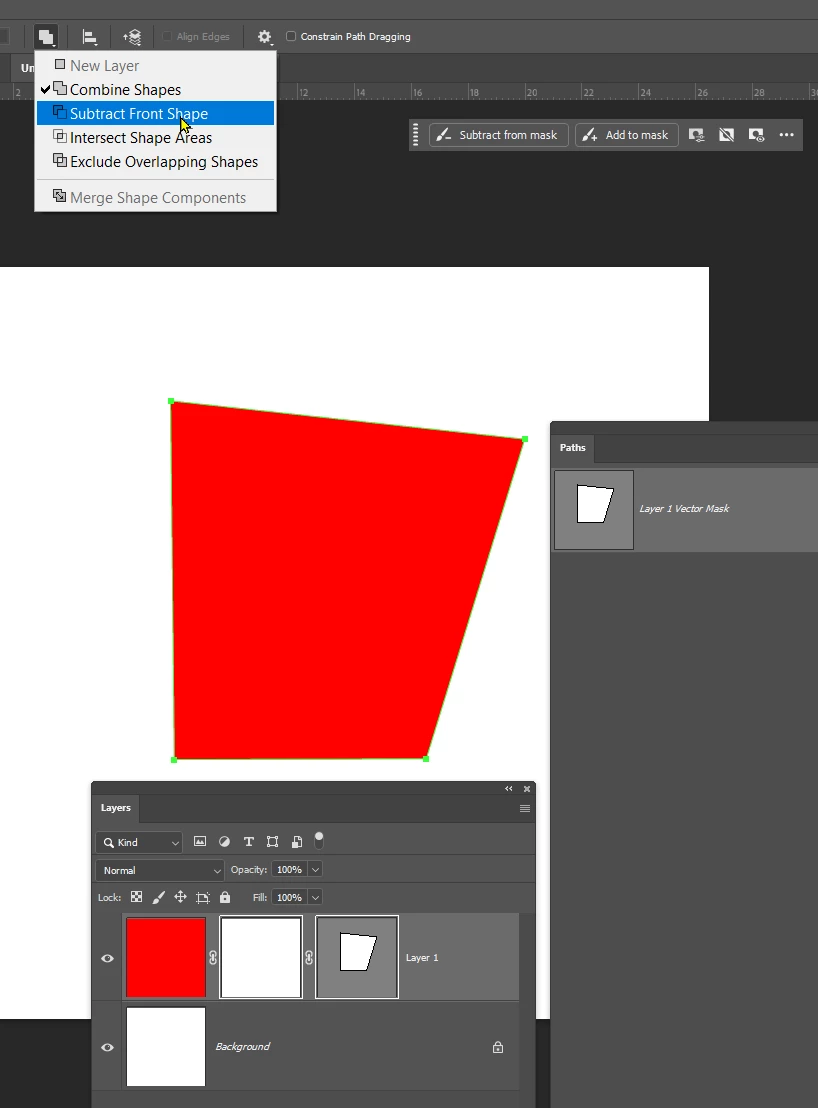
Select the mask in the Paths panel.


Select the Direct Selection tool (white arrow) and drag a window around the path so that all points become solid.

Then use the Path Operations drop down in the Options bar, and select Subtract Front Shape.

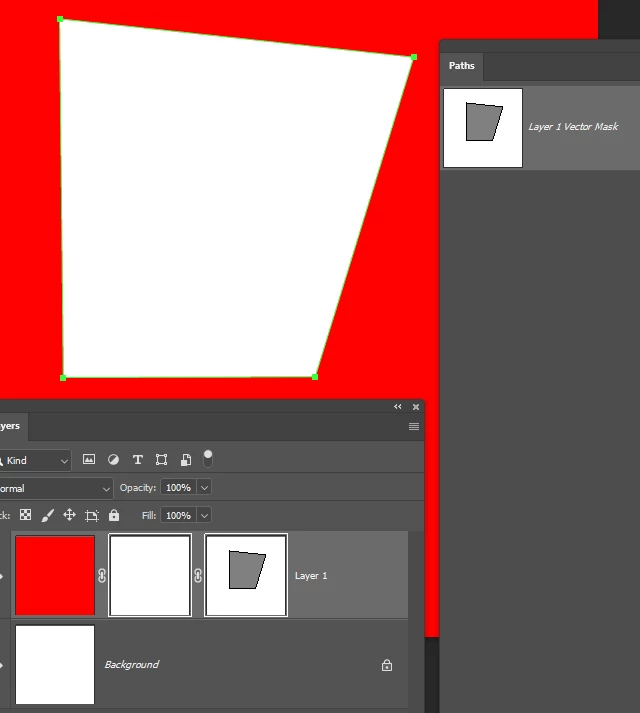
The mask will be inverted.


1 reply

Trevor.Dennis
Community Expert
Trevor.DennisCommunity ExpertCorrect answer
Community Expert
October 12, 2025

Select the mask in the Paths panel.


Select the Direct Selection tool (white arrow) and drag a window around the path so that all points become solid.

Then use the Path Operations drop down in the Options bar, and select Subtract Front Shape.

The mask will be inverted.


Stephen Marsh
Community Expert
Community Expert
October 12, 2025

It's one of those things that are not intuitive and go against my logic, as you don't need to actually create a second vector path on the canvas edges in order to perform the "subtract front shape" path operation against - as there is only one path. Even after the path operation is performed, there is only one vector path.

Trevor.Dennis
Community Expert
Community Expert
October 12, 2025

Steven, I didn't know how to do it from memory, although I assumed it would be via Path Operations.  So it came down to trying it out a step at a time.  I don't think I have ever had a need to do it before.