



joet74689428
Known Participant
Apr 4, 2026 8:38 PM UTC
Question

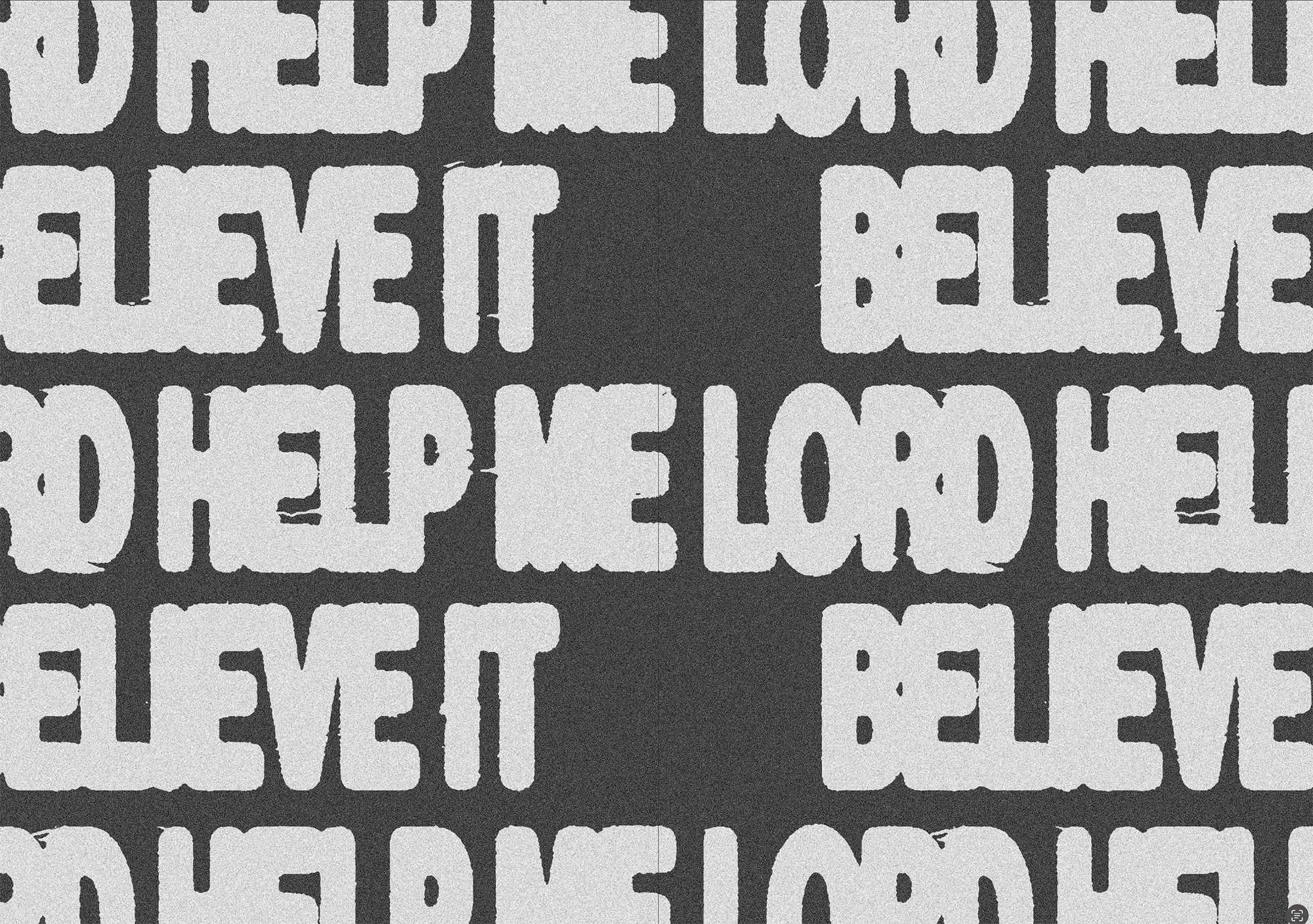
How do I r create this text effect?

I am looking to recreate this I have tried using Gaussian blur, median, and ripples with a threshold layer but still cant get the imperfections horizontal displacements etc? looking to alive it or very close… Any help would be dearly appreciated…


    4 replies

    Trevor.Dennis
    Community Expert
    Community Expert
    Apr 5, 2026 12:21 AM UTC

    Ctrl click the Type layer to load it as a selection.

    Contract the selection by something like 5 pixels (depending on the size of the Type layer. 

    Note: The Contextual Task Bar is a good way to do this.

    Add a layer mask


    With the Layer mask selected, go Filter > Filter Gallery, and try the different filters.

    Spatter worked quite well


    Translate
    Trevor.Dennis
    Community Expert
    Community Expert
    Apr 5, 2026 12:27 AM UTC

    If you make the resulting layer a Smart Object, you layer on additional effects.

    Translate
    joet74689428
    Known Participant
    Apr 13, 2026 11:47 AM UTC

    Thank-you for trying Trevor that is not the desired effect?

    Translate