How do I recreate this effect?
How do I recreate this effect, and which software do I use, I assumed it was photoshop emboss and bevel, but how do I achieve this bumpy effect on the surface?
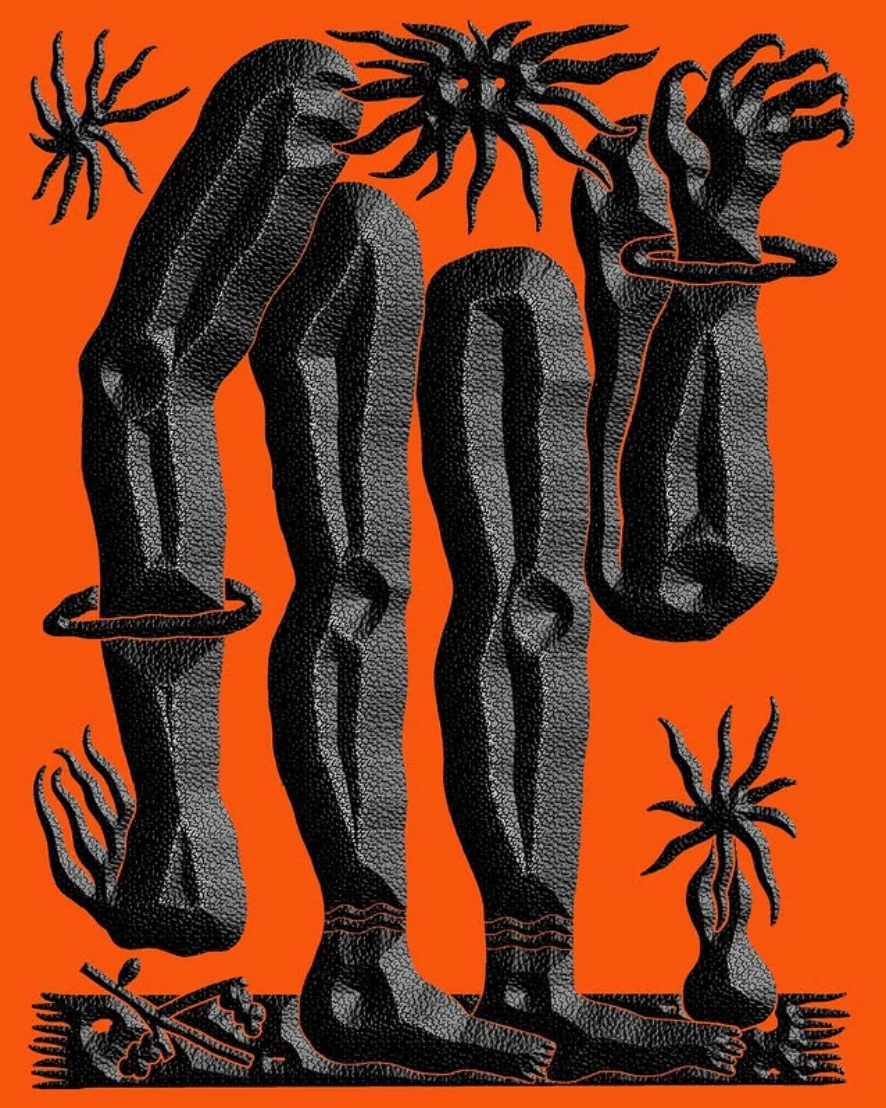
credit: celestin krier (Instagram)

How do I recreate this effect, and which software do I use, I assumed it was photoshop emboss and bevel, but how do I achieve this bumpy effect on the surface?

credit: celestin krier (Instagram)
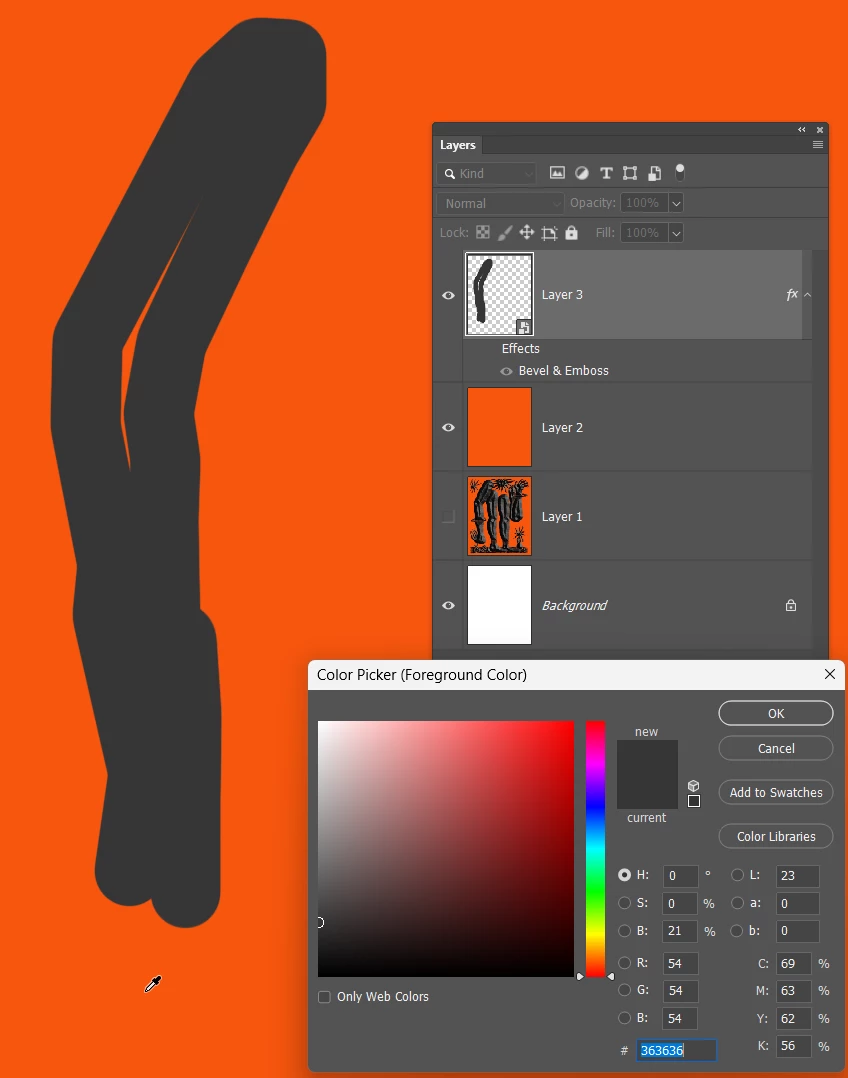
Line colour is a dark grey

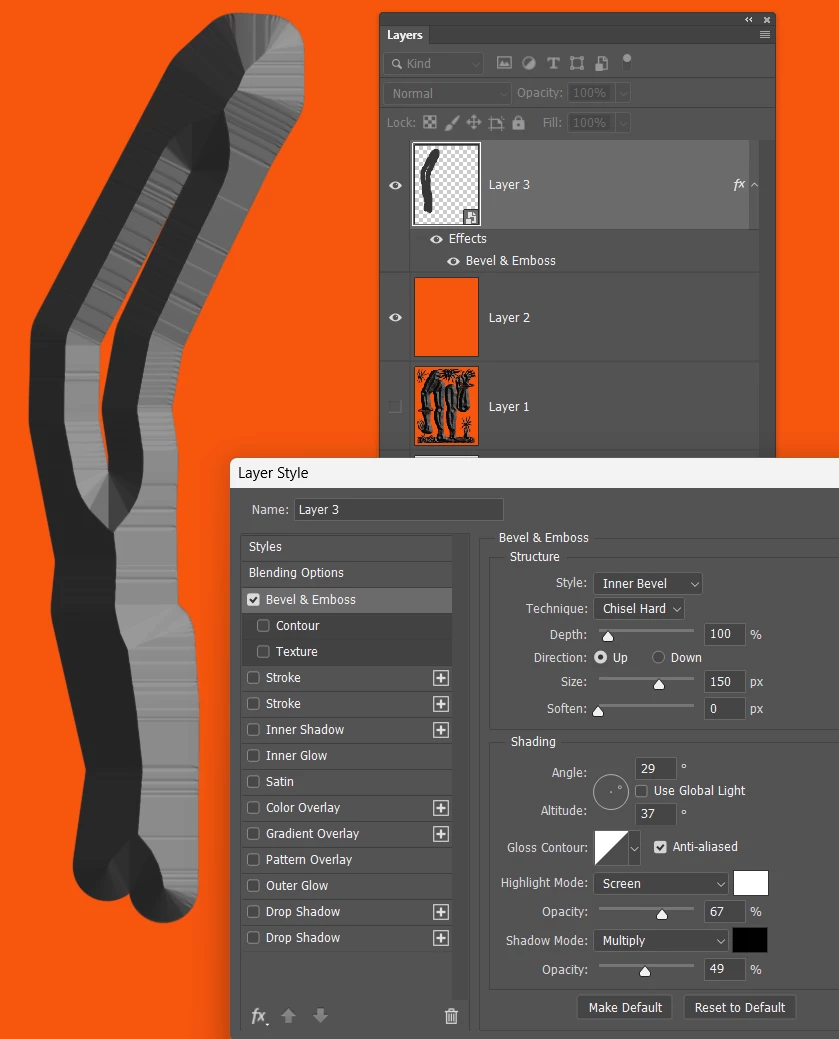
Bevel Emboss. You can't add any softening, or it will spoil the texture.

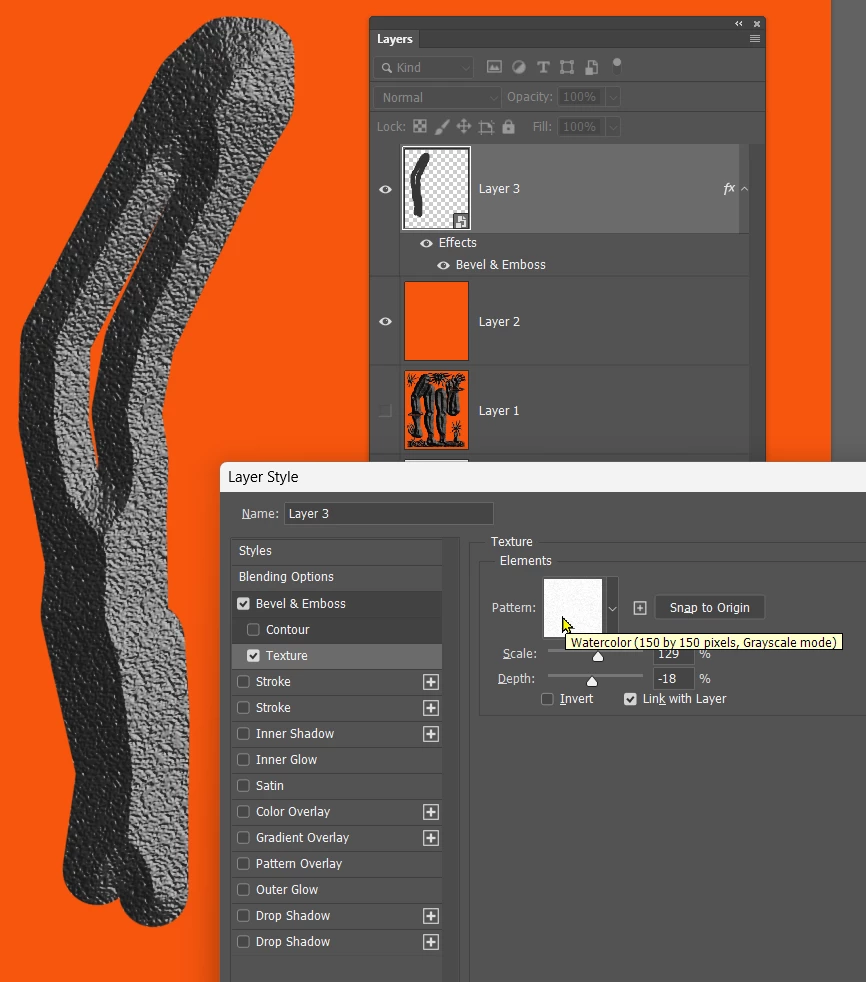
Texture. I found this in the Legacy textures.

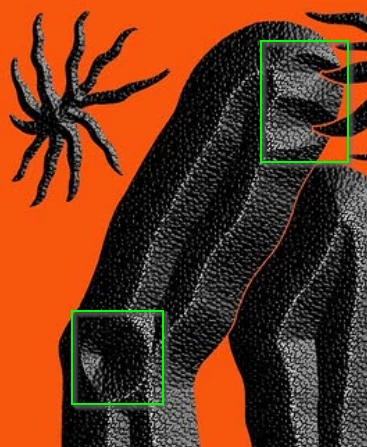
The above settings will be too much for the finer detail, so you'd need to do that on separate layers. I made the layer a Smart Object, out of habbit, but it actually worked against me with this. You'll need to be able to experiment with brush and eraser. There will be a wee hole in the lines bottom left hightlight. The top right highlight would not work with the eraser, but if you selected the v shaped nick with the lasso tool and deleted the selection, that will do it.

If you have a go, please share what you make. Good luck. This sort of project is so much more interesting than tarting up photographs.
Already have an account? Login
No account yet? Create an account
Enter your E-mail address. We'll send you an e-mail with instructions to reset your password.