
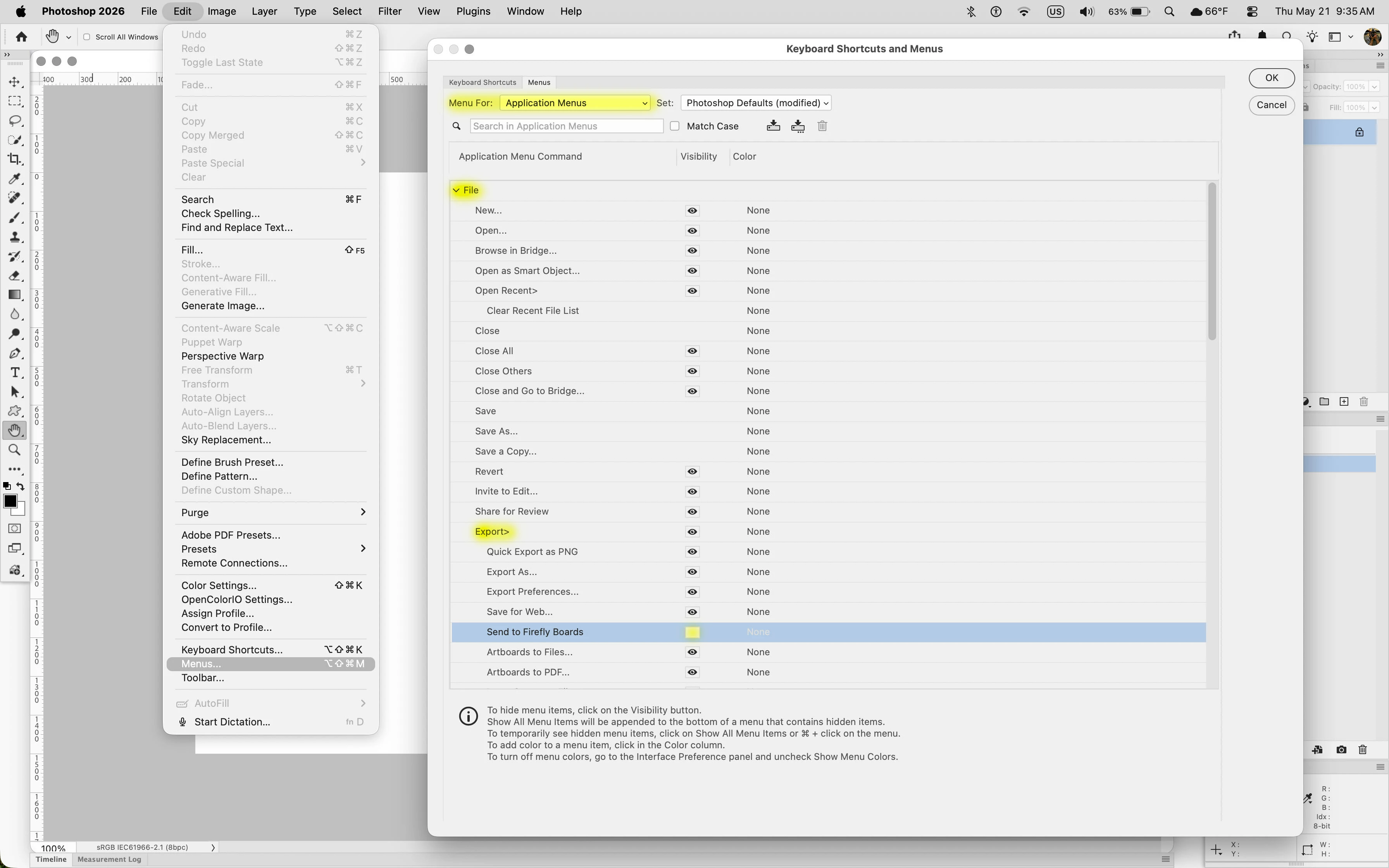
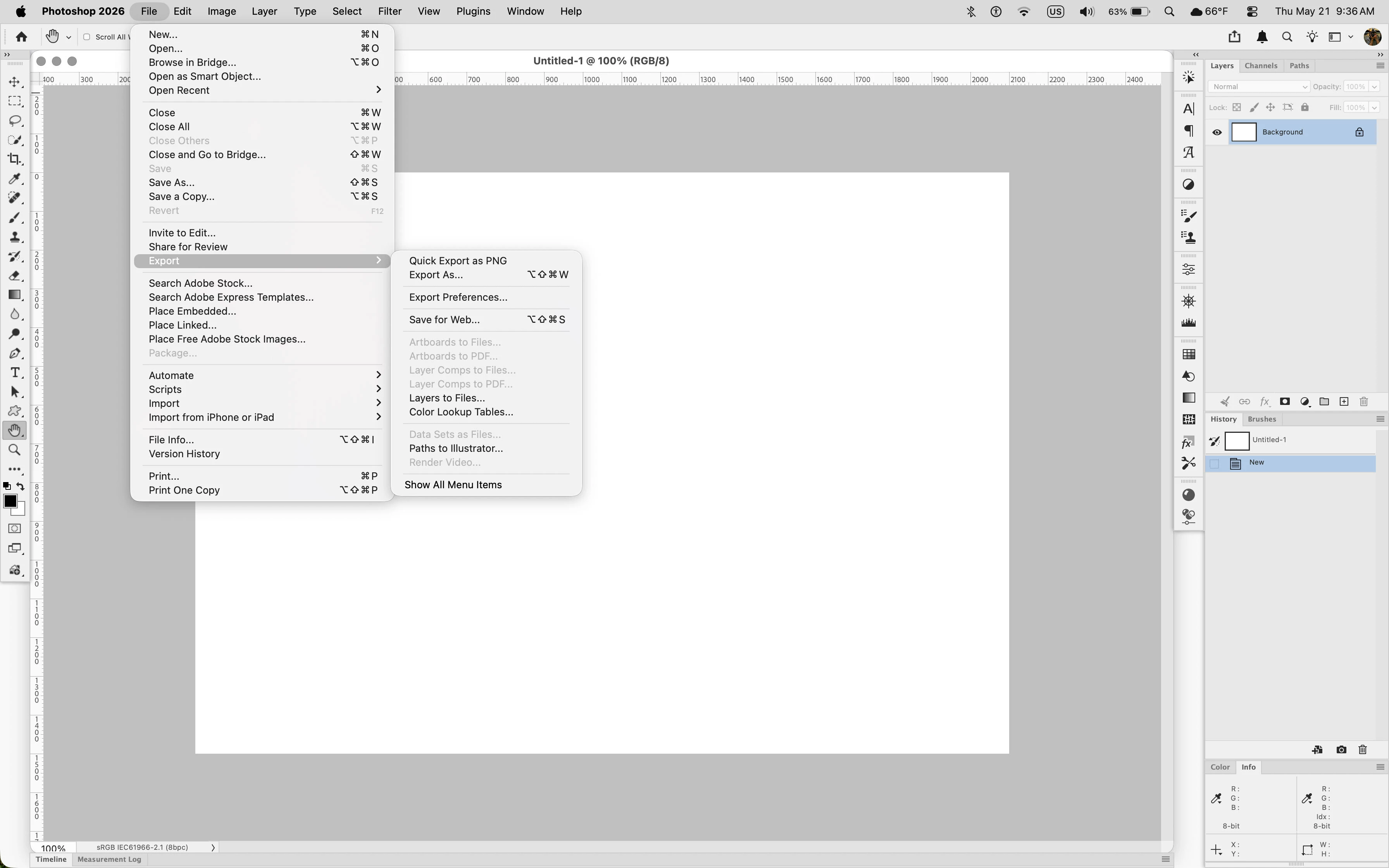
how do i remove "send to firefly boards " ?
how do i remove the intrusive “send to firefly boards’ which is an option inconveniently placed right next to export “file to web” ? is this 1984 ? am i the only one who finds this new option a covert attempt to monitor content created in a program that one is charged nearly $70 a month to use ? hmmm? if one accidentally chooses that option, which has happened numerous times , forcing me to take the time away from my work to go to the firefly boards and delete the file, twice... Oh and btw if you accidentally choose “send file to firefly boards”, and then attempting to cancel ? forget it … it never ever cancels ...never, it just sends the file to the firefly boards anyway . WHY HAVE THE OPTION TO CANCEL ,WHEN CANCEL IS COMPLETELY SUPERFLUOUS ?


 AdChoices