Libracentricart
Participant
July 29, 2026
Question

How do I resolve this unwanted blur effect while applying high contrast effects?
  • July 29, 2026
  • 5 replies
  • 40 views

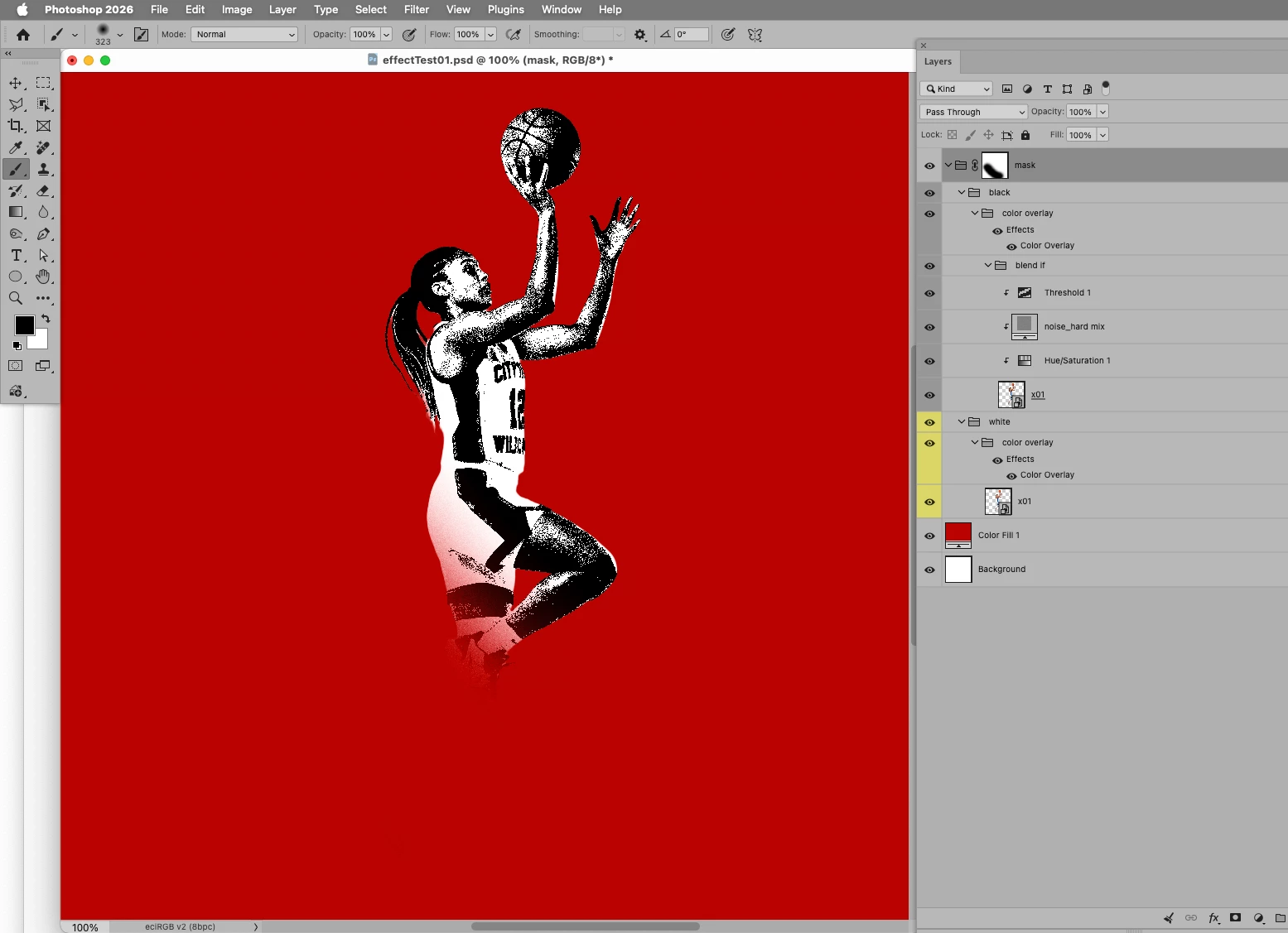
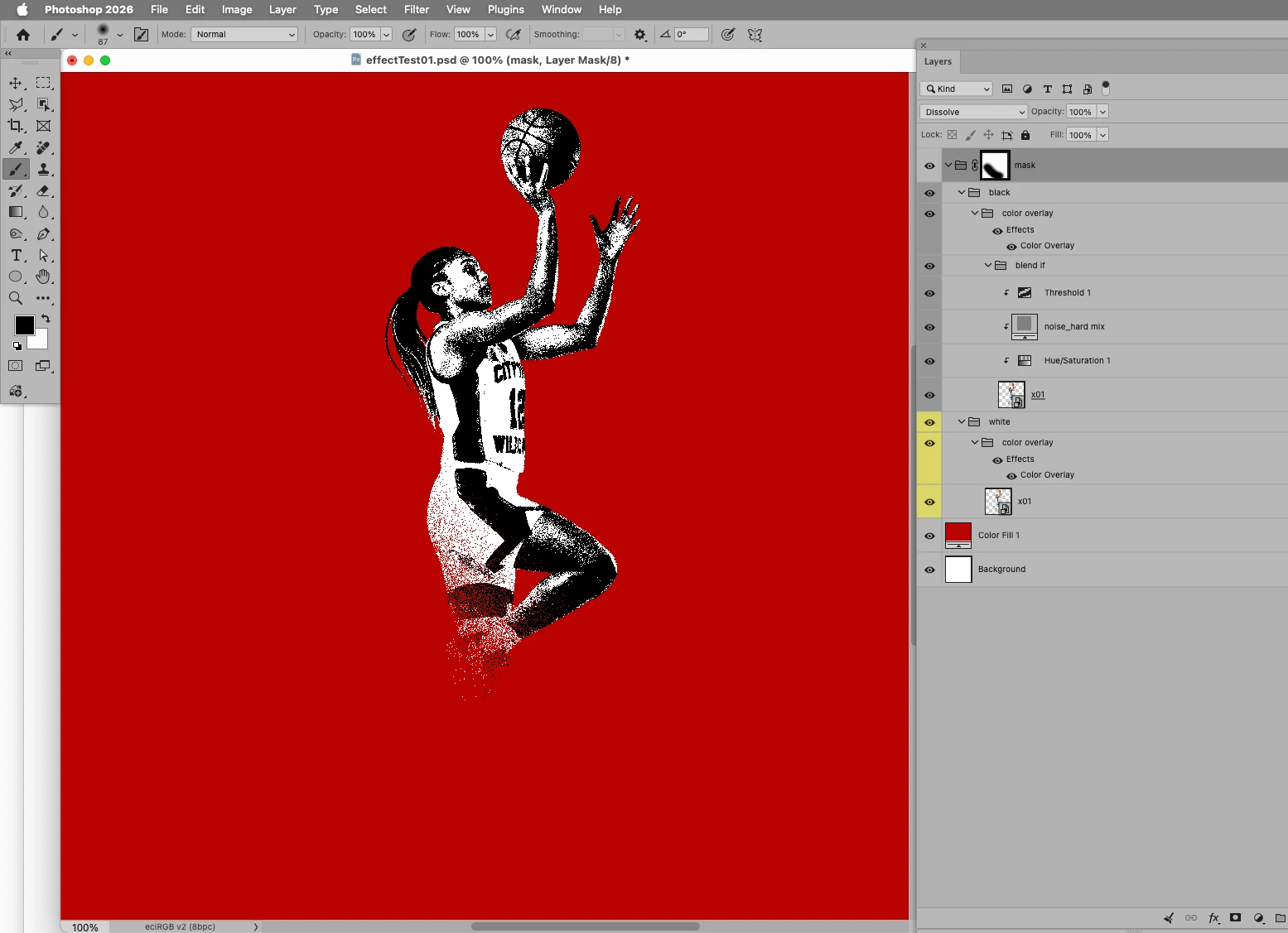
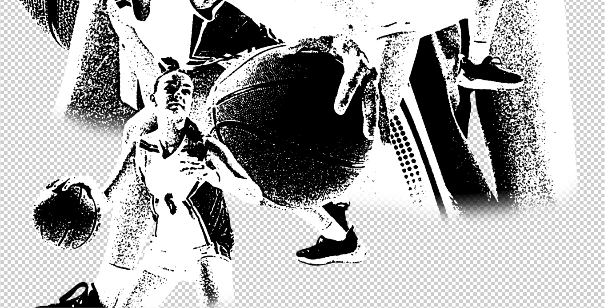
I’ve been compositing this project for a bit and I’ve been running into problems. One of them is this blur that happens when I remove parts of the masks. I use a soft-edge brush to remove the parts of the subject. If I use the hard-edge, it will give a bizarre result. Not all of the time this happens but this is often. Can anyone help me out with this particular issue?

    5 replies

    D Fosse
    Community Expert
    Community Expert
    July 29, 2026

    Always view hard-edged material at 100% View for an accurate preview.


    100% in Photoshop has nothing to do with size. It means one image pixel is represented by exactly one physical screen pixel. At any other zoom ratio, the on-screen image is resamled and thereby softened.

    Libracentricart
    Participant
    July 29, 2026

    So...how do I fix this issue? 

    D Fosse
    Community Expert
    Community Expert
    July 29, 2026

    @Libracentricart 

    View at 100%. After you’ve done that, come back and tell us if you still see this blurring.


    If you do, show screenshots, again at 100% view. I need to emphasize the importance of making the screenshots at 100% view.


    That’s either the View menu in Photoshop, or the keyboard shortcut ctrl+1.


    c.pfaffenbichler
    Community Expert
    Community Expert
    July 29, 2026

    Please elaborate on what the problem is. (edit: … or what the intended result should be)

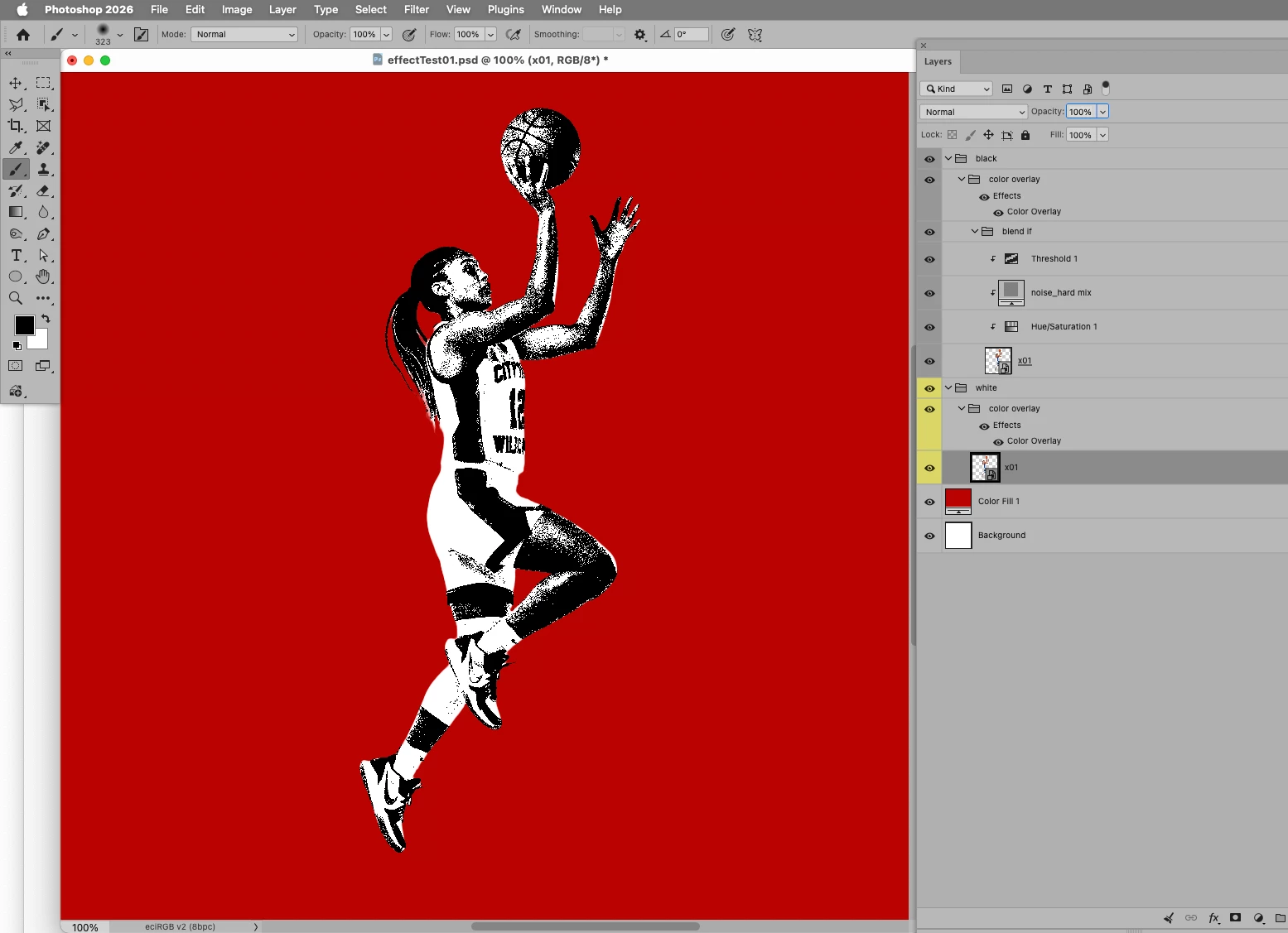
    Could you please post screenshots with the pertinent Panels (Toolbar, Layers, Options Bar, …) visible? 

    Libracentricart
    Participant
    July 29, 2026

    I will reiterate what exactly is the issue. The issue I am having is when I select the subject > Layer mask, I use the soft-edge brush to remove parts of the subject (as what you are looking at now). The ‘intended result’ should be that the blur is not there. The goal is to select parts of an image and simplify or transform them into high-contrast, pure black-and-white images (especially with either Image > Adjustments > Threshold or Filter > Filter Gallery: Grain, Stamp or Torn Edges). 

    Art by nothin.last4ever
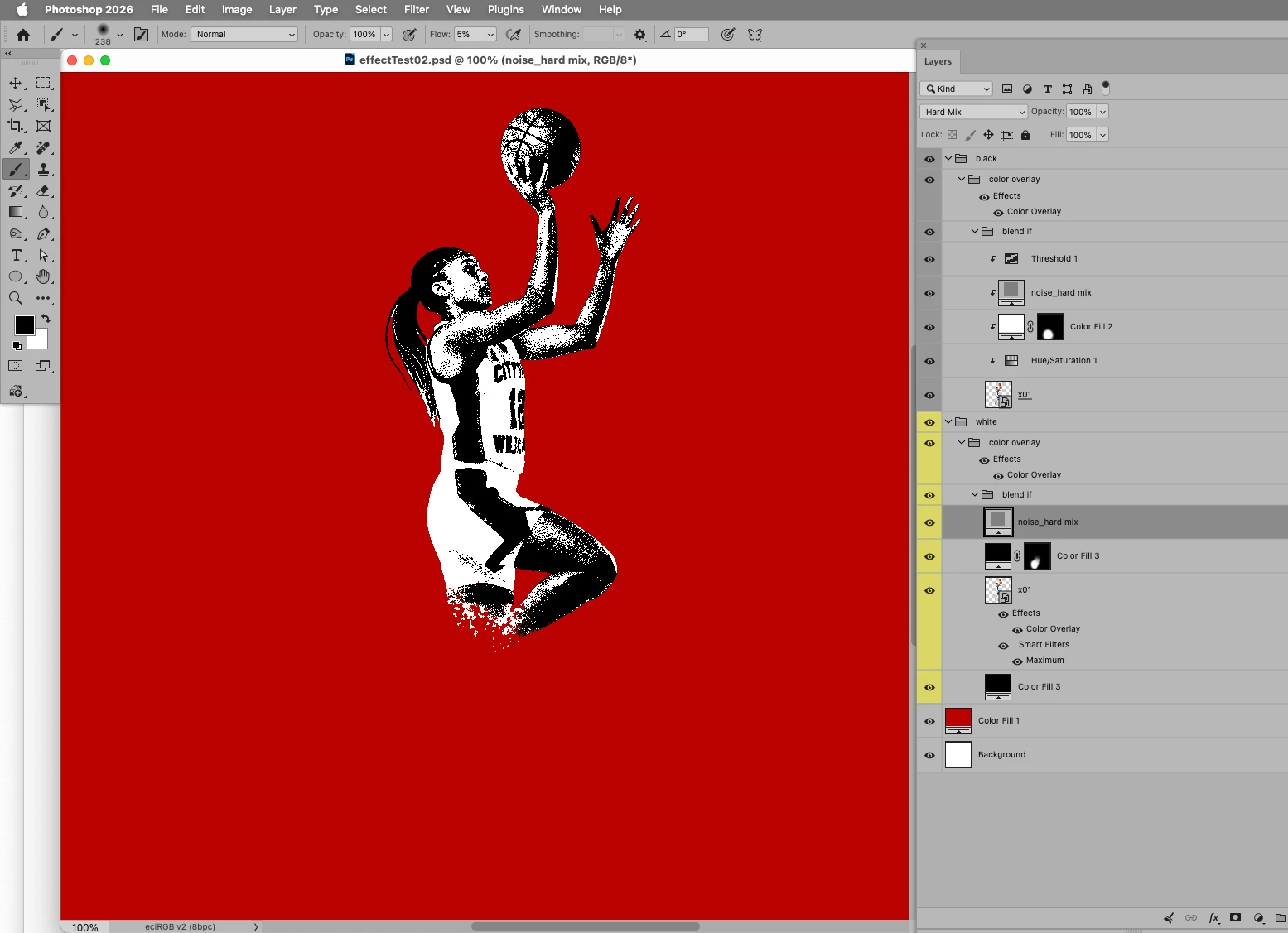
    My workspace
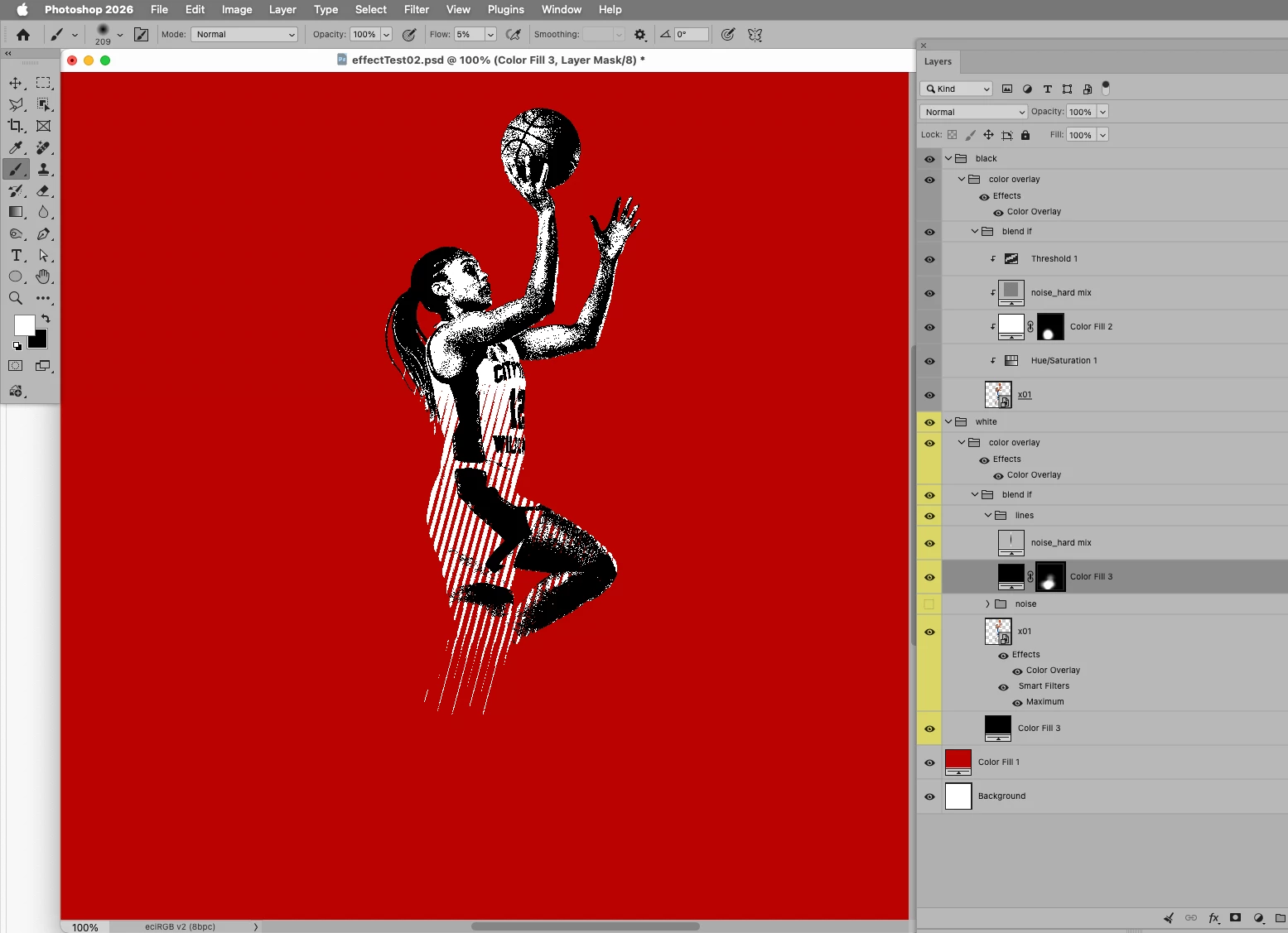
    Layers divided by individual subject with Layer Masks
    Art by nothin.last4ever