
joeh87907460
Inspiring
May 1, 2026
Question

How do I restore photoshop after this last update?

  • May 1, 2026
  • 2 replies
  • 38 views

I updated photoshop yesterday or the day before to 27.6.0, the latest version. It opened after updating just fine and I used it all day long. Then today, just a fee minutes ago, around 12:50 pm, I opened Photoshop for the first time today and all my history is gone, all the text is tiny, everything seems to be reset and screwed up. Instead of seeing a page of thumbnails of previous files on the Home screen, I get this CRAP in the screenshot below:
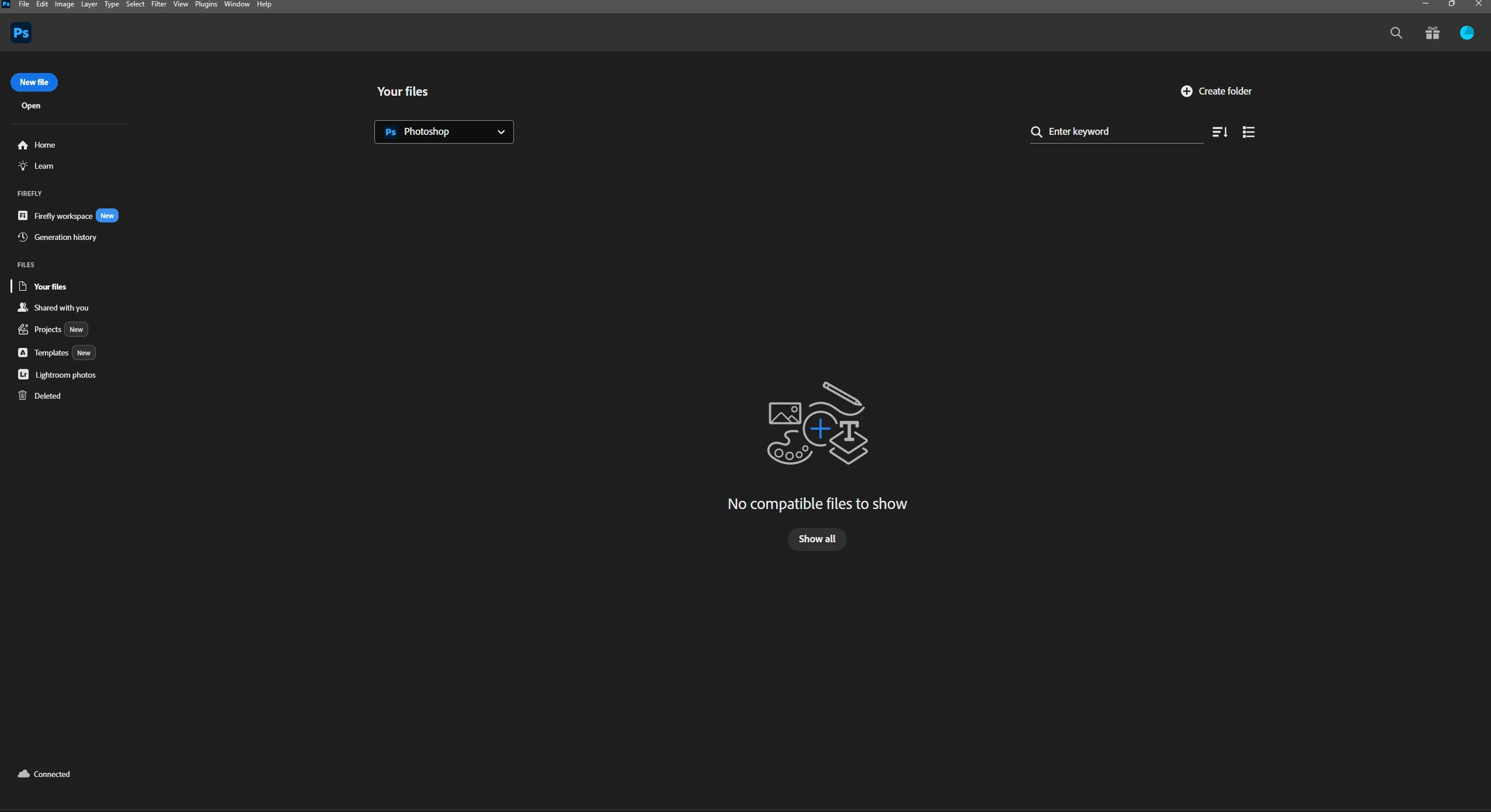


I need to know what the heck I can do to restore it and prevent this kind of CRAP from happening again… 

    2 replies

    D Fosse
    Community Expert
    Community Expert
    May 2, 2026

    Well, someting in your settings folder is corrupted, and that’s when this happens (“ an alert the first time I opened photoshop today saying it couldn't open Actions because of a corrupt file or something”).


    So we know why it happened. I can’t say how it happened, except the usual causes.


    What you need to know about settings/preferences/app configuration, is that it’s all saved separate from the program files. It’s all in your Windows user account, here:


    If you remove or delete this folder, Photoshop opens in fresh, out-of-the-box factory state. If anything here is corrupt, Photoshop will just ignore it and go back to defaults.

    D Fosse
    Community Expert
    Community Expert
    May 1, 2026

    Did the machine crash or shut down in an irregular way? Did you close down Photoshop or did it remain open while, say, the battery ran out?


    Settings are rewritten on every Photoshop exit. That makes them vulnerable to corruption, as opposed to read-only program files. Corrupt preferences will be ignored, effectively reverting the application to factory state.


    Another possibility is a permissions issue in your Windows user account (that’s where settings are stored). This could happen in a Windows update. To store settings, Photoshop must have full read/write privileges to the appropriate folders.

    joeh87907460
    Inspiring
    May 1, 2026

    No, it’s a desktop and I always shut it down properly. I did see an alert the first time I opened photoshop today saying it couldn't open Actions because of a corrupt file or something. I clicked off it and opened photoshop to see the abomination in the screenshot above. But, the actions are all there in the actions panel so evidently it DID open them. However, there is something new that wasn’t there before, it’s in this screenshot:


    A new “Firefly Workspace” and “Generation History”. Evidently the fools at adobe wiped out my recent files and replaced it with something that I care NOTHING about having in photoshop. If someone else sees value in it, then good for them. But it should be illegal for adobe or any other company to just wipe something out and put some unwanted abomination in it’s place. ( I call it an abomination because I’m livid about them wiping out my recent files) They should not be allowed to do stuff like that to people. If they want to add a new workspace, leave it up to the USER who is PAYING them to decided if he/she want’s to use it or not. NOT just force it on people, and that’s what they’ve done, force it on people without a care to how it disrupts their work, lives or anything else. And that’s just wrong, I don’t care how they try to justify it, because it can’t be justified. 


    Sorry about the rant. I do appreciate your trying to help. Thank you very much.