


Known Participant
September 1, 2026
Answered

How do I rollback to the earlier version of Photoshop?

  • September 1, 2026
  • 5 replies
  • 49 views

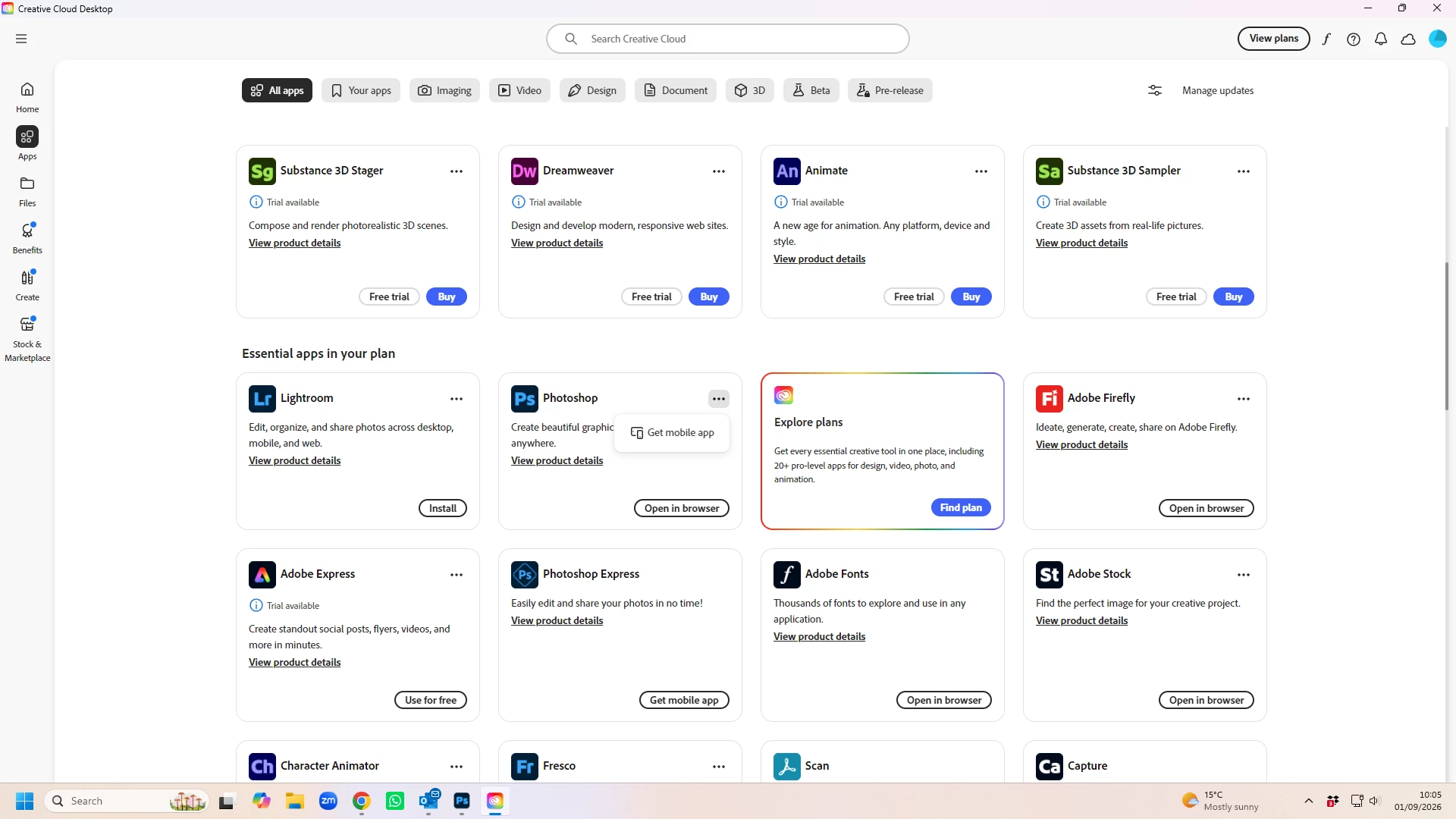
I need to rollback to the earlier version of Photoshop having installed 27.10 which is causing my screen to flicker. I have searched the web and this community and can see lots of videos saying I look for the 3 dots and then open older versions but I don’t see the 3 dots on my Creative Cloud or rather I see the 3 dots but all that takes me to is getting the Mobile App? Help please. 
 

    Correct answer davescm

    @KeithTruman The clue in your screenshot is ‘Open in Browser’. That is the web version of Photoshop. At the top of the screen try clicking on ‘Your Apps’ or ‘Imaging’ That should show the installed version(s) and the three dots should work as described

    Dave

    5 replies

    Participant
    September 1, 2026


    davescm
    Community Expert
    davescmCommunity ExpertCorrect answer
    Community Expert
    September 1, 2026

    @KeithTruman The clue in your screenshot is ‘Open in Browser’. That is the web version of Photoshop. At the top of the screen try clicking on ‘Your Apps’ or ‘Imaging’ That should show the installed version(s) and the three dots should work as described

    Dave

    D Fosse
    Community Expert
    Community Expert
    September 1, 2026

    Ah, of course ;-)

    D Fosse
    Community Expert
    Community Expert
    September 1, 2026

    Yeah, 27.10 has a couple of critical bugs, most of us have rolled back.


    The CC desktop app has a rather confusing interface, I agree. The applications are listed in several categories, like “installed apps”, “essential apps”, “other apps”, “more apps” and whatnot. It seems a bit random which categories you get. What you need to do is scroll down to the category that gives you all the options. Find that first.


    Then the procedure is as follows:


    First uninstall 27.10 completely. I’d recommend to not keep preferences, just to make sure nothing sticks around.


    Then click the three dots, and that should take you to a list of options including “other versions”. Choose 27.9.1, which is solid and bug-free (at least this one).

    Known Participant
    September 1, 2026

    Thank you. I have now rolled back until Adobe fix the PS flickering issue
