
November 24, 2025
Answered

how do i split an object into multiple parts?

  • November 24, 2025
  • 1 reply
  • 208 views

im new to photoshop and im looking at a map and i need to divide the streets in the map into different categories in different colors, the wand tool identifies the street as one single object though, so i needed a more practical way of splitting these streets into several sections instead of manually selecting separately, and the crop and slice tools dont seem to be the way to go
 

    Correct answer Conrad_C

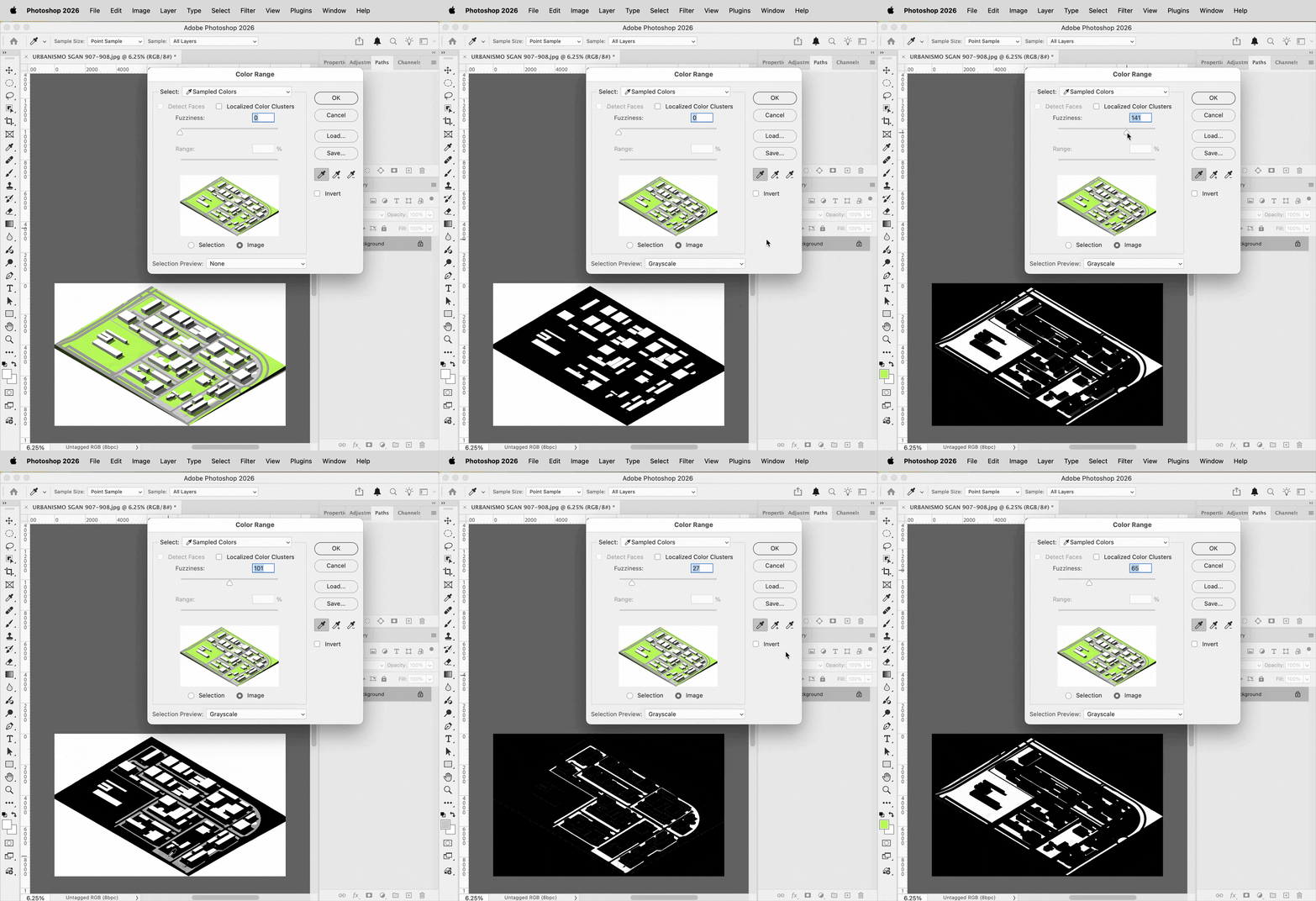
    Because there are so few colors in the image, you may have better luck starting by selecting areas based on color. The example below uses the command Select > Color Range. Use the color sampler to choose a color, then use the Fuzziness option to control the range of the selection. 


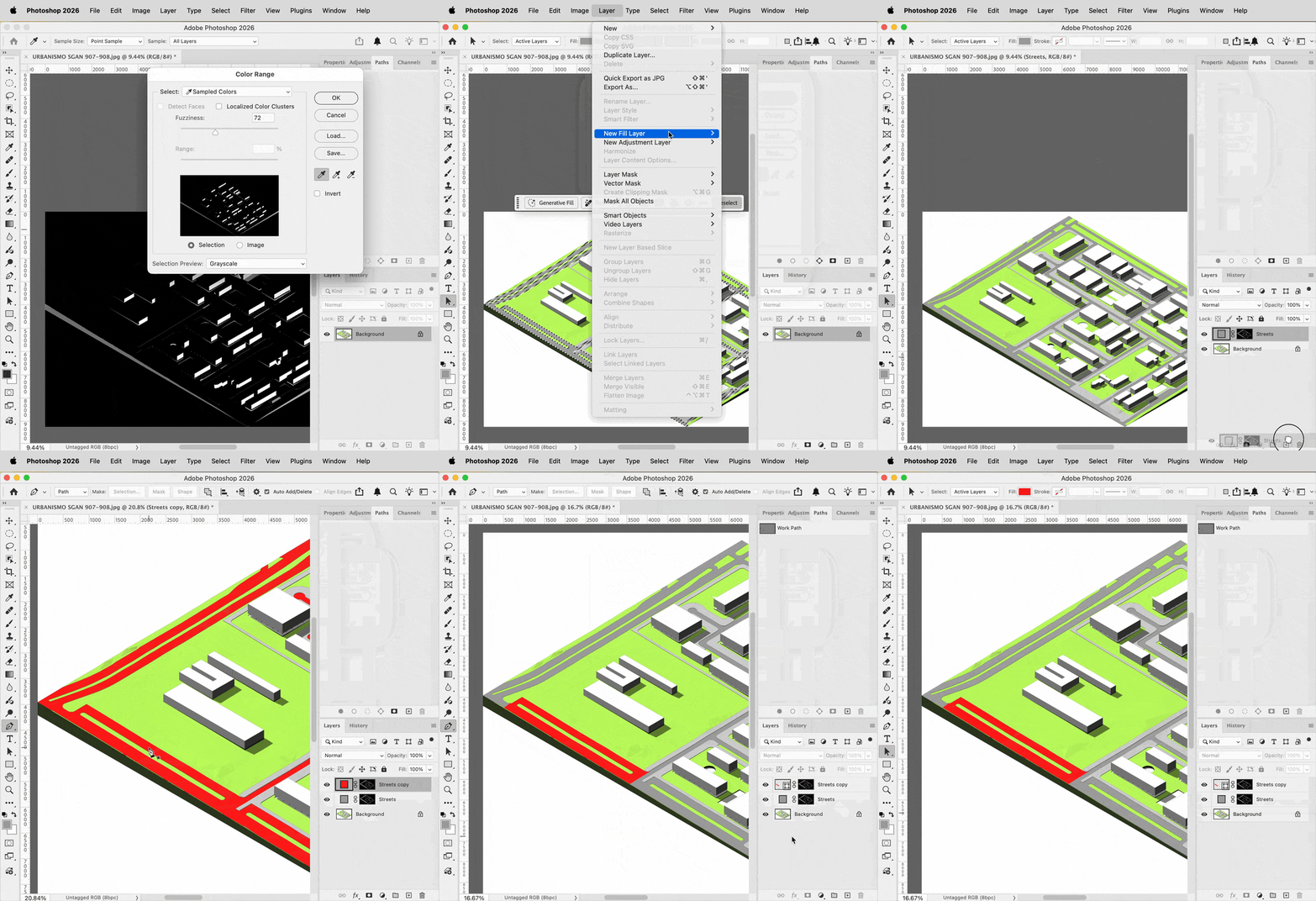
    After creating a Solid Fill layer based on the Color Range selection, the fastest way to divide streets might be to use the vector shape tools to draw vector masks for copies of the streets layer. I like this method because if you need to edit the vector mask, it can be done quickly and precisely.


    1 reply

    Conrad_C
    Community Expert
    Conrad_CCommunity ExpertCorrect answer
    Community Expert
    November 24, 2025

    Because there are so few colors in the image, you may have better luck starting by selecting areas based on color. The example below uses the command Select > Color Range. Use the color sampler to choose a color, then use the Fuzziness option to control the range of the selection. 


    After creating a Solid Fill layer based on the Color Range selection, the fastest way to divide streets might be to use the vector shape tools to draw vector masks for copies of the streets layer. I like this method because if you need to edit the vector mask, it can be done quickly and precisely.