peterb86513089
Inspiring
June 10, 2026
Question

How do I track different versions of Ps and Br in the new Creative Cloud Desktop app?

  • June 10, 2026
  • 3 replies
  • 29 views

I see today that the Creative Cloud Desktop app has changed. I use (or I used to use) this app to keep track of the different versions of Ps, Br, ACR installed. I could uninstall a version or reinstall an older version. I could also see whether there were any pending updates for any or all of the different version that I have installed. I currently have three version of Ps and three versions of Br installed. But with the newest version of CC Desktop I cannot see any Br or ACR app, and I only see the latest version of Ps. It did briefly flash that a new version of Ps was available, but then it also said there was a new version of CC Desktop. Now I can’t find the update for Ps.

Very, very confusing.

Any insight, observations, or suggestions would be appreciated.

Peter
    3 replies

    D Fosse
    Community Expert
    Community Expert
    June 10, 2026

    @peterb86513089 Yes, that happens: if the CC desktop app needs an update, it will also list several other “ghost” app updates that aren’t real. Once the desktop app is updated, they go away.


    I’m not sure how ​@davescm manages to get that tidy list of installed apps. When I go to that tab, I get “essential apps” - whether I have them installed or not - followed by “more apps”. In short, the whole shebang, which isn’t very useful. Maybe that’s a preference somewhere, I’ll have a look.

    davescm
    Community Expert
    Community Expert
    June 10, 2026

    @D Fosse Click on the ‘Your apps’ tab along the top to see the installed apps. All apps gives the ‘essential apps list which includes all in your plan (installed or not).

    Dave

    D Fosse
    Community Expert
    Community Expert
    June 10, 2026

    @davescm 

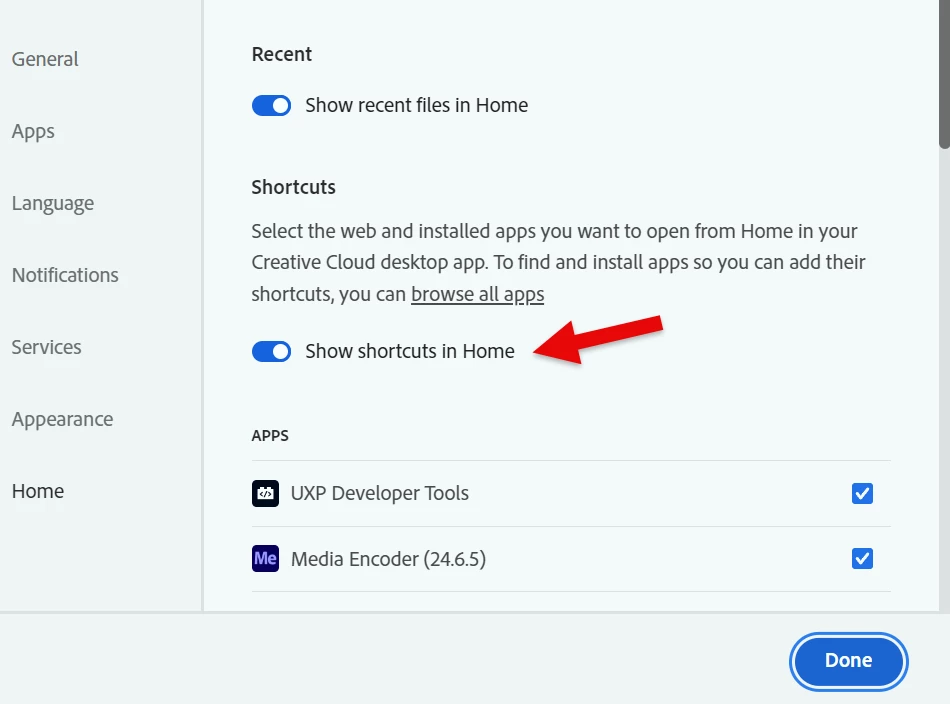
    Well, that’s just the thing. I can’t get that tab to show anything other than “All apps”. I can’t get it to show “Your apps” no matter where I look, and I’ve been all over this thing by now. There must be something I’m still missing. Maybe I’m being distracted by that big Firefly banner that tries to stare me down :-D


    I do have “Installed apps” in a column by itself over to the right, though. But that’s not where I want it.


    davescm
    Community Expert
    Community Expert
    June 10, 2026

    Click on ‘Apps’ on the left side of the CC desktop app. It will show your installed apps and what version is installed.

    If there are any updates available they will show at the top right.


    Clicking on ‘Updates’ will give details and the option to install (assuming you have auto-update switched off in Preferences). It also gives a list of apps that were recently updated.


    Dave

    D Fosse
    Community Expert
    Community Expert
    June 10, 2026

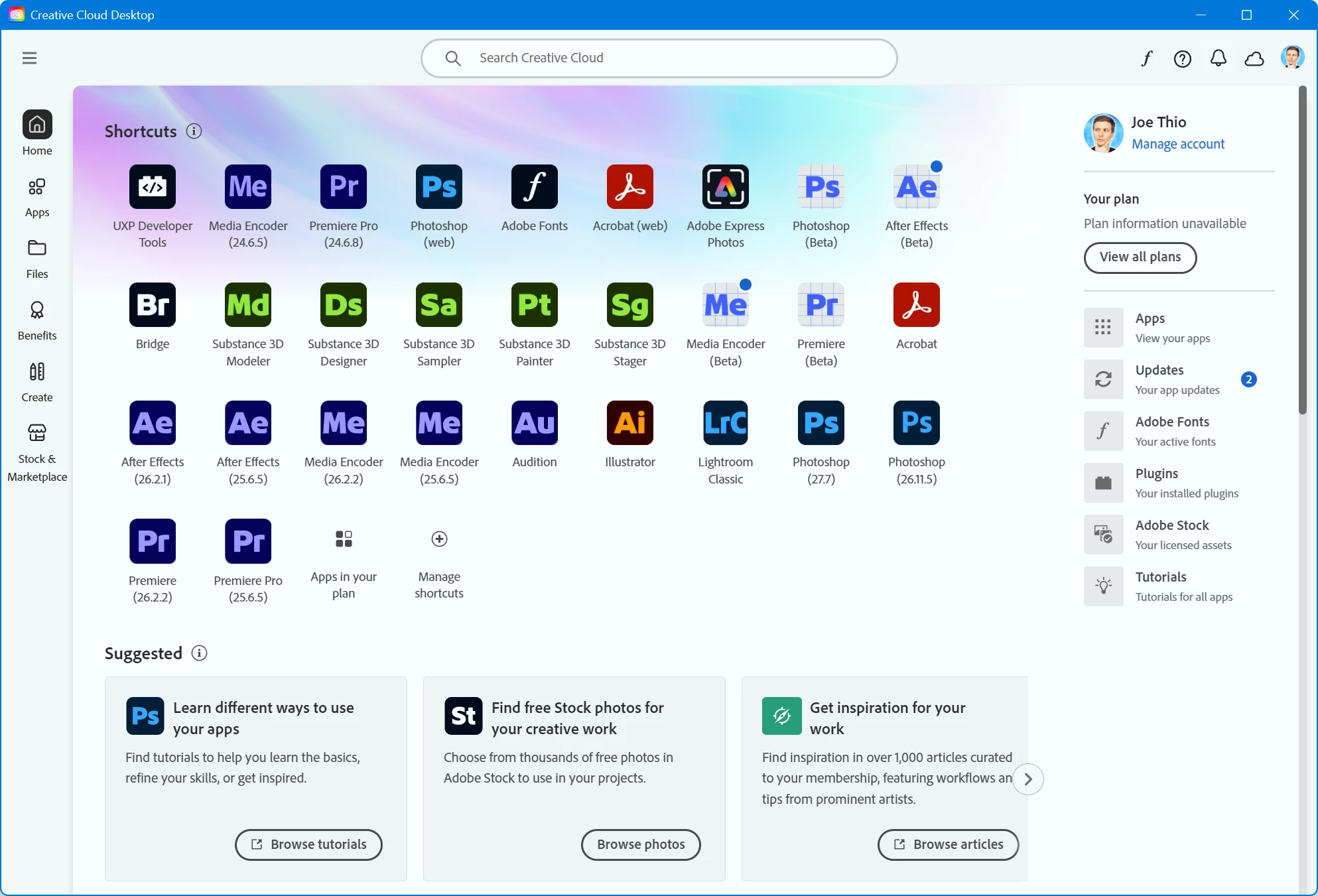
    I would have to agree that the layout is pretty messy and unintuitive. But it doesn’t bother me much - this is basically all I ever need to look at. If there are any updates to any of your installed versions, they will be listed here and you can run them here:


    There are no pending updates here, so it just lists the latest updates I ran.


    I would really like an option to disable all the Firefly-related stuff, but I suppose that wouldn’t leave much ;-) :-D

    peterb86513089
    Inspiring
    June 10, 2026

    Thanks. beyond the fact that this morning the layout looked different and I was confused, CC Desktop has in the past told me there were updates for apps when in fact it was just CC Desktop that had a pending update, and once CC Desktop was updated there were no pending app updates. Today it looked different, but indicated there was an update pending for one of the Ps versions I have installed - I don’t recall which. After the CC Desktop update I could not find that Ps update. Duh? And you screen shows a list of apps on the right side - my screen does not show that (in CC Desktop). I do not see any evidence of Br or ACR and I have three version of Br installed, and of course only the one ACR.

    I will have to study this more and see if I can make sense of it. Not my primary objective of subscripting to the photo plan to be learning the ins and outs of CC Desktop.

    Peter