


Answered
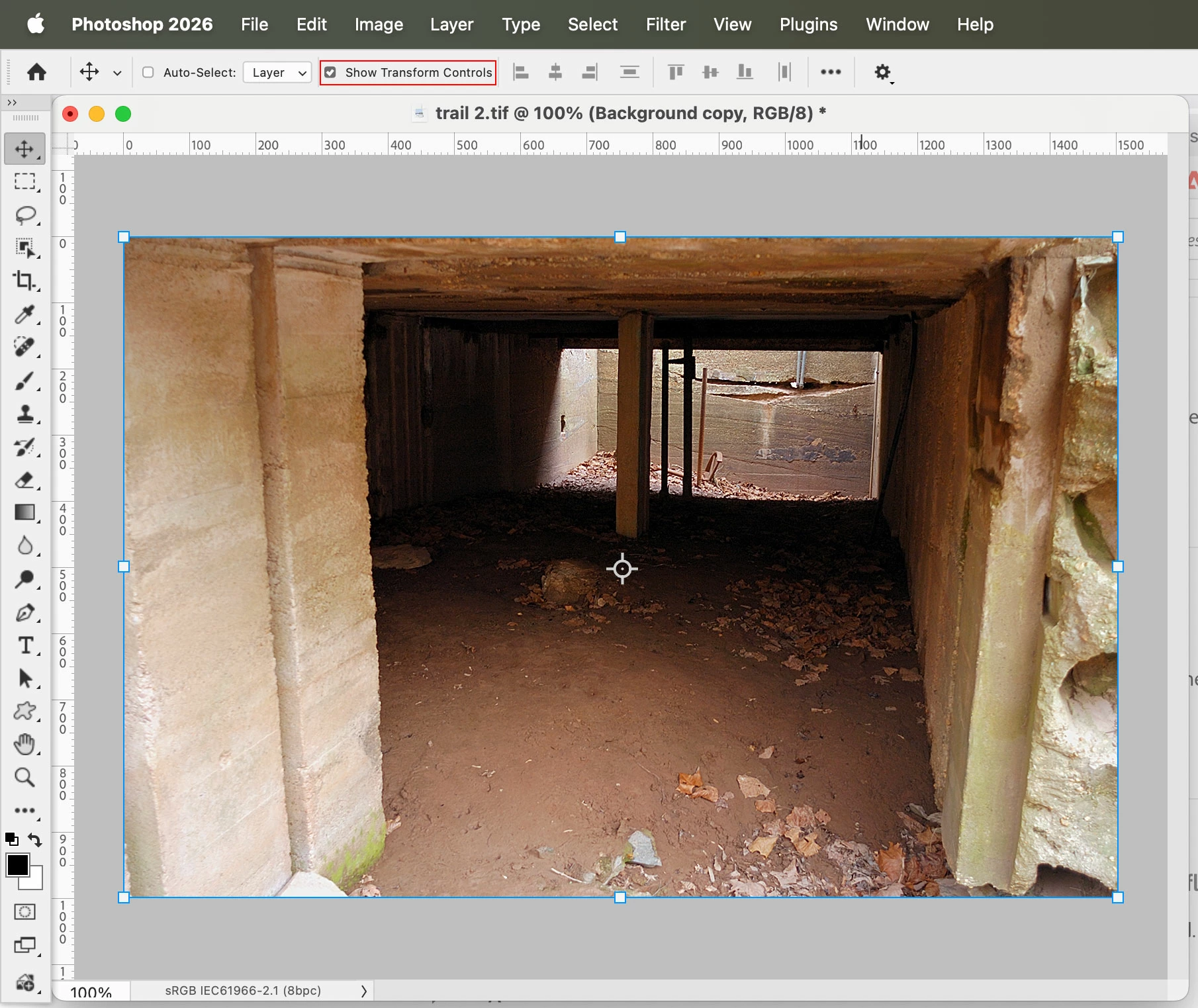
How do I turn off the bounding box that appears every time I select a layer?
Every time I seect a layer in Photoshop 27.2 on Mac OS (15.7.3) a bounding box appears around the entire image area, with a center-point indicator. It is very distracting and NOT helpful. Whenever the layer is selected it is highlighted in the Layers panel AND on the image. This is not the same as "Hover Layer Bounds." I like the highlight in the Layers panel but not on the image I'm working on, but when I click on the layer in the layer panel the box shows up on the layer. I keep trying to turn off useless additions to the app like this but Adobe keeps putting it back into the application without giving users a way to choose not to use it. I haven't spoken to a single designer or photographer who thinks this is a good thing.

 AdChoices