


Known Participant
Mar 19, 2026 2:18 PM UTC
Answered

How do I turn off the "Explore Starter Tutorials in Photoshop" highlight off?

This image shows the highlight as it appears when I am in the program, and what happens when I exit the program but leave it open. :
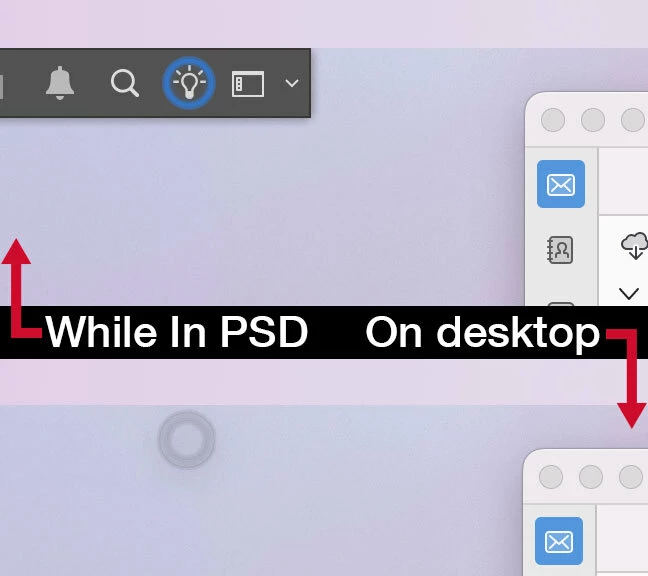
I am worried about screen burn in.

How do you turn this highlighted effect off? Is there a way to edit that whole bar? I’ve used this program for 25 years and I don’t need this, if I need to Explore Tutorials I can find them.

    Ged_Traynor
    Ged_TraynorCorrect answer
    Community Expert
    Mar 19, 2026 3:04 PM UTC

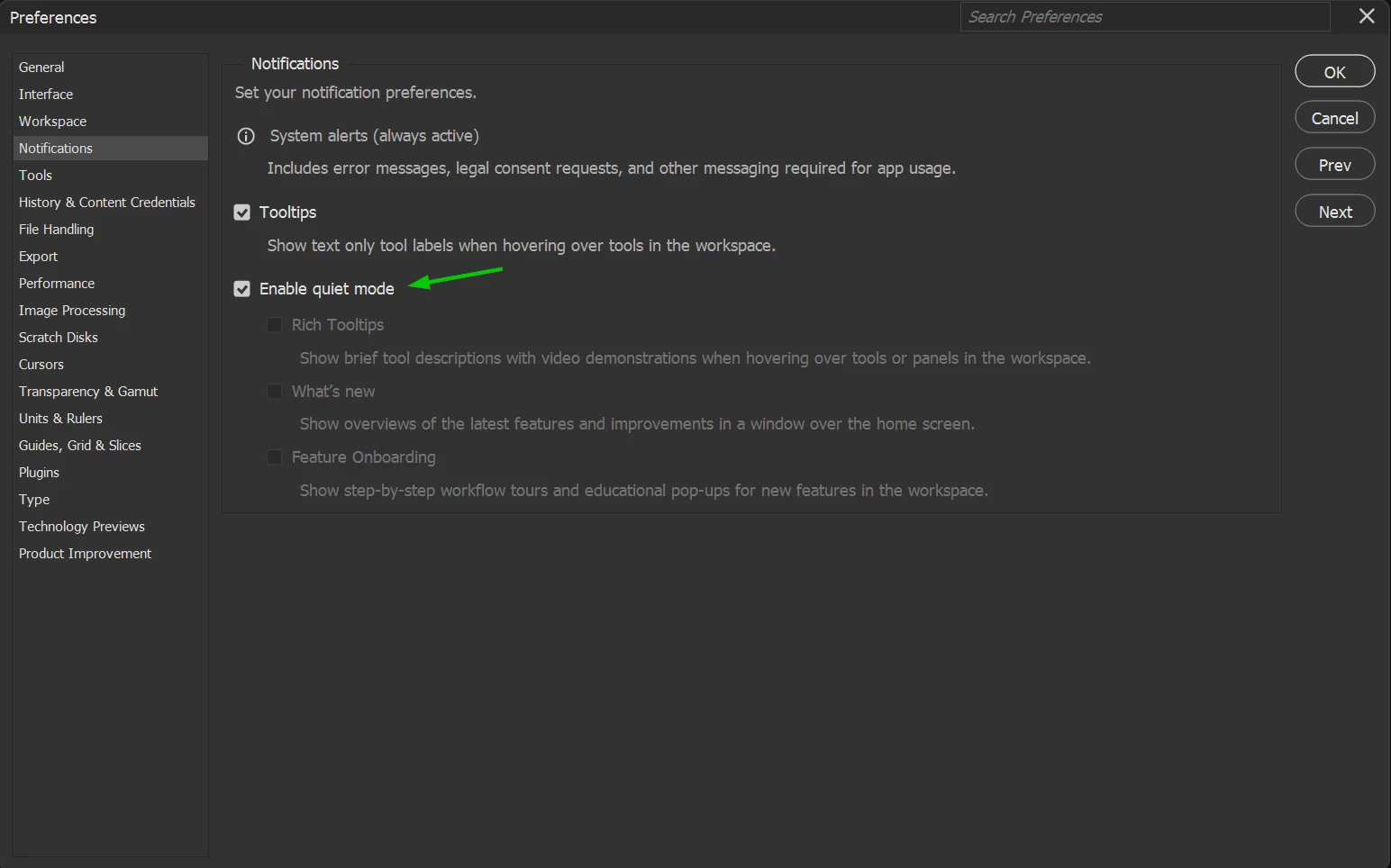
    ​@Sittle try enabling quite mode in the preferences and restarting Photoshop to see if it helps


    2 replies

    Ged_Traynor
    Community Expert
    Ged_TraynorCommunity ExpertCorrect answer
    Community Expert
    Mar 19, 2026 3:04 PM UTC

    ​@Sittle try enabling quite mode in the preferences and restarting Photoshop to see if it helps


    Translate
    SittleAuthor
    Known Participant
    Mar 20, 2026 5:28 PM UTC

    Heya Ted, that seemed to do the trick, thank you!


    Seems like we have to spend too much time removing these annoyances and fixing problems anymore.

    Translate