Participant
Dec 10, 2016 6:17 PM UTC
Answered

How do you export an image in progressive jpeg format?

Using the Export As dialogue in Photoshop CC 2017 how do you export an image as a progressive JPEG file format?

    This topic is closed to new replies. Start a new post to keep the conversation going.
    Derek Cross
    Derek CrossCorrect answer
    Community Expert
    Dec 10, 2016 6:42 PM UTC

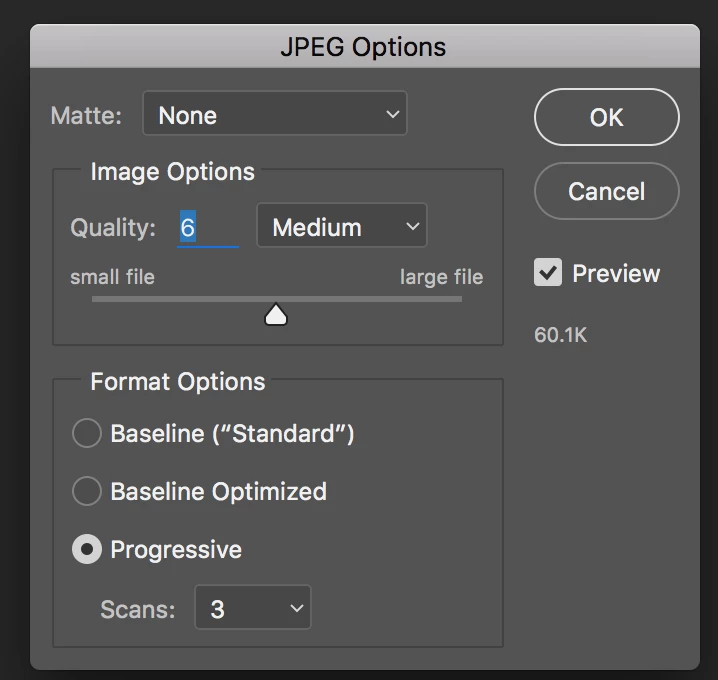
    (Not Export), File > Save As, select JPG from the Format drop-down menu, tick Progressive in the subsequent dialogue box.

    6 replies

    Per Berntsen
    Community Expert
    Community Expert
    Dec 10, 2016 8:23 PM UTC

    You can also use Save for web (under File > Export) which has a checkbox for Progressive.

    Translate
    Derek Cross
    Community Expert
    Derek CrossCommunity ExpertCorrect answer
    Community Expert
    Dec 10, 2016 6:42 PM UTC

    (Not Export), File > Save As, select JPG from the Format drop-down menu, tick Progressive in the subsequent dialogue box.

    Translate
    adrianm62Author
    Participant
    Dec 10, 2016 7:42 PM UTC

    Hi, I must be doing something wrong - when I use File>Save As I get the following dialogue:-

    No file optimisation options here? What version of Photoshop CC are you using - this is the 2017 windows version...

    Translate
    War Unicorn
    Community Expert
    Community Expert
    Dec 10, 2016 8:03 PM UTC

    What Derek means is that as soon as you click the Save button in your screenshot, you'll get the following dialog that shows in Derek's post.

    Translate