

Marltutski
Inspiring
May 29, 2012
Answered

How do you make a .ico file in Photoshop CS6?

  • May 29, 2012
  • 11 replies
  • 210467 views

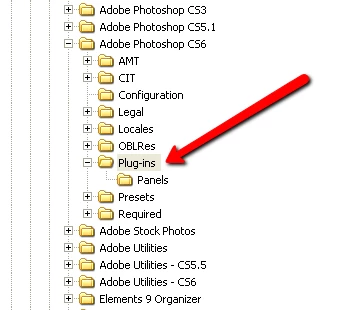
I used to use a plugin in previous versions, but the file formats sub-directory is missing from the plugins directory. See screenshot :

Surely this should be possible in CS6 (extended even) straight out of the box given that every web developer on the planet needs to make loads of these ...
Correct answer waltwinchel

For OSX just place your "ICOFormat.plugin" file in the folder here: Adobe Photoshop CS6 / Plug-Ins  Then restart PS.

11 replies

Participant
May 30, 2012

Where is this in OSX?

waltwinchelCorrect answer
Participant
May 30, 2012

For OSX just place your "ICOFormat.plugin" file in the folder here: Adobe Photoshop CS6 / Plug-Ins  Then restart PS.

Participant
May 31, 2012

That's great. Thanks.