
Participant
February 24, 2024
Question

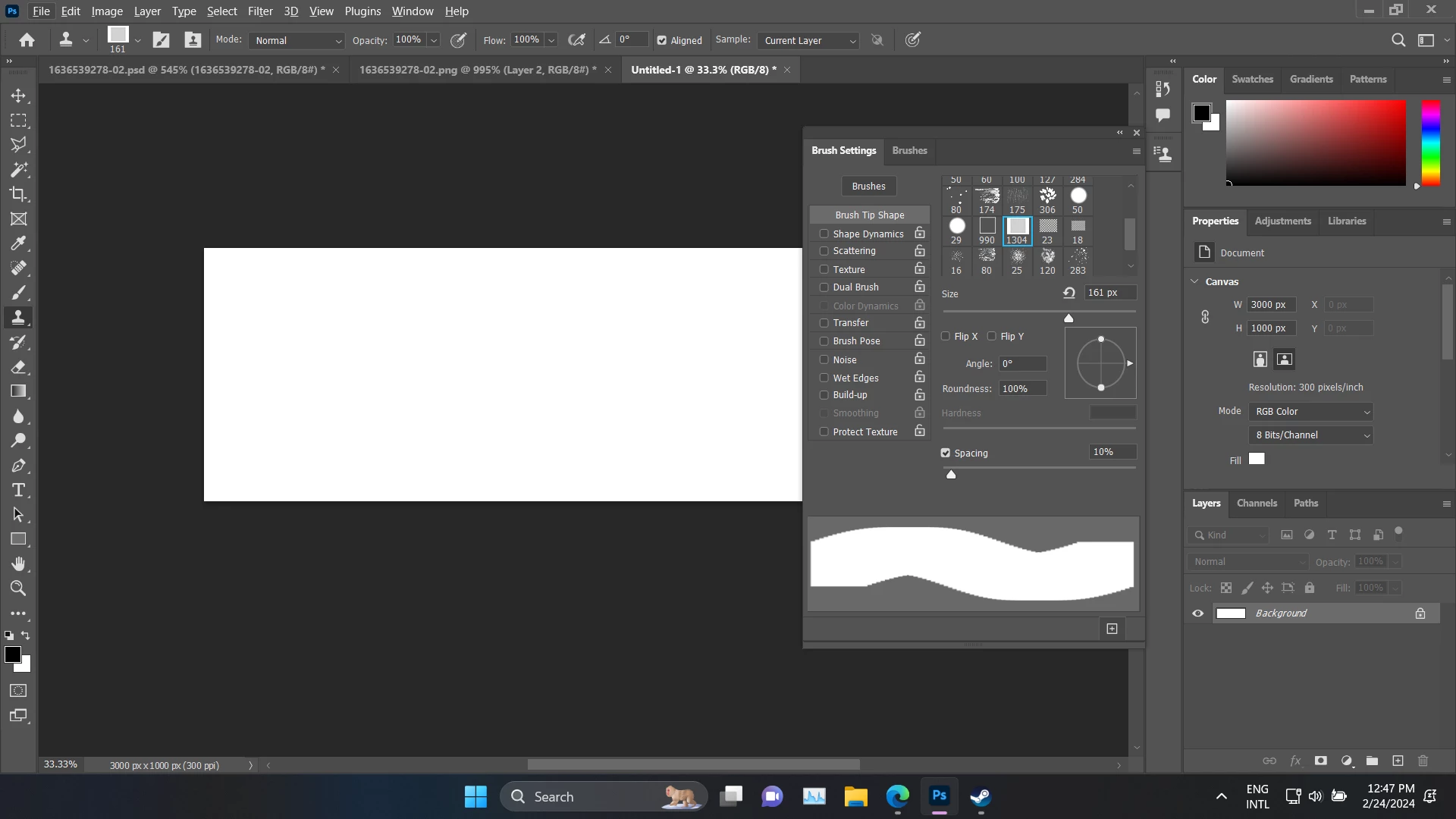
How i can change Custom Brushes Hardness?

  • February 24, 2024
  • 3 replies
  • 403 views

I'm just learning how to use Photoshop and currently I'm stuck not being able to change the Hardness of my Custom Brushes (except for the Basic Brush). Is there any way I can change it?

*Sorry if I misinterpreted any part because I'm not good at English and have never used photoshop
 

This topic has been closed for replies.

3 replies

Legend
February 26, 2024

Welcome to Photoshop. You have come to the right place to ask questions and learn from people who live and breathe in PS world. You can also watch for the webinars to learn to use the enriched features to learn. You should also be able to use translate pages in your native language.

c.pfaffenbichler
Community Expert
Community Expert
February 24, 2024

Sampled Brushes have no hardness-option. 


You can edit the Brush-tip and create a new Brush Preset or maybe you could, as a work-around and depending on the specific task, paint on the Layer Mask of a Solid Color Layer with a Feather set in the Properties Panel. 

didiermazier
Community Expert
Community Expert
February 24, 2024

A simple trick to know :

When working with any brush, custom or not, with the brush pressed, also press Ctrl + Option (mac) Alt (PC) and you can change size and hardness on the fly 

size : left to right

hardness : up and down

You can check the values in the black box

Participant
February 26, 2024

But i only have 2 Option sir