RajanKumar97807
Participant
April 28, 2026
Answered

how mac OS in photoshop in alt button presswith active menu bar option

  • April 28, 2026
  • 2 replies
  • 33 views

how mac OS in photoshop in alt button presswith active menu bar option

    Correct answer Conrad_C

    If Ged_Traynor has interpreted your question correctly so you’re asking about keyboard access to menus in macOS, then you will find the keyboard shortcuts you need in this Apple help article, scroll down to “Keyboard focus shortcuts.” This is not a Photoshop feature, it’s a macOS feature.

    https://support.apple.com/en-us/102650
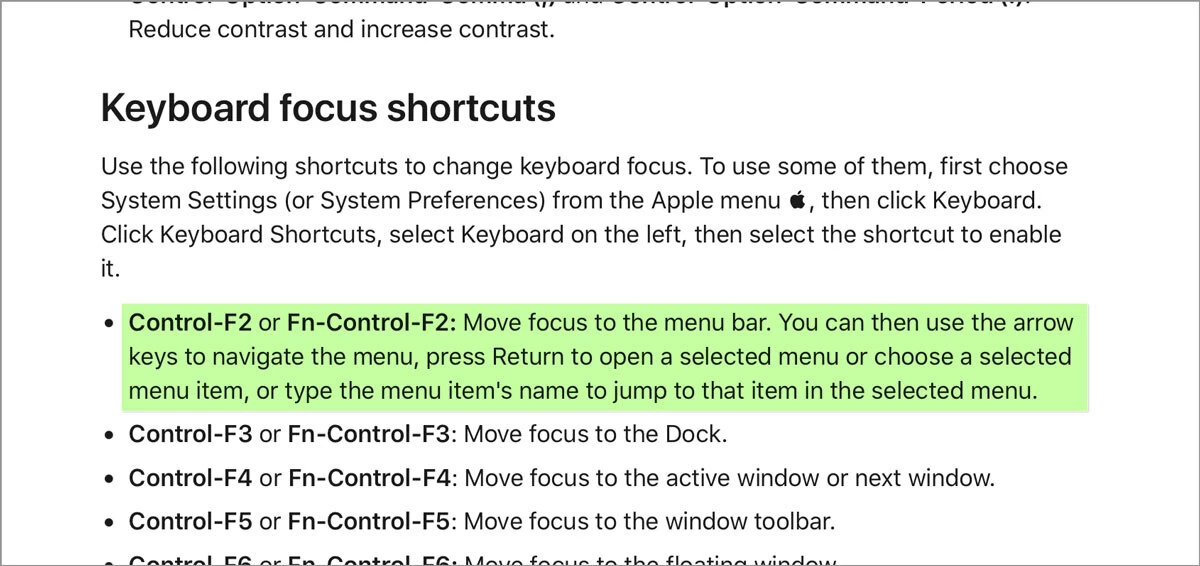


    So, for example, if you want to choose a menu command that does not have a keyboard shortcut:

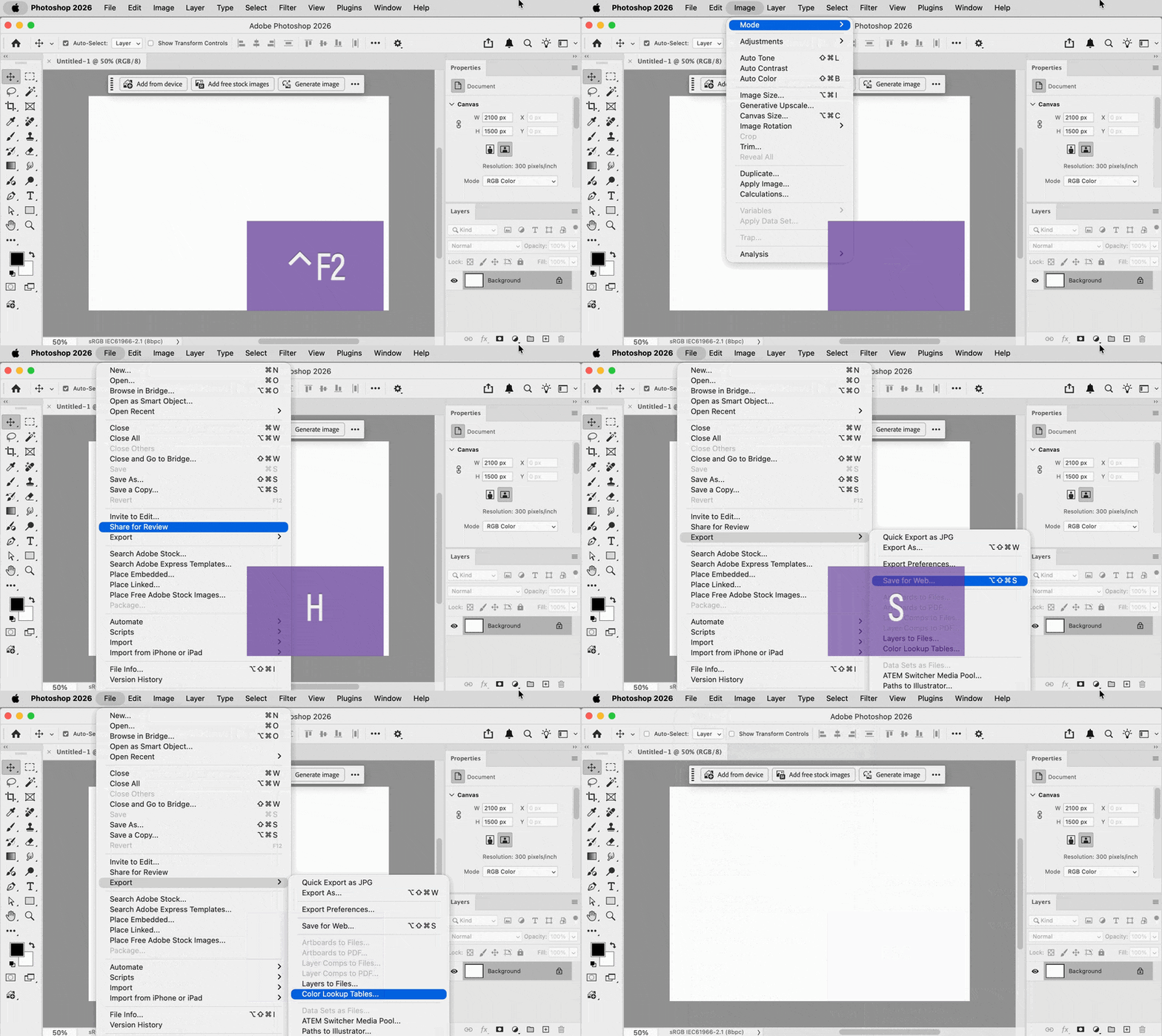
    1. Press Control-F2. That moves focus to the menu.
    2. Press arrow keys to choose the menu, then press spacebar or down arrow to drop the menu.
    3. Type the first few letters of the command you want. As soon as it’s matched, you can stop typing. (Unlike Windows, you don’t have to memorize what to press with Alt, all you need to know is the first word of the command you want.)
    4. Press spacebar or Enter to choose the command.

    In the demo below, I do not touch the mouse, I use only the keyboard. 


    2 replies

    Conrad_C
    Community Expert
    Conrad_CCommunity ExpertCorrect answer
    Community Expert
    April 28, 2026

    If Ged_Traynor has interpreted your question correctly so you’re asking about keyboard access to menus in macOS, then you will find the keyboard shortcuts you need in this Apple help article, scroll down to “Keyboard focus shortcuts.” This is not a Photoshop feature, it’s a macOS feature.

    https://support.apple.com/en-us/102650


    So, for example, if you want to choose a menu command that does not have a keyboard shortcut:

    1. Press Control-F2. That moves focus to the menu.
    2. Press arrow keys to choose the menu, then press spacebar or down arrow to drop the menu.
    3. Type the first few letters of the command you want. As soon as it’s matched, you can stop typing. (Unlike Windows, you don’t have to memorize what to press with Alt, all you need to know is the first word of the command you want.)
    4. Press spacebar or Enter to choose the command.

    In the demo below, I do not touch the mouse, I use only the keyboard. 


    Ged_Traynor
    Community Expert
    Community Expert
    April 28, 2026

    @RajanKumar97807 not sure if I understand your question, are you referring to how in Windows you can use the alt key and hit the underlined corresponding letter to open that particular menu, as in alt + f for file, alt + e for edit etc