
elhosary89
Inspiring
December 17, 2018
Question

How Resizing shape with rounded rectangles in Photoshop

  • December 17, 2018
  • 4 replies
  • 7318 views

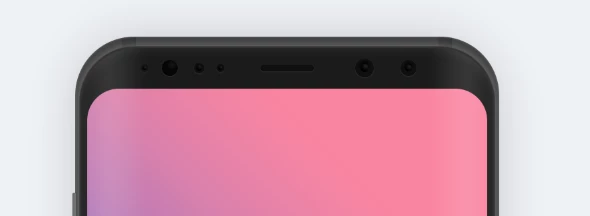
I downloaded mockup file from the internet, contain shape

when I try to resize the shape, the corner doesn't resize.

I need to resize the shape as well as the corner
This topic has been closed for replies.

4 replies

New Participant
May 6, 2021

Hi, just make another ancher point in that path with pen tool.

jane-e
Community Expert
December 17, 2018

elhosary  wrote

I downloaded mockup file from the internet,

What is the file format that you downloaded from the Internet?

elhosary89
Inspiring
December 18, 2018

@jane-e
psd

macpawel
Participating Frequently
December 17, 2018

You can use CTRL/Cmd  + T command (Free Transform) to adjust size of shape and corners. You can use som transform options to fit your destination size

December 17, 2018

Hi

If the file contains a shape layer you can adjust the corners in the properties panel

elhosary89
Inspiring
December 17, 2018

I know that, But I need to resize (shape with corner) both together Like the normal rounded shape

davescm
Community Expert
December 17, 2018

Hi

Live shape corner radii do not resize when the shape is transformed and changing to a conventional shape is not straightforward (there is no convert to ordinary shape button).

However you could either

a. Convert the shape layer to a smart object which will then transform along with the corners

or

b. Select the shape with the path tool and right click
From the menu choose Define custom shape
Create a new layer and add that custom shape which will not have those live corners and will scale conventionally

Dave