Known Participant
September 5, 2024
質問

how to change color of clothing under hair

  • September 5, 2024
  • 返信数 3.
  • 2934 ビュー

How would you go about changing the color of this sweatshirt to this sand color, #e7dfd2? I am really struggling with finding a technique that looks realistic and professional around the hair, especially the fine wispy hairs. Any suggestions? I will eventually need to change this sweatshirt to almost 80 different colors and I am really struggling 😩
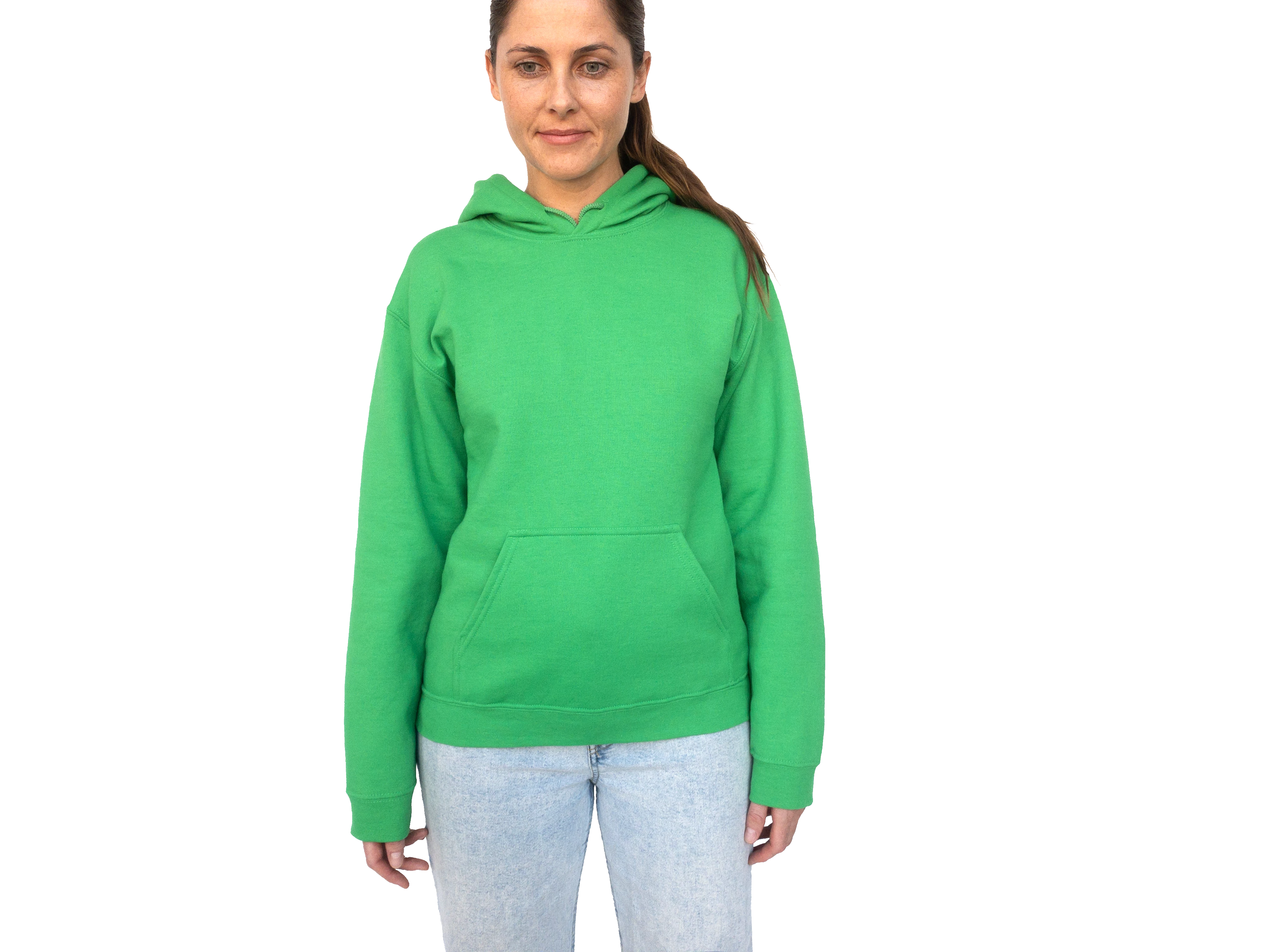
sand color e7dfd2:

このトピックへの返信は締め切られました。

返信数 3

mglush
Community Expert
Community Expert
September 23, 2024

Hi!

I would like to suggest another way to accomplish what you want. With your layer selected, choose Color Range from the Select menu. with the eyedropper tool, click on the green area and then change the fuzziness slider until you have the majority of the sweater. Then choose the Eyedropper with the plus and click on the shadow areas of the sweater to add them to the selection. When you have everything selected click ok.


With the sweater selected, choose Cmd-J to create a new layer with just the sweater. I used two options to change the color, but you can use any number of ways. I added an Hue/Saturation Adjustment layer and changed the values to a sandy color and also added a Layer style and set the Blending Mode to Color. 


Here are the results


Using Color Range is really a great option when you have large areas of solid color, and take a close look at the clothing under the hair. 

Let us know if you have any questions!

Michelle

Known Participant
October 11, 2024

there is still a bunch of residual green under the edges of the hair. This is not a working solution at all?

c.pfaffenbichler
Community Expert
Community Expert
October 13, 2024

So you may have to decontaminate the hair in the lower Layer, painting with the hair color on a Layer set to Blend Mode »Color« might suffice. 

c.pfaffenbichler
Community Expert
Community Expert
September 21, 2024

The thing, as I see it, is that both areas may need to be decontaminated – the one that gets colorized and the one that should stay the same. 

And at current I see no good option to avoid manual input to achieve that in many cases. 

c.pfaffenbichler
Community Expert
Community Expert
September 6, 2024

I think you should clip the shirt in a Group of its own (within the transparency), decontaminate the edges on both sides and go from there. There are many ways for colorizing, but especially in a high volume case I would prefer a Solic Color Layer set to Blend Mode »Color« and a Curves Layer to edit the luminance. 

The reflections on the chin and trousers you could neutralize or include in the color correction. 

jane-e
Community Expert
Community Expert
September 6, 2024

Very nice @c.pfaffenbichler !


Jane


Known Participant
September 6, 2024

could you especially zoom into the hair strand at the end? that is the part im struggling most with