


How to change Library from 'read-only' to 'read-write'
Good afternoon,
I’ve been experiencing some issues trying to save my ‘Layer Style’ into my Creative Cloud System. Whenever I try to create a new Layer Style, I receive this message:
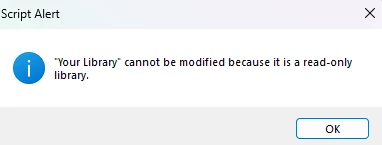
I’ve tried to fix this by following various methods I found here, or even on Youtube. But none of these methods seemed to work.
These styles keep saving on my computer, and if I open the same document the style remains. However, I am afraid of ever closing or deleting a specific document in fear of losing this style.
For reference, I have a Windows Computer, and all my adobe apps are currently updated. I’ve also already switched from ‘read-only’ to ‘read-write’ as far as I am aware, but for some reason it still doesn’t work.
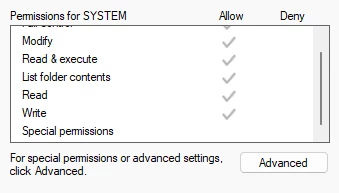
I’ve legit have no clue what I can do.
Is there anyone that can help me fix this on my Photoshop?
 AdChoices