

Answered
How to change the starting point on a path when using a brush to stroke?
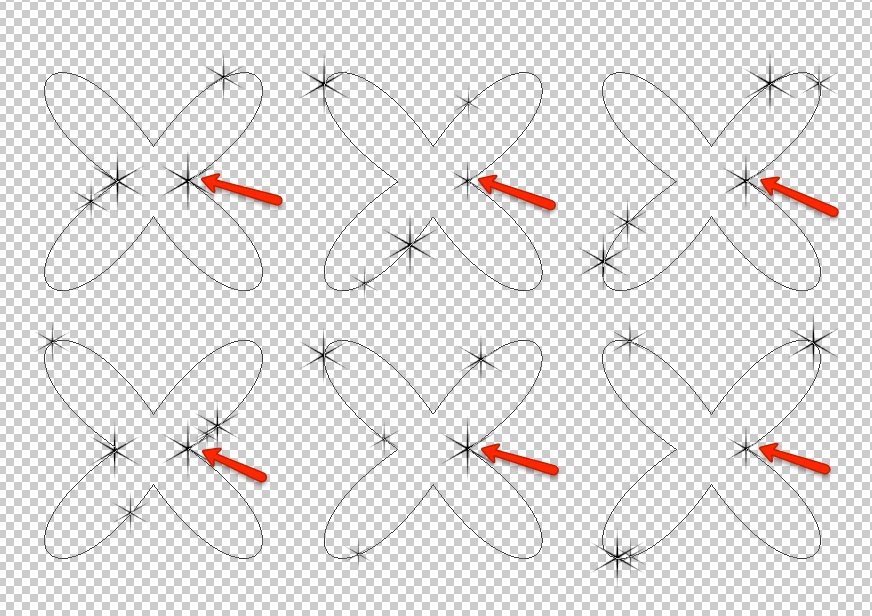
I'm using a brush to stroke a path in different frames and layers to get a sparkle animation. The special brush settings are 1000% spacing and 50% size jitter.
The problem is that the brush always starts at the same place/point, so there is a brush object that remains intact in the animation (pointed with the red arrows at the image below).
Is there a way to solve this? Changing some brush parameters or something else. This image is an example with a simple path, in the real illustration the path is an irregular shape, so flipping the path is not an option.


 AdChoices