
Inspiring
April 20, 2025
Question

How to clean the matter around the ceiling lights by Adobe products.

  • April 20, 2025
  • 2 replies
  • 219 views

Dear All,


There is something around the ceiling light. It's taken by 360 camera "Ricoh THETA Z1" after cleaning the lens. I would like to make it clean to be visible the light.
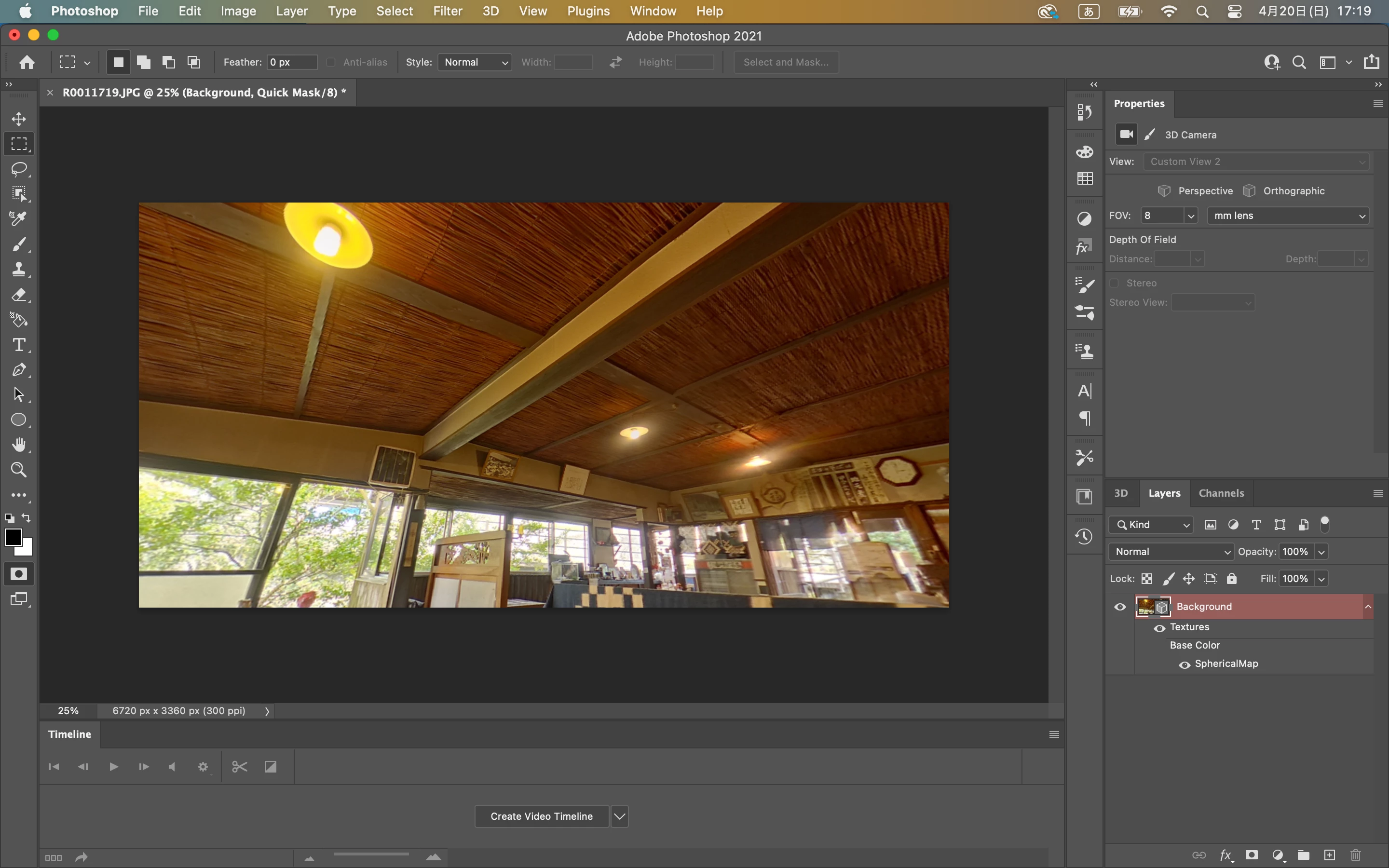


Could you tell me how to do it?


I guess there is a functionality in Adobe Photoshop(ver.22.2) or LightRoom Classic or After Effects. But now I cannot find it.


Best regards,


2 replies

Trevor.Dennis
Community Expert
Community Expert
April 20, 2025

Here's one way, but it feels like cheating.


Select the light with the Pen tool


Turn on Quick Mask and with a soft black brush paint in the area around the light fully including the flare.

Turn off Quick Mask, and Ctrl Alt click the work path you made in step one to subtract the light from the selection

Use the Contextual Task Bar, and hit Generate twice.

You can reduce the opacity of the Gen Fill layer to fade in the the original flare if you so wish.


I tried using Camera RAW > DeHaze but it was not blending in real well

Ares Hovhannesyan
Community Expert
Community Expert
April 20, 2025

Do you mean to clean aura around light? You can use rasterize image and use adjustments layers to clean aura.