LionheartPix
Known Participant
November 30, 2024
Answered

How to colorize a B&W selection in a color image?

  • November 30, 2024
  • 1 reply
  • 941 views

PS 26.0.0

MACOS 13.7.1

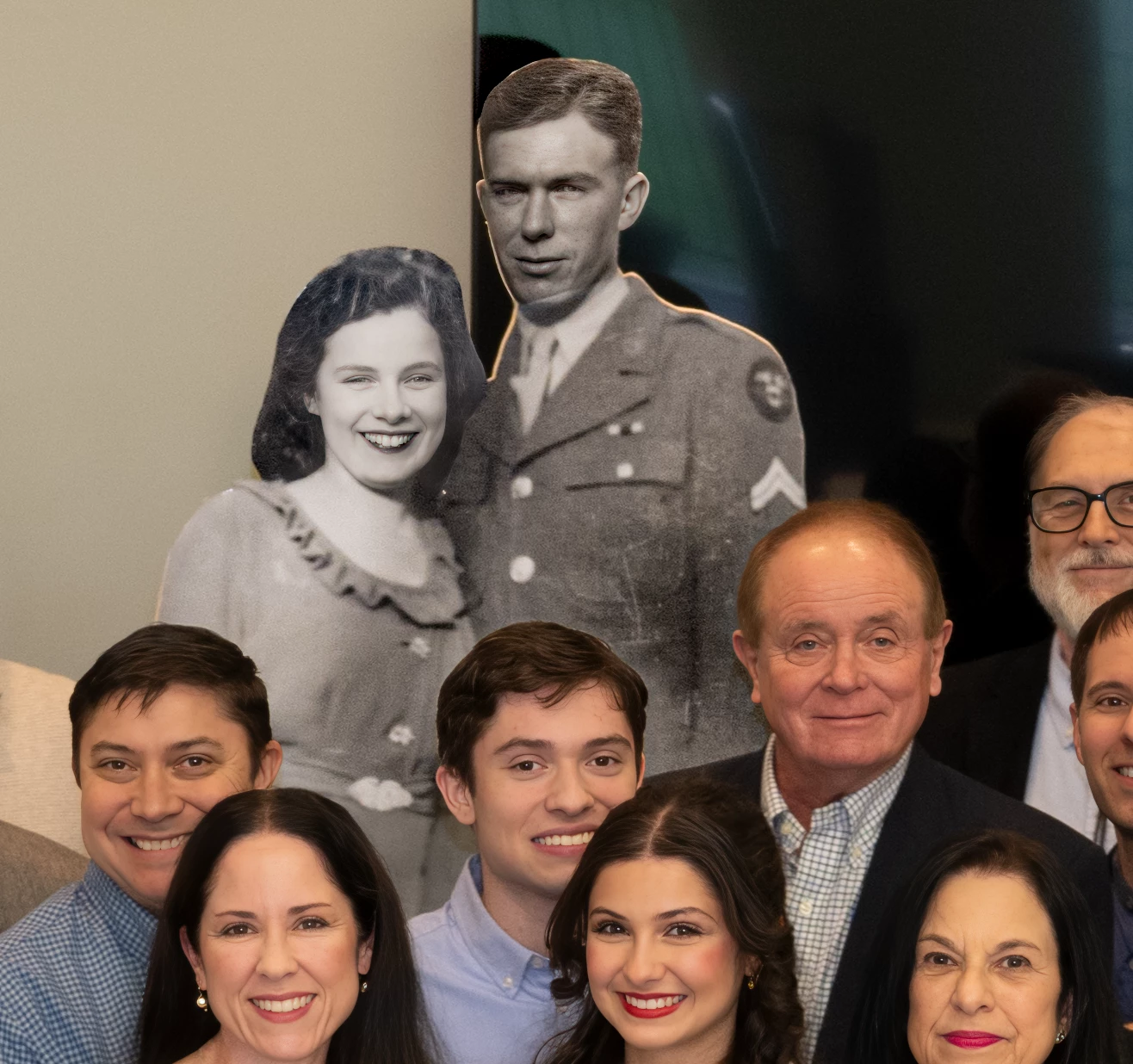
Can this be done? I shot a group that included a B&W cutout as part of the group. The image works fine as is, but I wanted to colorize the cutout as an alternative to the original. If I select the B&W area, ie the cutout, it seems the neural filters are not ava. Is there a way to colorize this B&W part of a color image?

Thanks

John
 

This topic has been closed for replies.
Correct answer Myra Ferguson

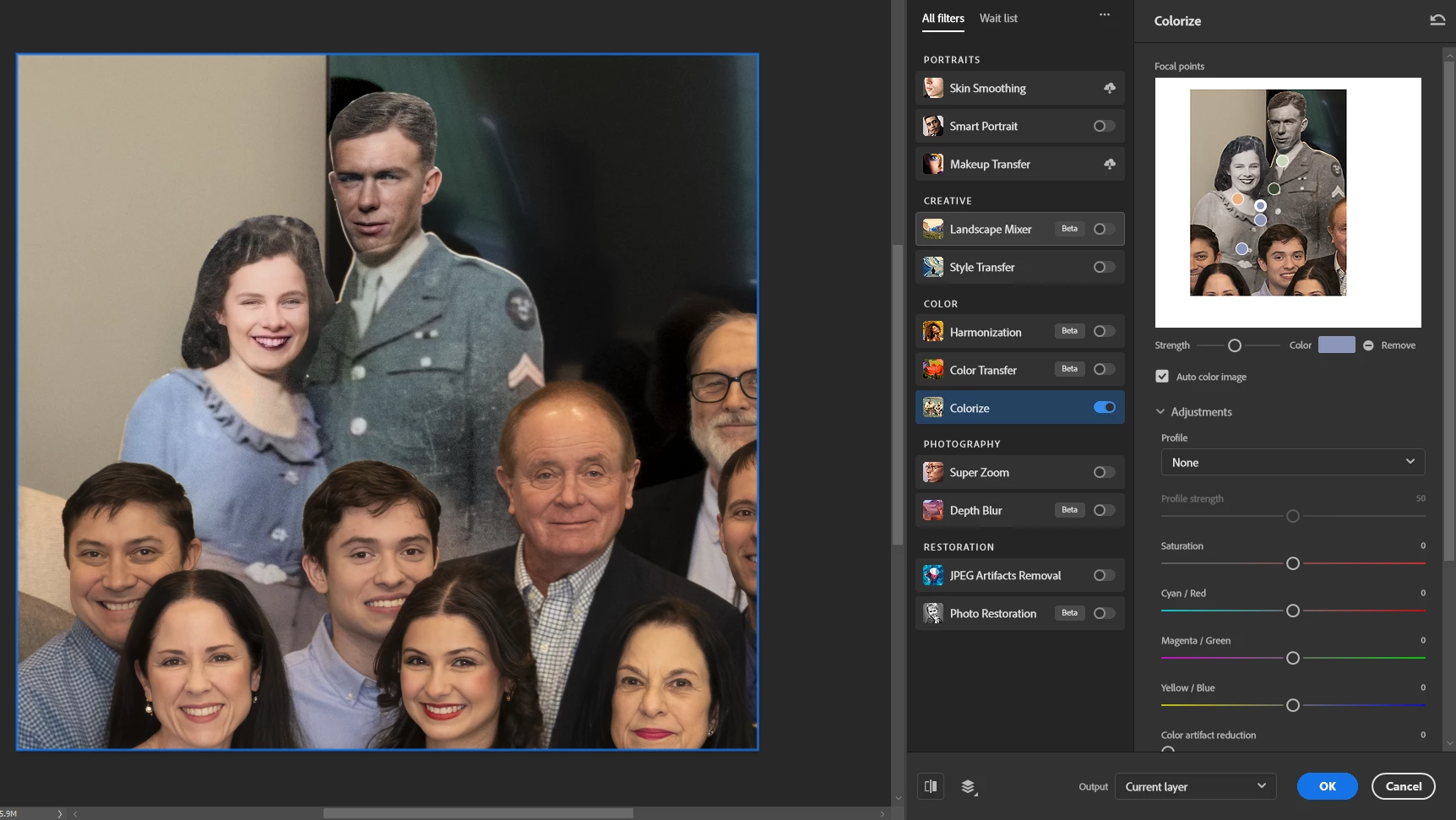
Yeah, the auto color image results of Colorization are not always perfect. To add more color using the Colorize Neural Filter, click on a portion of the preview image and add color that you select to focal points. You can adjust the strength of the color that gets added to each point:


1 reply

Myra Ferguson
Community Expert
Community Expert
November 30, 2024

After making the selection of the two people in B&W, make a new layer with just the selection by going to Layer > New > Layer via Copy. Then select that new layer and apply the Colorize Neural Filter.

LionheartPix
Known Participant
November 30, 2024

Thanks, Myra. That works except that everthing gets colorized except the man's head—it is not included except for his lips, and the colorizing appears uneven and mostly just a pink overtone. I have used colorize to good effect on other B&W images, old photos, but do some just not "process" as well as others?


Myra Ferguson
Community Expert
Myra FergusonCommunity ExpertCorrect answer
Community Expert
November 30, 2024

Yeah, the auto color image results of Colorization are not always perfect. To add more color using the Colorize Neural Filter, click on a portion of the preview image and add color that you select to focal points. You can adjust the strength of the color that gets added to each point: