Participant
October 25, 2018
Answered

How to Convert Photoshop RGB Values to Pantone Swatch Values

  • October 25, 2018
  • 1 reply
  • 4582 views

Hi.

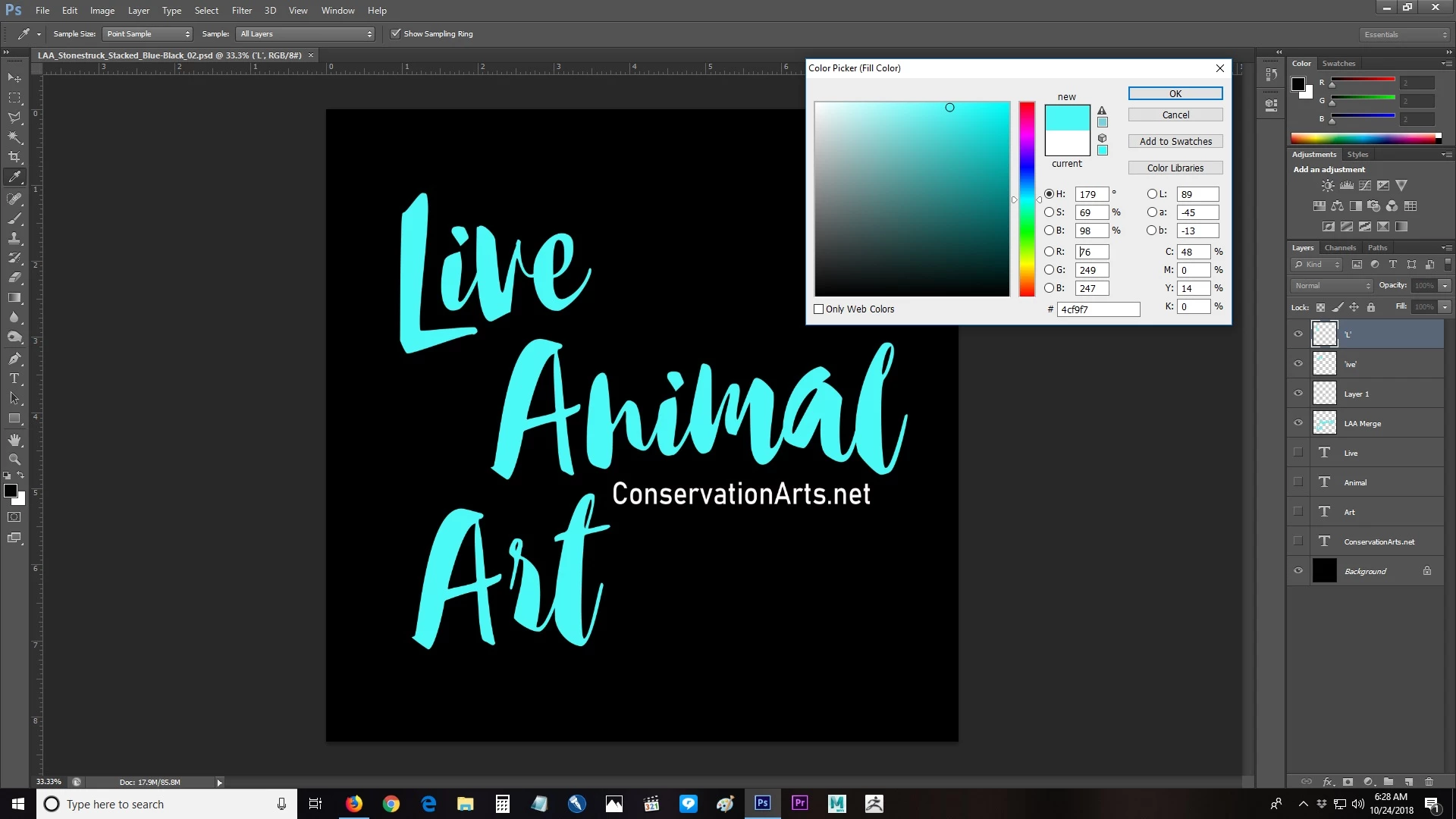
I'm working with a t-shirt printing service that only works from Pantone chips and I was wondering if there was a way for me to plug my RGB values from Photoshop into some converter that would show me Pantone swatches with the closest values?

Thank you!

~T.~

Tim Lawrence

ConservationArts.net
    This topic has been closed for replies.
    Correct answer Mike_Gondek10189183

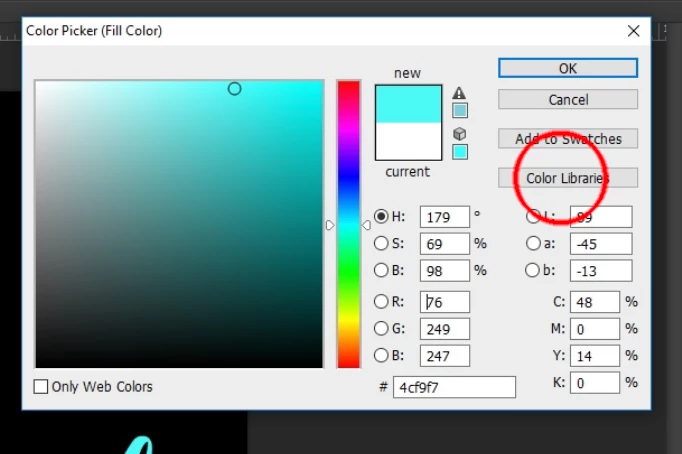
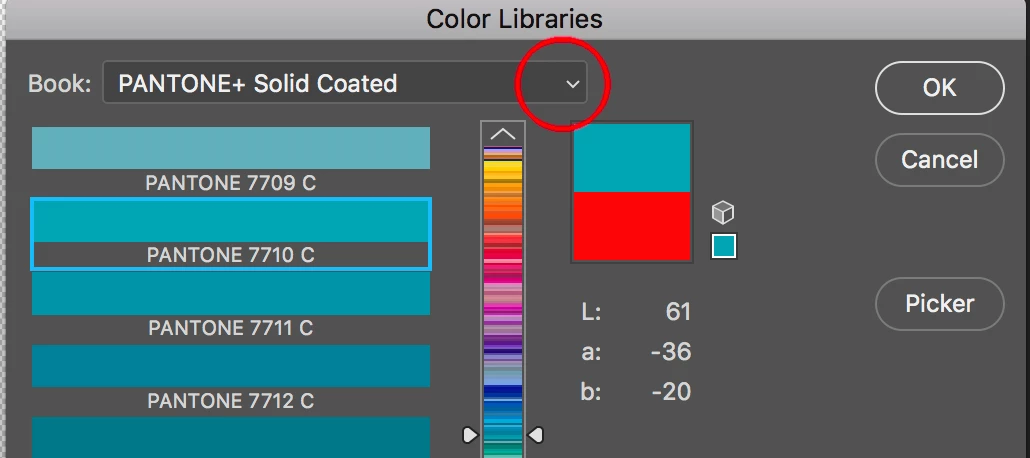
    Click on Color Libraries, and choose that Pantone book you work with.

    Not that no such thing exists as 100% accurate conversion of RGB or CMYK to pantone. The estimated colors you find here should work most of the time, check against a printed PMS book to confirm you like the color.

    There is actually a Pantone book for textiles with strange numbers. but my guess is the service you use uses the most popular book the solid coated. Feel free to post what the printing service looks for and will be happy to assist if needed.

    1 reply

    Mike_Gondek10189183
    Community Expert
    Mike_Gondek10189183Community ExpertCorrect answer
    Community Expert
    October 25, 2018

    Click on Color Libraries, and choose that Pantone book you work with.

    Not that no such thing exists as 100% accurate conversion of RGB or CMYK to pantone. The estimated colors you find here should work most of the time, check against a printed PMS book to confirm you like the color.

    There is actually a Pantone book for textiles with strange numbers. but my guess is the service you use uses the most popular book the solid coated. Feel free to post what the printing service looks for and will be happy to assist if needed.