dawizard01
Participant
June 23, 2026
Answered

How to create path from selection pixels?

  • June 23, 2026
  • 1 reply
  • 49 views

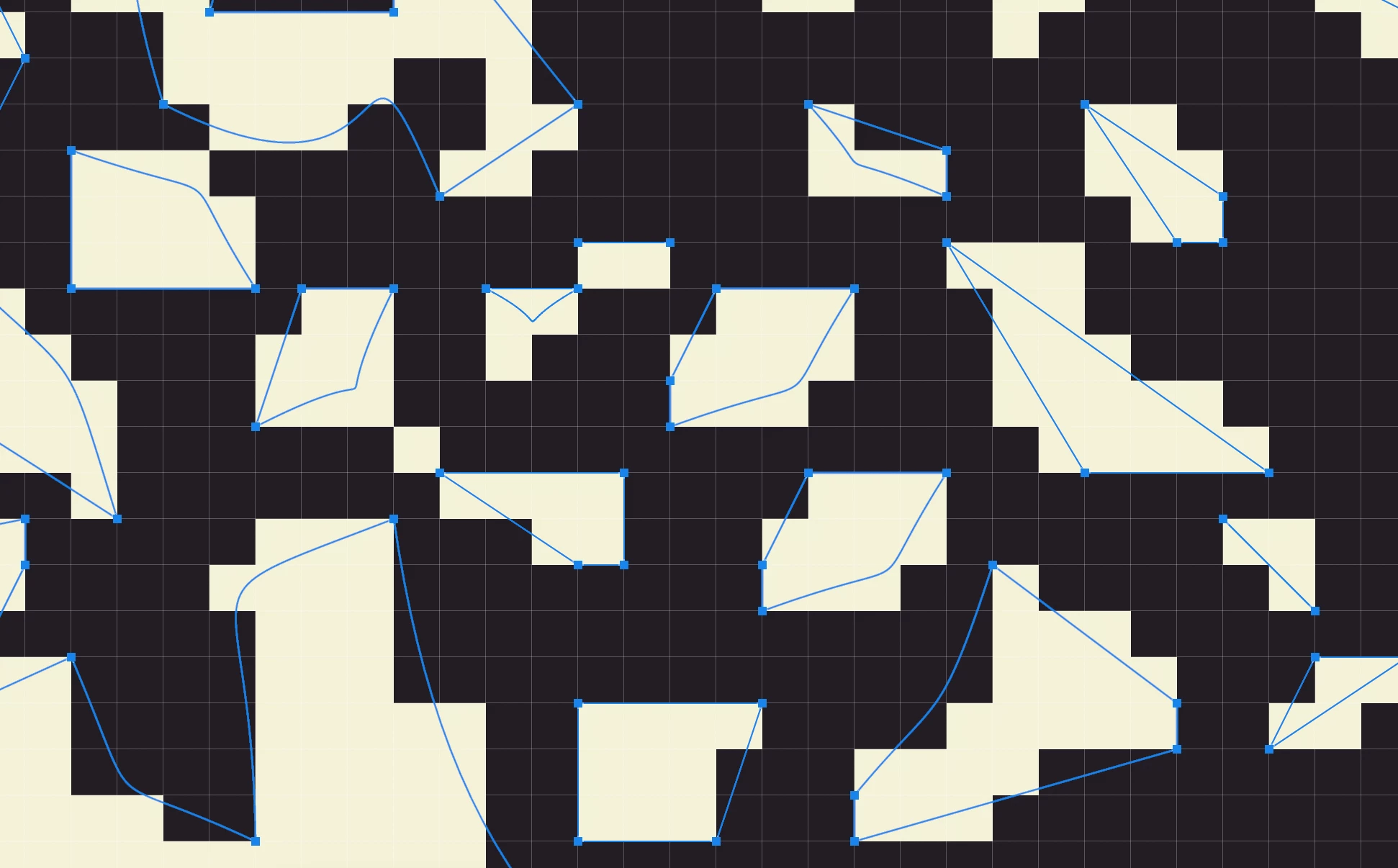
When I try to create a path from selection, it interpolates the pixels as intended. Is there a way to select the pixel squares specifically as squares rather than it interpolating the pixels?

 

    Correct answer c.pfaffenbichler

    A Work-Around: 

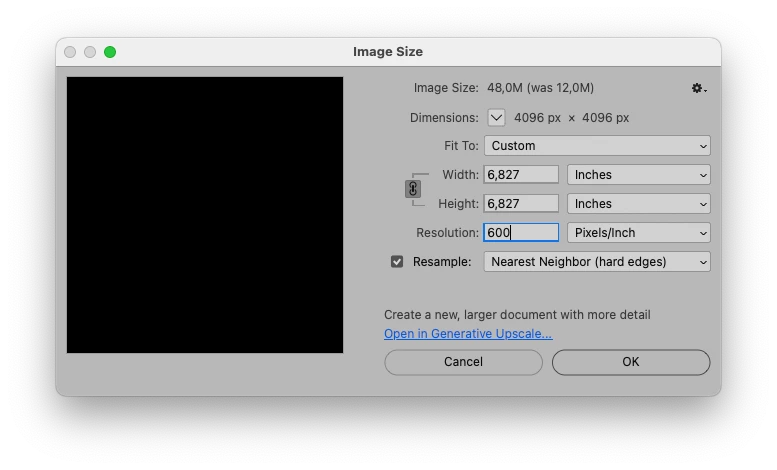
    • upsample a duplicate of the image to double resolution with the Resampling Method »Nearest Neighbour«

    • load as a Selection 

    • »Make Work Path« with Tolerance 0,5px

    • drag Path to original image

    • close the temporary copy without saving 


    1 reply

    c.pfaffenbichler
    Community Expert
    c.pfaffenbichlerCommunity ExpertCorrect answer
    Community Expert
    June 24, 2026

    A Work-Around: 

    • upsample a duplicate of the image to double resolution with the Resampling Method »Nearest Neighbour«

    • load as a Selection 

    • »Make Work Path« with Tolerance 0,5px

    • drag Path to original image

    • close the temporary copy without saving 


    dawizard01
    Participant
    June 28, 2026

    Thank you, this worked perfectly!

    c.pfaffenbichler
    Community Expert
    Community Expert
    June 28, 2026

    One could forego the duplicate and work on the original file, copy the Path and step back in History to before the upscaling and paste – I just prefer to work with duplicates in such situations to avoid accidentally changing the original file unnecessarily. 


    Should the task be a frequent one for you one could automate it with a Script.