


"How to Create Semi-Transparent Flower Effect in Photoshop?" [Duplicate locked]
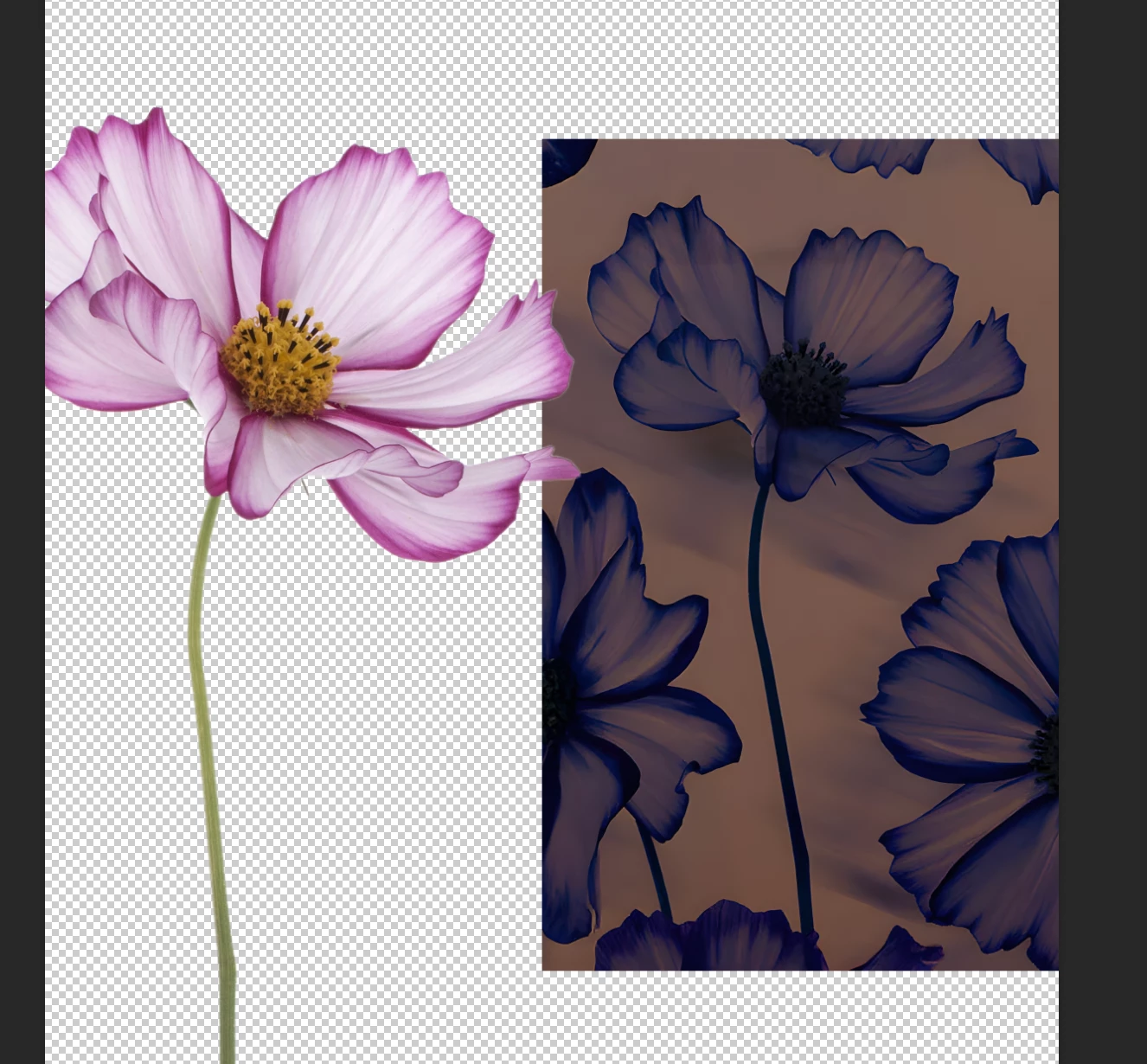 Hello everyone, I’m working on a flower illustration in Photoshop and I’ve run into a problem that I can’t solve on my own. In the original image (attached on the right), the flower looks solid and blends naturally with the background. However, in the edited version (left), the inside of the flower seems semi-transparent and the background shows through it. I’m not sure if this effect was created by “emptying” the flower’s inner area, by changing the blending mode, or by some kind of masking technique. I’ve tried different blending modes, masks, and opacity adjustments, but I still can’t replicate the exact result. Could anyone explain what technique might have been used here, and how I can achieve this effect properly in Photoshop? Any guidance or step-by-step explanation would mean a lot. Thanks in advance!



 AdChoices