
Participant
January 27, 2020
Question

How to create Star Trek's beaming teleportation effect?

  • January 27, 2020
  • 5 replies
  • 3330 views

I haven't used photoshop in a while and was wondering if anyone knew the best way to get this effect. I'm trying to get a similar effect to this image (different colour light beams), brighter/thicker in the middle and then tapers off.

I'm guessing I need to use Gaussian Blur or something similar.

Any tips on best practices to get this effect or links to any tutorials would be greatly appreciated.
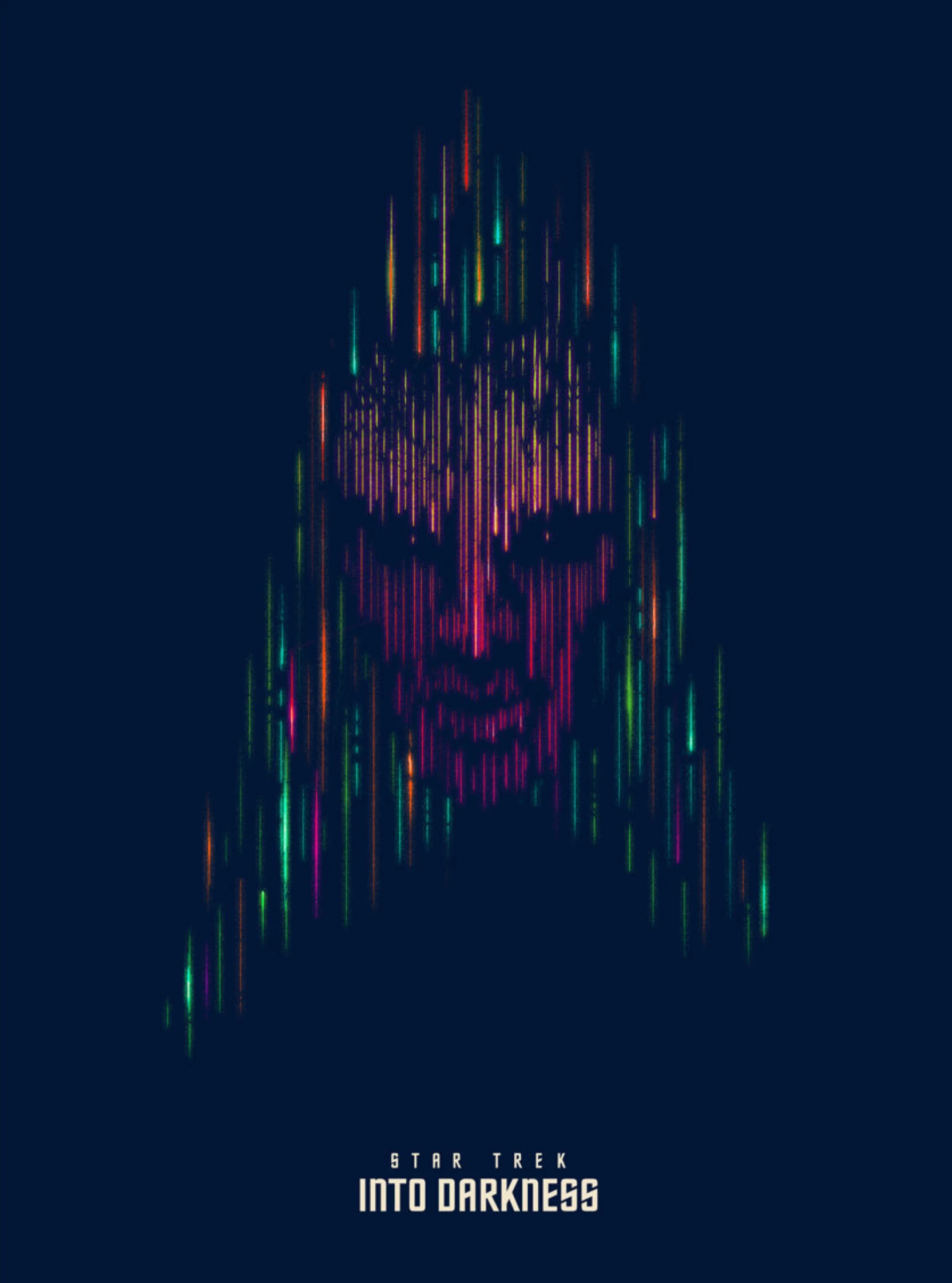
 

{Thread renamed by moderator}

This topic has been closed for replies.

5 replies

Participant
January 29, 2020

Thanks everyone for your help.

I figured out a way in Illustrator to get what I wanted. Its not exact to what I was looking for, but its pretty close.

davescm
Community Expert
Community Expert
January 27, 2020

You could try something like this:

Paint with a splatter brush and add a layer set to colour Blend mode to add color


Then put all three layers in a smart object and use a star filter (this is Star Filter Pro 4) - set to create one pointed stars


Then dot the eyes


Dave


War Unicorn
Community Expert
Community Expert
January 27, 2020

Wouldn't shock me to learn most if not all this artwork was done by hand. (Maybe using a digital painting/drawning program like Fresco (which didn't exist at the time), ArtRage or Corel Painter.)

Participant
January 27, 2020

Ya, I was thinking I should try Procreate and see what I can do in there. I think it has a few more blur options that I can play around with to get a similar effect to what im looking for.

c.pfaffenbichler
Community Expert
Community Expert
January 27, 2020

A combination of multiple groups containing instances of the same SO with Hard Mix-Layers etc. might provide a starting point. 

Sahil.Chawla
Adobe Employee
Adobe Employee
January 27, 2020

Hi there,

There are multiple ways to achieve something in Photoshop, however, you ccheck this video and let us know if it helps: https://www.youtube.com/watch?v=-oblH6AIfo0

Regards,
Sahil

Participant
January 27, 2020

Hi Sahil,


Thanks for the link to the tutorial.


However, I was looking for a way to do it manually, so I can change the colours and positions more freely.

I don't necessarily want to use it to show an object being beamed ( as in what the tutorial shows), but more as a background effect.


If there is a way to do it in Illustrator, that is fine too.