Participant
September 5, 2025
Answered

How to create these motion light streak?

  • September 5, 2025
  • 2 replies
  • 531 views

I've been struggling of trying to create these motion streak lines with tapered ends.  I looked on youtube if there is anything similar to this effect. I'm still a beginner with photoshop. Is there a way that I can make these effect.

Correct answer Trevor.Dennis

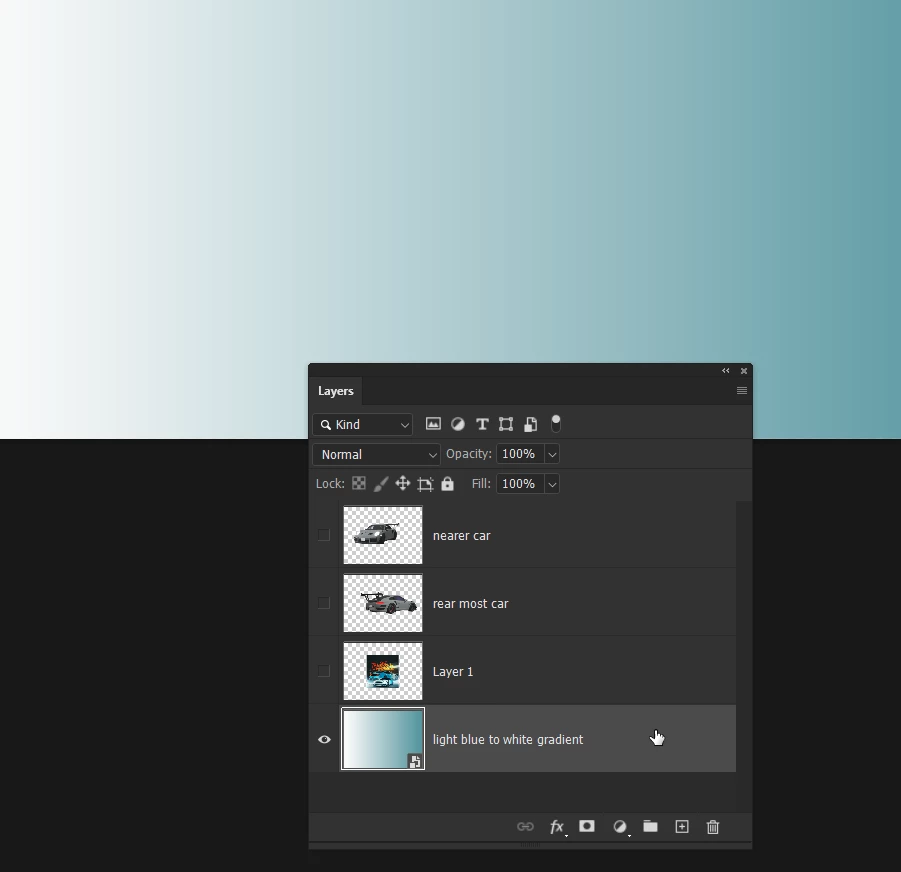
Start with a gradient using the required colours.
 

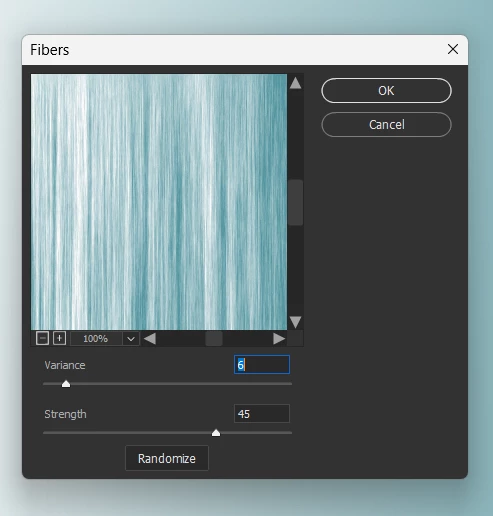
Filter > Render > Fibre  Note: Fibres will only give you vertical lines, so we need to rotate.
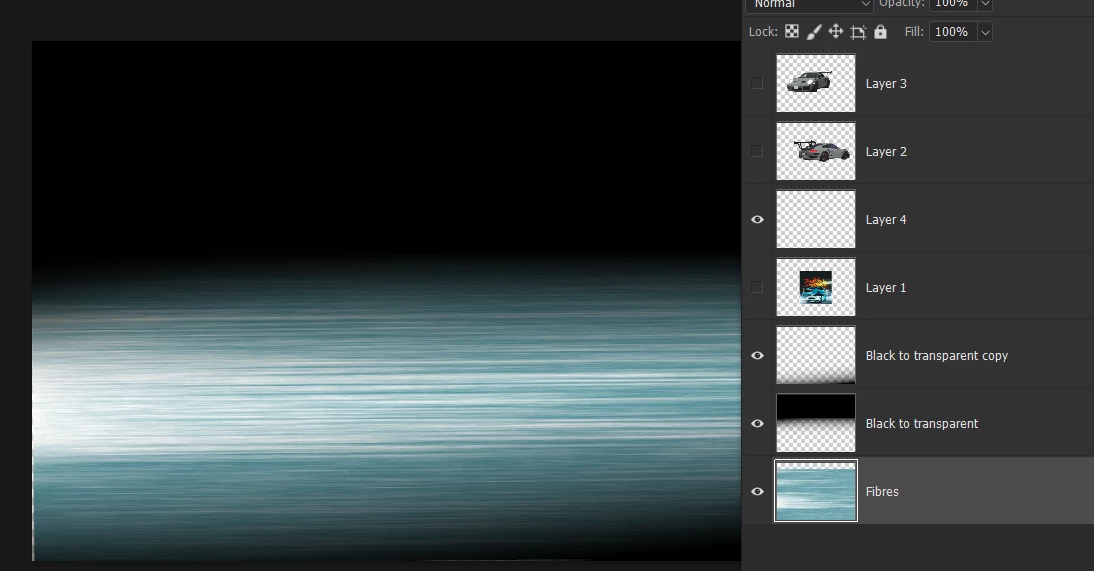
Transform the fibres to make them horizontal.

Add a couple of black to transparent layers.


When you want to do something like motion blur, it helps for the filter to have something to get hold of, so adding noise before the blur will help.

I like to get assets from this 3D site  because we can orintate the model to fit our perspective, and grab a screen shot.  It helps if you have a 4K screen as that will give your screenshot lots of pixels.


2 replies

Trevor.Dennis
Community Expert
Trevor.DennisCommunity ExpertCorrect answer
Community Expert
September 5, 2025

Start with a gradient using the required colours.


Filter > Render > Fibre  Note: Fibres will only give you vertical lines, so we need to rotate.

Transform the fibres to make them horizontal.

Add a couple of black to transparent layers.
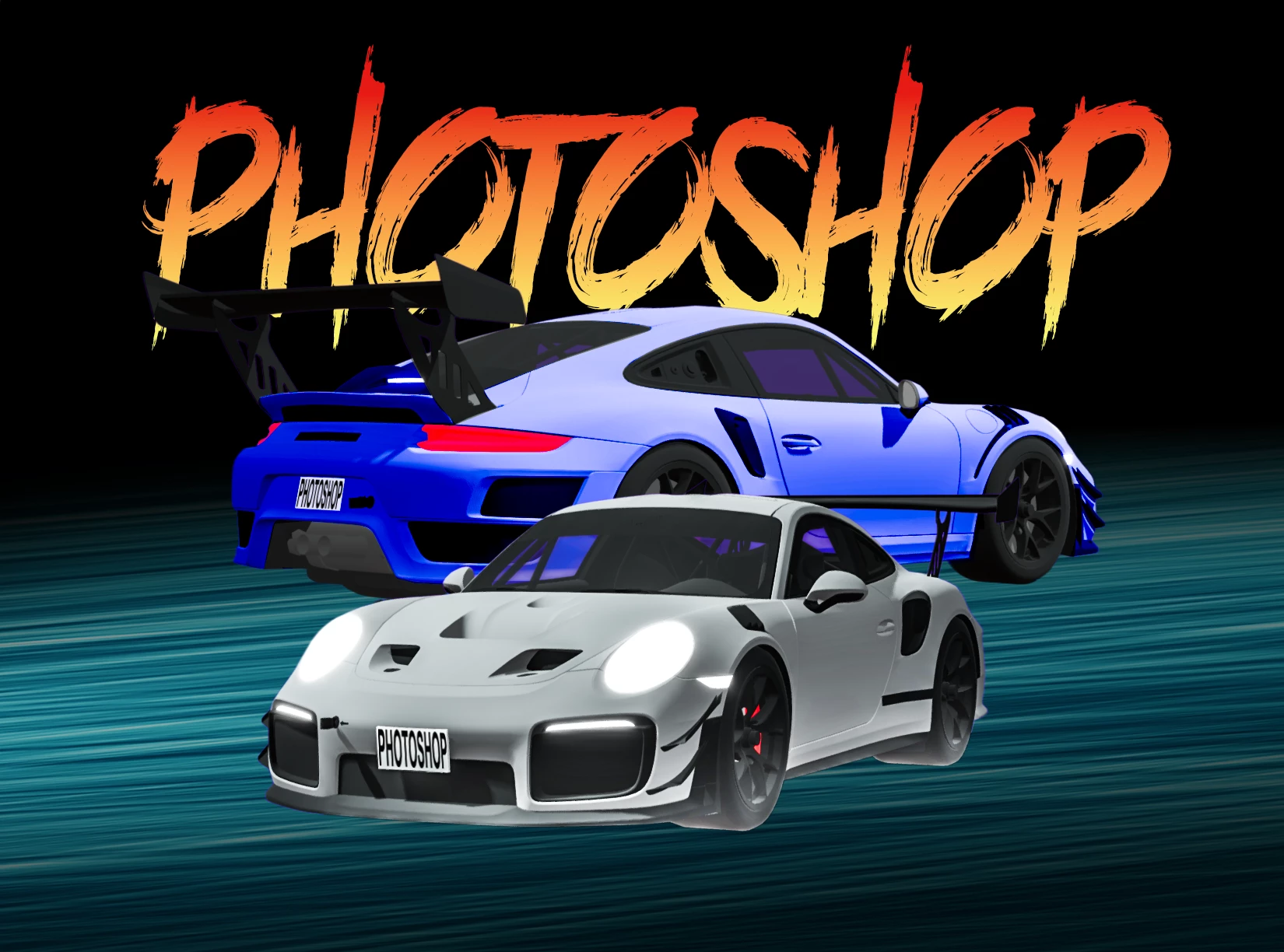


When you want to do something like motion blur, it helps for the filter to have something to get hold of, so adding noise before the blur will help.

I like to get assets from this 3D site  because we can orintate the model to fit our perspective, and grab a screen shot.  It helps if you have a 4K screen as that will give your screenshot lots of pixels.



creative explorer
Community Expert
Community Expert
September 5, 2025

@David2660499780ia maybe a motion blur but maybe watch this video for your effect, https://www.youtube.com/watch?v=qCuSeReQ5JE

m
