MahaB82A
May 9, 2025
Answered

How to create this

  • May 9, 2025
  • 2 replies
  • 498 views

You can see there is a vintage looks in this image. I assume this is created in Ps. If you can give correct name of this effect, I can search in youtube and find out how it can be created.




Correct answer Trevor.Dennis

I was going to use the same approach.


@MahaB82A  Add a layer mask and Alt click the mask.  This will open just the mask full screen.

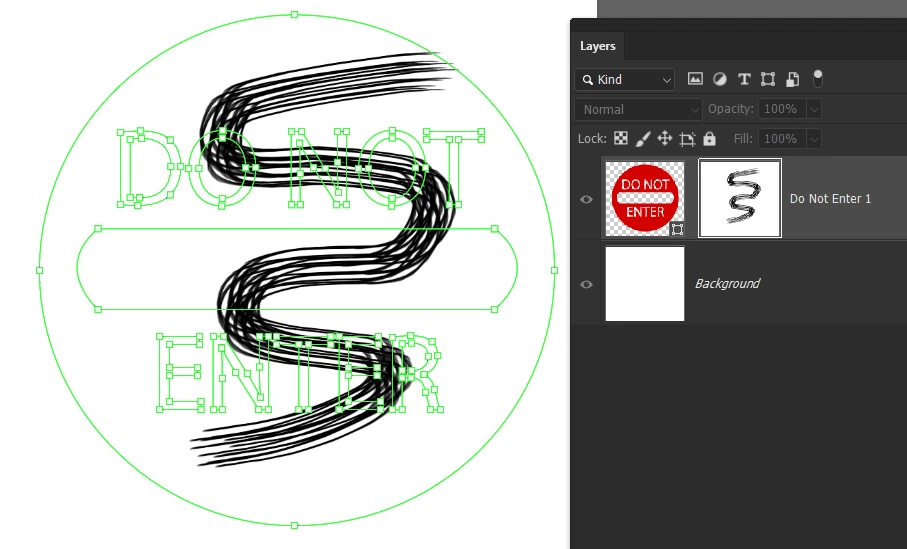
You can see below that I have brushed a wavy line in the mask, and that's all that shows in the document window.


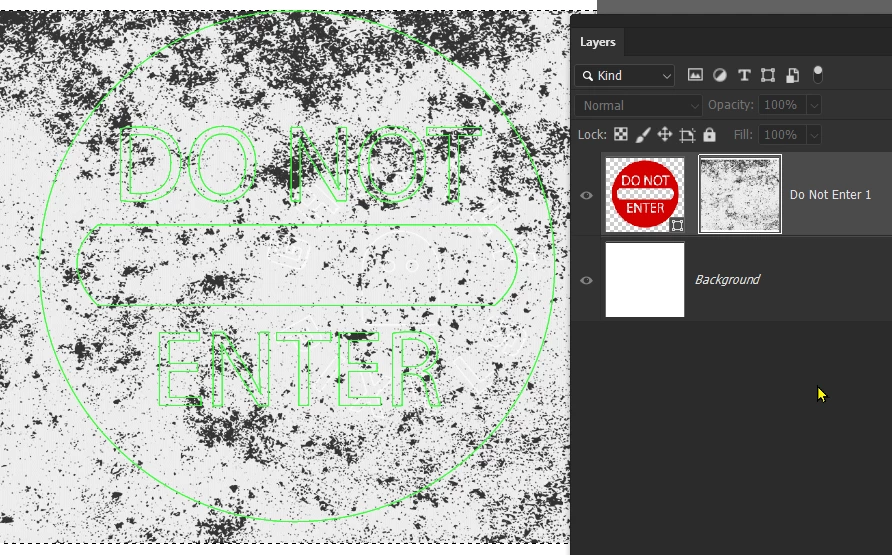
In this state you can load a texture into the clipboard and paste to the document window (mask) using Ctrl V 

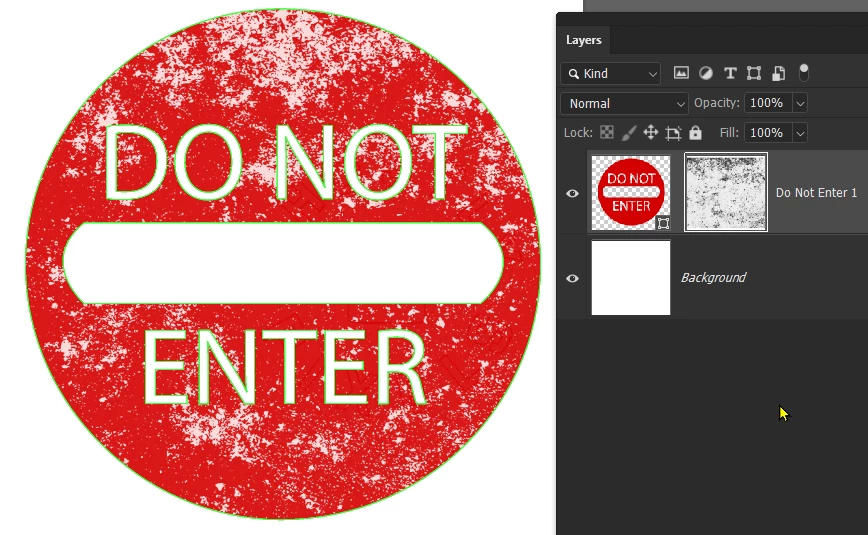
Alt click the mask again to return the now masked image.


2 replies

melissapiccone
Community Expert
Community Expert
May 9, 2025

I would use a texture as a layer mask. Search grunge textures on stock.adobe.com - you should be able to find a free one. If you don't know how to do it, just search for how to use a texture as a layer mask  - there are videos out there. 

Melissa Piccone | Adobe Trainer | Online Courses Author | Fine Artist
Trevor.Dennis
Community Expert
Trevor.DennisCommunity ExpertCorrect answer
Community Expert
May 10, 2025

I was going to use the same approach.


@MahaB82A  Add a layer mask and Alt click the mask.  This will open just the mask full screen.

You can see below that I have brushed a wavy line in the mask, and that's all that shows in the document window.


In this state you can load a texture into the clipboard and paste to the document window (mask) using Ctrl V 

Alt click the mask again to return the now masked image.


MahaB82A
MahaB82AAuthor
May 22, 2025

Thanks

jane-e
Community Expert
Community Expert
May 9, 2025

@MahaB82A 


It might have been Illustrator and could have even come from Adobe Stock. 


Use a solid color, then use a grunge-type brush with a white fill. Keep everything on its own layer. 


Jane