

cclavo
Inspiring
June 27, 2016
Answered

How to disable the Glyphs panel in Photoshop CC 2015.5?

  • June 27, 2016
  • 15 replies
  • 30067 views

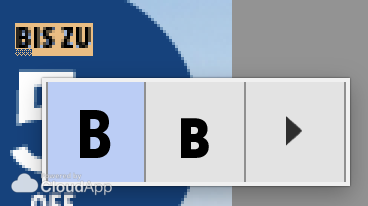
I'm sure this can be handy sometimes but in my daily job this is making me really slow and it's so annoying, I'd like to disable the feature. All the time I have this small window popping out.

Can it be disabled? I don't want to choose glyphs all the time, just edit, type and change texts in designs that are already approved.
Captura%20de%20pantalla%202016-06-27%20a%20las%2017.19.18.png

This topic has been closed for replies.
Correct answer cclavo

Finally I found it! I disabled unchecking the option in Preferences > Type > Enable Type Layer Glyph Alternates

15 replies

Participating Frequently
January 19, 2017

I'm really getting annoyed with these "features" Adobe keeps introducing. So so annoyed. Thanks cclavo!

Participant
December 20, 2016

Thanks! Thanks!

Participant
November 30, 2016

Thanks alot Mate !

db14555488
Participating Frequently
November 23, 2016

Thanks!

cclavo
cclavoAuthorCorrect answer
Inspiring
June 27, 2016

Finally I found it! I disabled unchecking the option in Preferences > Type > Enable Type Layer Glyph Alternates

lszyszka
Participant
November 3, 2016

You are a star, this was driving me nuts

Many thanks