
Answered
How to disable the new, unwanted pop ups on right side
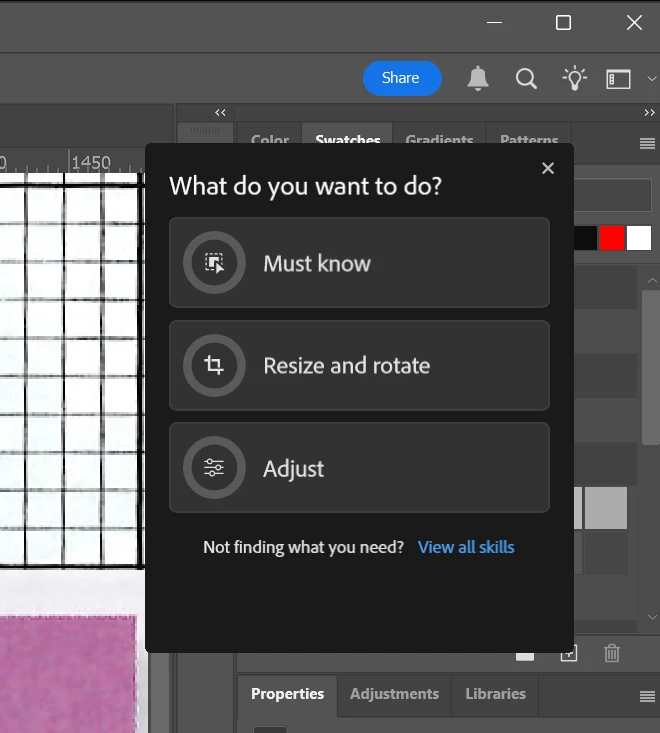
This past week very annoying little pop ups have been appearing on the right side of my Photoshop that I am assuming is AI generated by what I'm doing presently. I don't want them - at all. They just clutter up my screen and have absolutely no value to my process at this experience level. How do I turn them off?
No, this is not about the left side panel tool tips and rich tool tips. I've already shut those off through preference and they are unrelated to this new annoyance as far as I can tell. Here is a screenshot of one of these pop ups.


 AdChoices