
Known Participant
October 6, 2014
Answered

How to disable the welcome screen?

  • October 6, 2014
  • 30 replies
  • 117782 views

Since the most recent update of Photoshop CC 2014 (being 2014.2.0) every time I start it, a welcome screen appears:
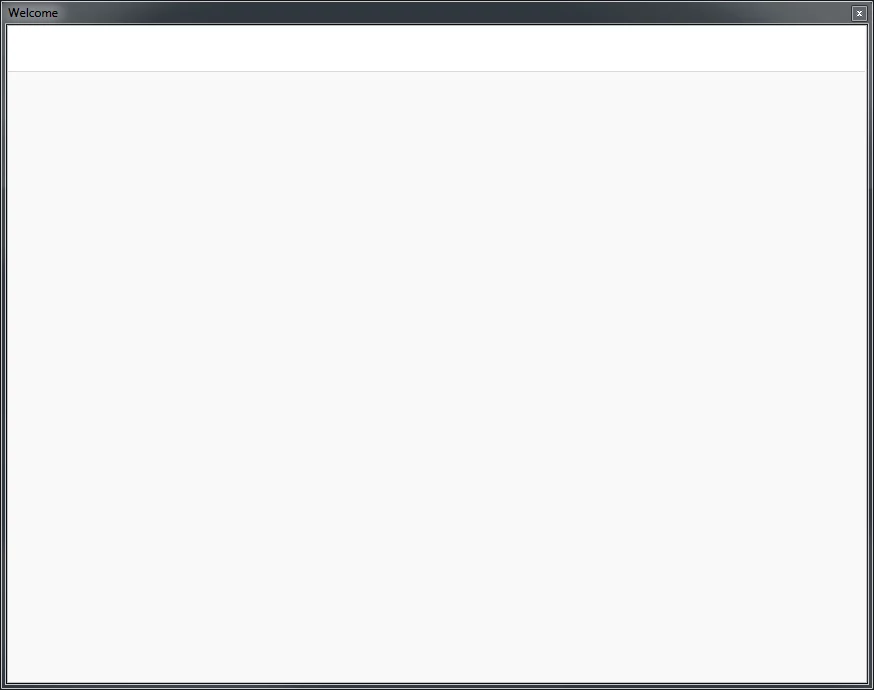
Not very welcoming I must say, but how do I get rid of this?

(and bonus points for the first who can answer why this screen is essentially empty )

Correct answer J453

See this document: Troubleshoot Welcome Screen in Photoshop

Scroll all the way down to the bottom. There's a check box "Don't Show Welcome Screen Again"

You can relaunch the screen at a later date by selecting Help>Welcome Screen...

If you are a trial user, there isn't a way to easily disable the Welcome screen.  That's because we hope you'll use it to better learn how Photoshop works during your trial period.  If you do close it manually, it won't appear again until you relaunch.

30 replies

Known Participant
December 4, 2014

Man, I'm so glad I bought CS6...

Participating Frequently
December 8, 2014

Dr Missile,

You have no idea how many times I have asked myself why I did not do that, especially when Adobe introduces their updates lol.

I started off my hobbyist adventures with Adobe on a CS4 Web bundle, then CS5 Web bundle.

Creative Cloud (CC) does expose users of one app to other apps and open up possibilities of using applications that one might not get when using CS.

I cannot say that my experience with CC has been a "smooth sailing", but this is often a challenge of the hobbyist, in the long run though paying the

subscription I believe will eventually become too much so perhaps I should invest in CS for the future.

CC woes consistently occur when Adobe releases updates to the applications; and it seems nearly every time they managed to introduce "niggly" little annoyances.

Did they inform the user about how to disable the `Welcome Screen`in the "what`s new" section?

To tell you the truth I do not know, because I do not usually read them as all I want to do is use the app. This I admit might be a user fault.

Adobe though, must take some of the responsibility as it is their product and they should ensure updates do NOT introduce the "nigglies".

If a "niggly" raises it's ugly head (see by feedback on forums such as here) Adobe should input a patch to inform users about how to

put the little critter to bed lol.

We have to be wary of forums though, because for the most part people often only use them when they find themselves with an issue

and come looking for help when they have already become irritated.

These particular forums have a wealth of knowledge that users share.

I wish you a day without the "nigglies"

Participant
November 13, 2014

Photoshop freezed while opening welcome screen.

Restore preferences fixed my issue (win 7)

Photoshop: Basic Troubleshooting steps to fix most issues

C:\Users\XXX\AppData\Roaming\Adobe\Adobe Photoshop CC 2014\Adobe Photoshop CC 2014 Settings

Ctrl + X this file: Adobe Photoshop CC 2014 Prefs.PSP

Tom Ruark
Inspiring
November 6, 2014

Troubleshoot Welcome Screen in Photoshop

At the bottom is a JavaScript inside a zip.

Download the zip

Unpack to get the jsx file

Launch Photoshop by double clicking a PSD file.

Run the script

Launch Photoshop again and you should get no Hello

Participant
November 11, 2014

Are you kidding? I had to run a Javascript to disable this new "feature?" You really need to fix that.

FWIW, I'm a paid subscriber running the latest PS CC 2014 on Mavericks. The "do not show" checkbox showed up just fine-- but checking it had no effect whatsoever.

The script worked, but you shouldn't have released this new "feature" until you made sure that checkbox actually worked properly (let alone show up in many cases).

Participant
November 1, 2014

I had the same problem, the "Do Not Show" checkbox never appeared. Then I clicked on another tab (New Features) and could scroll down and find the checkbox.

Participant
October 30, 2014

I don't think the staff are fully reading what's wrong here.

1. Paid user

2. Yosemite

3. Missing "Don’t show Welcome Screen Again"

Adobe Employee
October 30, 2014

@adobejerksarejerks

There are actually different causes of problems across different people.  That's why some solutions work for some and not for others.  Our latest discovery is that some "odd" characters in the names of Recent Files can cause the Welcome screen to hang.  That's why Clearing the Recent File list temporarily fixes the problem.

You mention that you don't see the "Don't Show Welcome screen Again" checkbox.  Are you sure you've scrolled down to the footer of the New Features, Getting Started, or Tips & Techniques panels?  Note that Mac OS X doesn't show scrollbars by default, so you may not have realized that you have to scroll down in these panels.

Mark

Participant
October 28, 2014

For Windows users try this worked for me

go to C:\Program Files\Adobe\Adobe Photoshop CC 2014\Required\CEP\extensions and remove the "com.photoshop.welcome" folder

Legend
October 28, 2014

Please note, removing required files will likely cause problems and result in errors installing future updates.

Participant
October 28, 2014

Then what's your recommendation for disabling the What's New screen prior to app launch? I have the first model of Mac Pro running Lion OSX, and attempting to run Photoshop locks up the whole machine. It never loads - just a white screen that freezes the system. I had the same issue with the last update of InDesign and deleting the Welcome files out of the Package Contents was the only way to get it to function.

It's crazy that users are getting shut out of the app completely for something that isn't a necessary function. I understand why you'd want to show users what's included in an update, but we are losing actual time and money having to deal with this. Why make it a required app file when you could make it a menu item 'Click here to see what's new' and have it launch in a browser?

October 27, 2014

And now I've just discovered, after the latest update (2014.2.1) every time I close a file window the bloody welcome screen comes back! I had five files open, had already manually closed the welcome screen, and with every file I closed I had to manually close the welcome screen again!

Was this designed for Windows?? ("It looks like you're writing a letter?") When is Clippy going to appear?

Inspiring
October 28, 2014

After the window populates (which took about 20 minutes on my 4GHz i7 with 32GB of RAM), you need to scroll down about 2-3 page heights- The "Do Not Show" checkbox is NOT part of the window, it's part of the content! Uncheck that and it shouldn't come back. It hasn't returned for me unless I specifically choose to show it from the menu (DON'T DO THAT- IT TAKES ANOTHER 20 MINUTES TO LOAD AGAIN).

October 27, 2014

This is my welcome screen. I must be going blind because I cannot see any option to disable it at the bottom. And yes, I am a fully paid user, and yes, this is OS-X Yosemite, not a 10-year-old OS. These 'welcome' screens are yet another nail in the coffin of Adobe CC. I've already found an alternative for Dreamweaver (crashes daily and is unusable). And I'm sick to death of having to reset everything after every 'update' (like ridding myself of the application frame!)

Buck your ideas up Adobe! I've been a user since Photoshop 2.5, but right now Gimp looks very appealing.

Legend
October 27, 2014

The do not show again check box isn't available in the Create tab. Click on one of the other tabs: New Features, Getting Started or Tips & Techniques - and scroll down to see it.

Participating Frequently
October 26, 2014

Sorry, same problem here. W8.1 64-bit, i7 2600K, 16 GB RAM, SSD HDD, nVidia GTX650 2 GB.

Message screen is a very good idea, but now it provides more problems than advantages.

Participant
October 24, 2014

Adobe, what is the deal with this hang. I have a 16 gb proc box with 32 gb of ram and sitting here for 5 minutes is absurd. This is causing me to loose money due to these hangs????