Answered
How to download a font onto Mac version of photoshop CS6?
How do I download a font that I had on my older pc version of photoshop onto my new mac and mac version of photoshop CS6?

How do I download a font that I had on my older pc version of photoshop onto my new mac and mac version of photoshop CS6?
Hi there,
If you still have access to your older PC, you can take the fonts from that computer by following these directions. You should be able to put them onto a flash drive or external hard drive, then install them on your Mac from there. Depending on how you got the fonts in the first place, you may be able to download them online (be wary of font licenses, however—make sure it is legal to be using them). To install a font onto your Mac:
1) Locate the font file on your flash drive/external/CD/downloads folder (I'm installing a downloaded font in this example). Double click to open the folder.
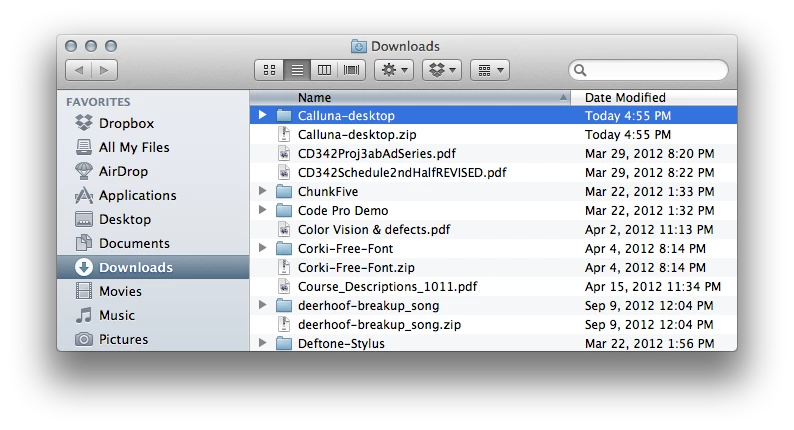
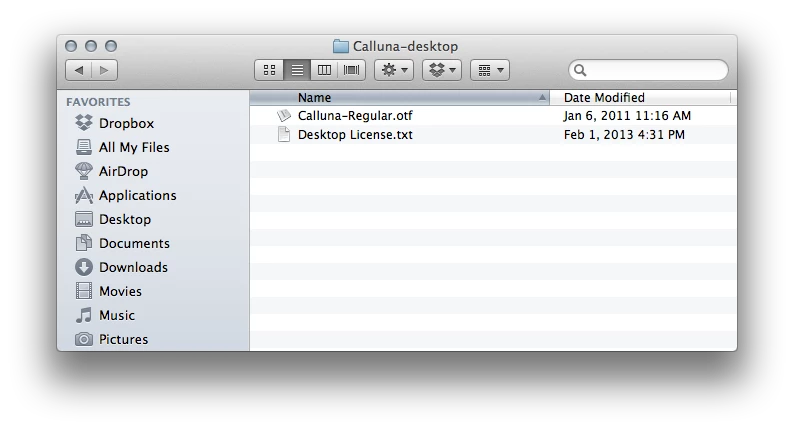
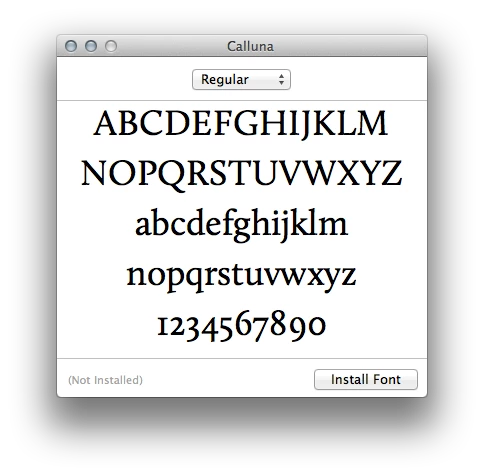
2) Double click on the font file (typically a .ttf or .otf file) and the following window will pop up. Click "Install Font."
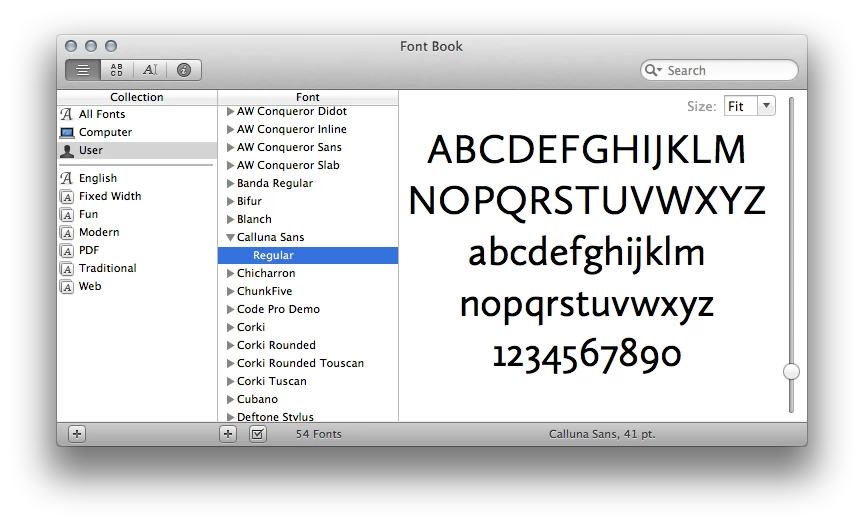
3) This automatically opens FontBook, which is the basic font management software that comes with your Mac. You will then be able to see the font in your installed fonts list, which will make it available for use within Photoshop.
I hope this helps. Let us know if you need more assistance!
Already have an account? Login
No account yet? Create an account
Enter your E-mail address. We'll send you an e-mail with instructions to reset your password.


 AdChoices