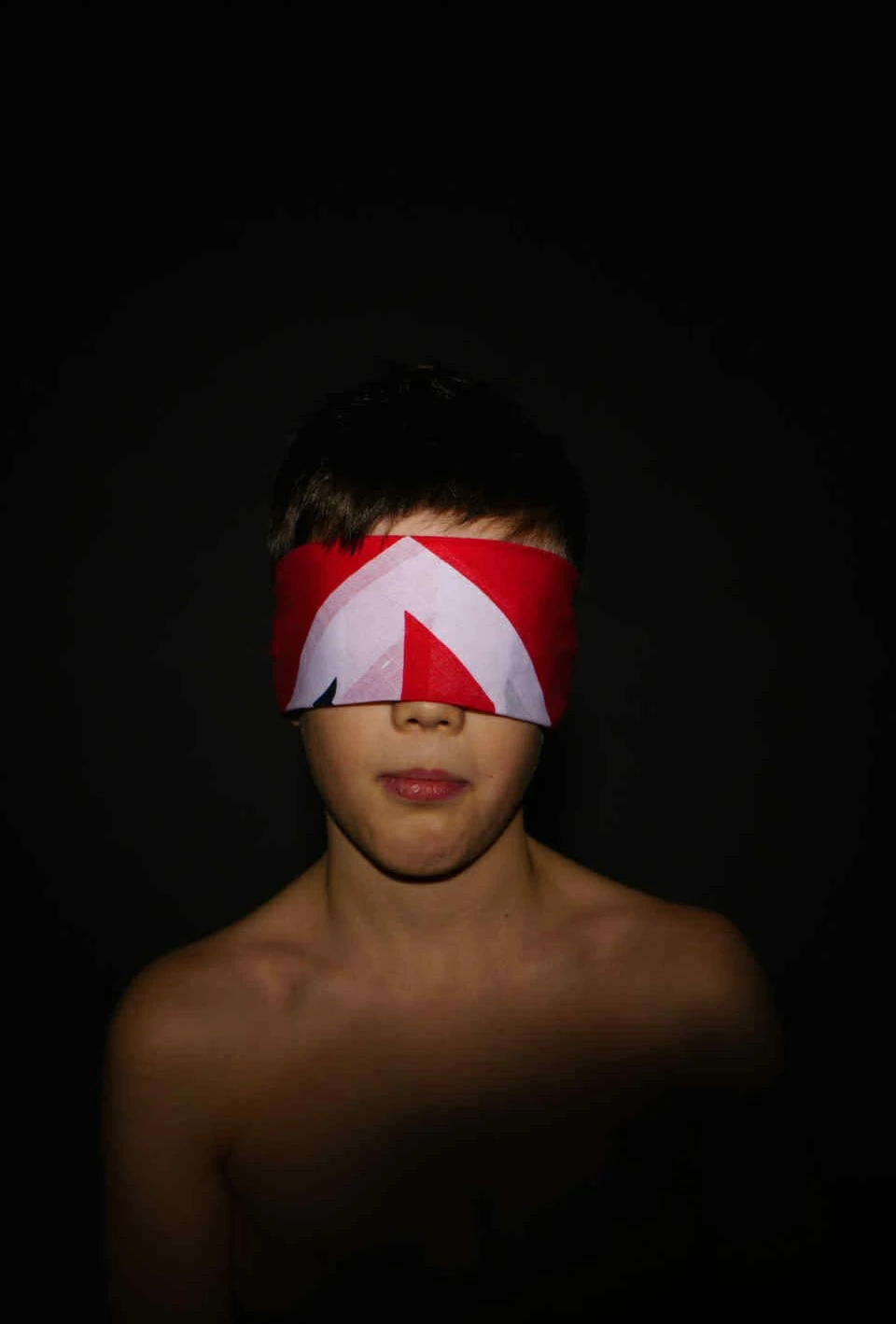
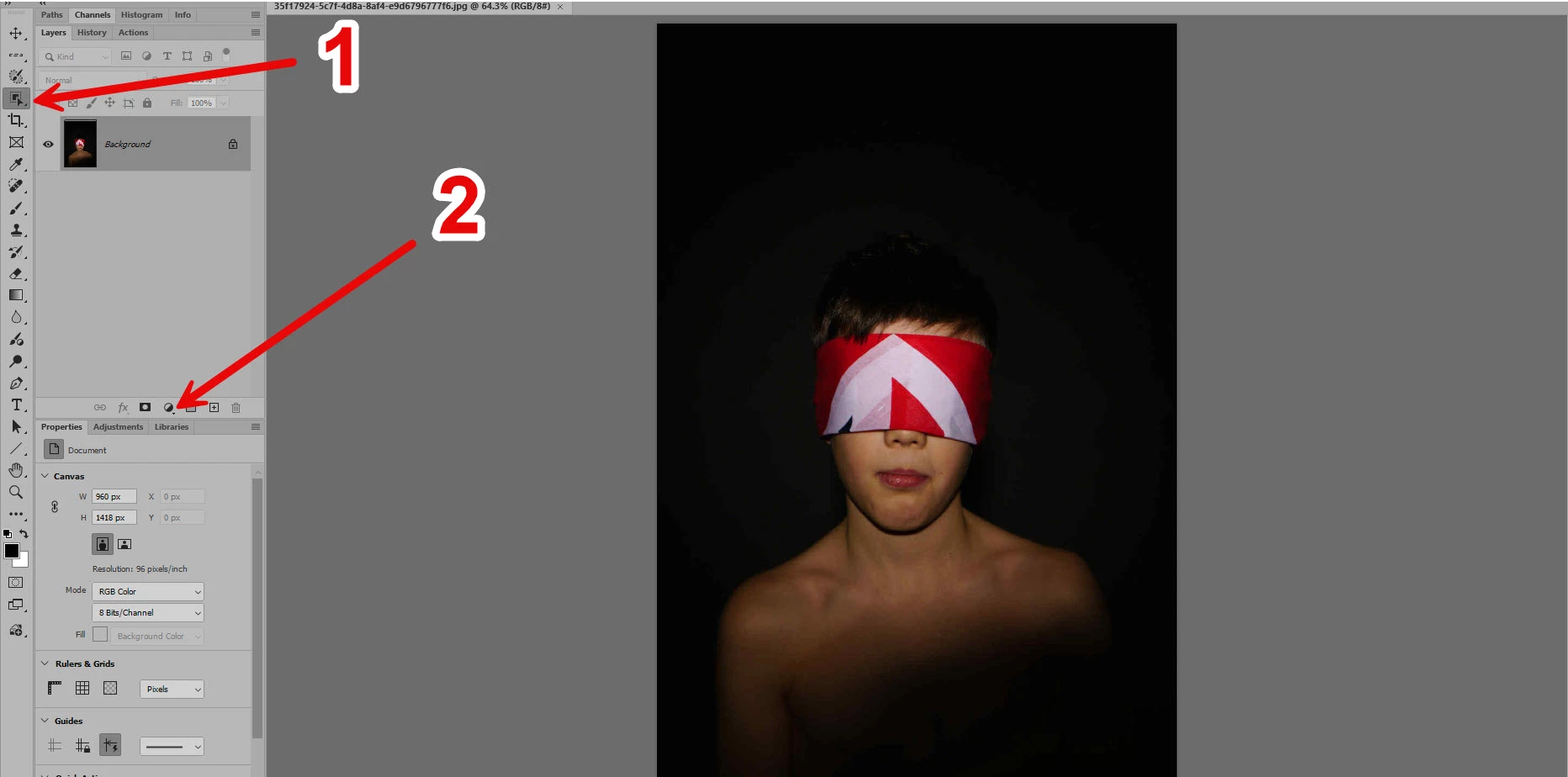
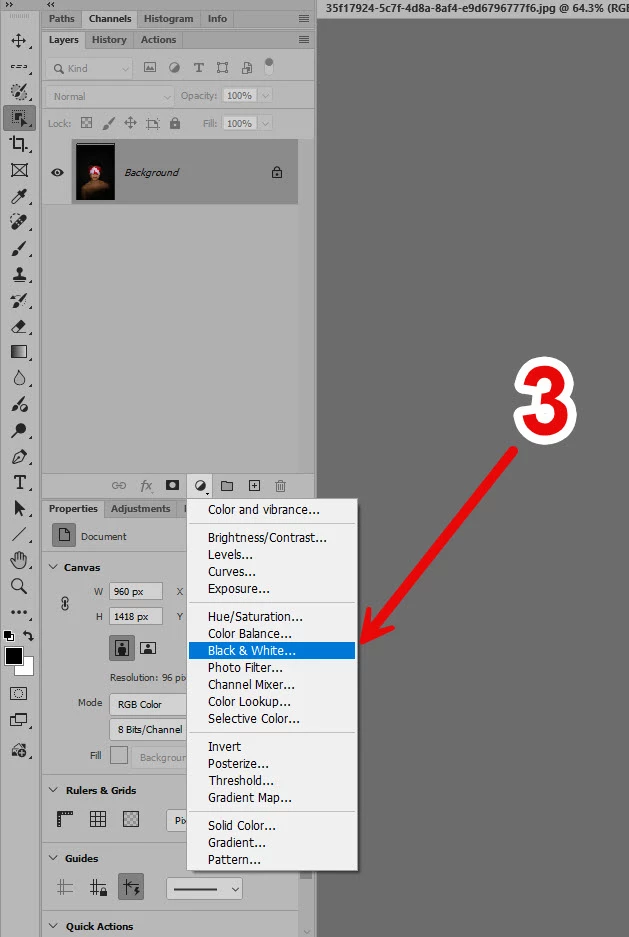
Make a quick selection with the Object Selection Tool on the bandana > click the "create new fill or adjustment layer" button on the Layers panel > Black & White
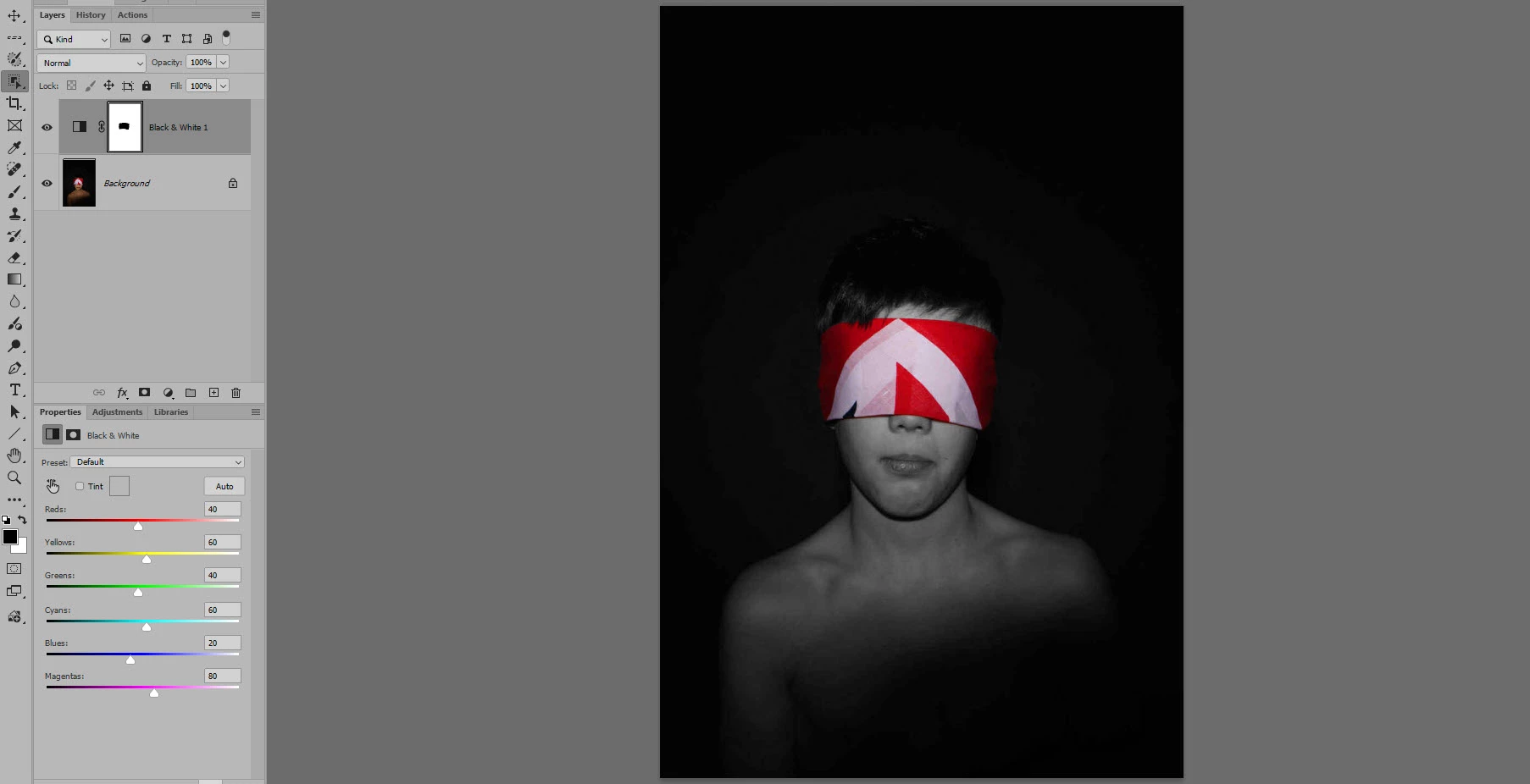
Make a selection of the bandana, and invert it, so it's everything but the bandana. Add a Black and White adjustment layer, and the bandana will remain in color, since it is masked out.
Make a quick selection with the Object Selection Tool on the bandana > click the "create new fill or adjustment layer" button on the Layers panel > Black & White



 AdChoices