

hakzter
Known Participant
March 15, 2020
Answered

How to export contents from all smart objects?

  • March 15, 2020
  • 2 replies
  • 4414 views

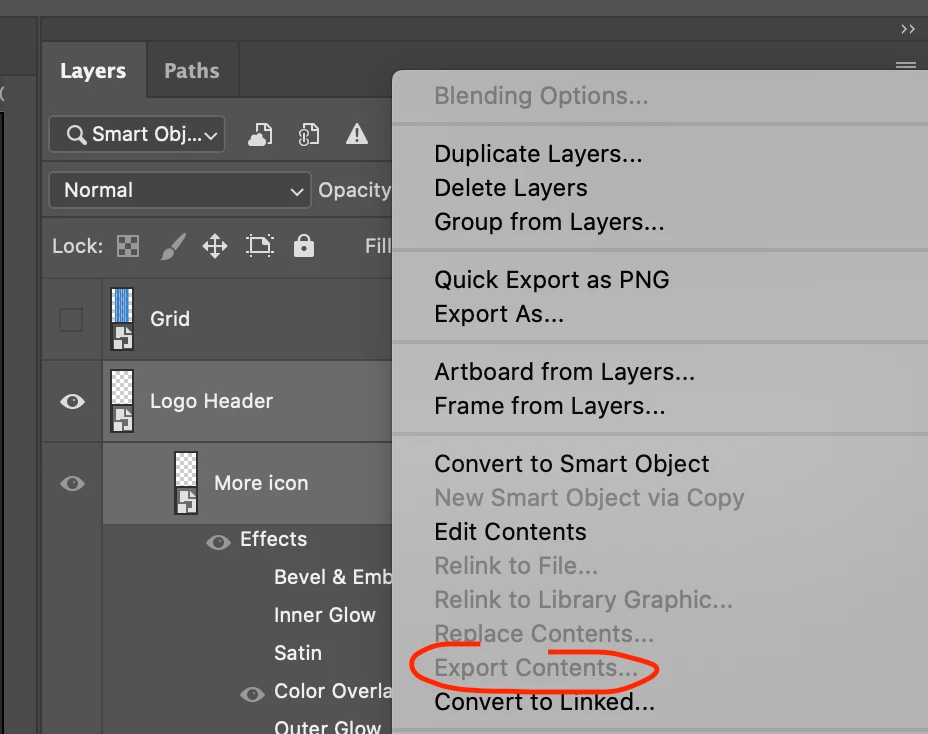
Hi all! I have a .psd file with a lot of smart objects. What I need to do is export contents from every object but when I filter layers by kind "smart object" -> select more than one layer -> "export contents" is disabled. Is there any way to export contents from all smart objects in .psd file? Many thanks for your help!
This topic has been closed for replies.
Correct answer Stephen Marsh

hakzter – you have recently made posts in these other topic threads as well:


How to select all vector smart objects in .psd file and save as separate .ai files?


Script to Export Contents of all Smart Objects in a Photoshop file


So I'm not sure where to reply... Your vector SO question appears to be finished as you marked JJMack's reply as correct.


EDIT: I have added updated code and explanation at the second link mentioned above.

2 replies

Stephen Marsh
Community Expert
Stephen MarshCommunity ExpertCorrect answer
Community Expert
March 15, 2020

hakzter – you have recently made posts in these other topic threads as well:


How to select all vector smart objects in .psd file and save as separate .ai files?


Script to Export Contents of all Smart Objects in a Photoshop file


So I'm not sure where to reply... Your vector SO question appears to be finished as you marked JJMack's reply as correct.


EDIT: I have added updated code and explanation at the second link mentioned above.

hakzter
hakzterAuthor
Known Participant
March 16, 2020

Many thanks to you! Yes, JJMack's script works.
I created this questionn before, hope that it will help someone.

c.pfaffenbichler
Community Expert
Community Expert
March 15, 2020
hakzter
hakzterAuthor
Known Participant
March 15, 2020

I've tryied it but it doesn't work for some reason. When I start the script it closes photoshop and nothing is happening..

c.pfaffenbichler
Community Expert
Community Expert
March 15, 2020

You could try private messaging the people that contributed to that thread, maybe they can provide further help.