Participating Frequently
April 19, 2017
Answered

How To Fill In a Hollow Shape In Photoshop CC2017?

  • April 19, 2017
  • 3 replies
  • 1491 views

Hi Everyone,

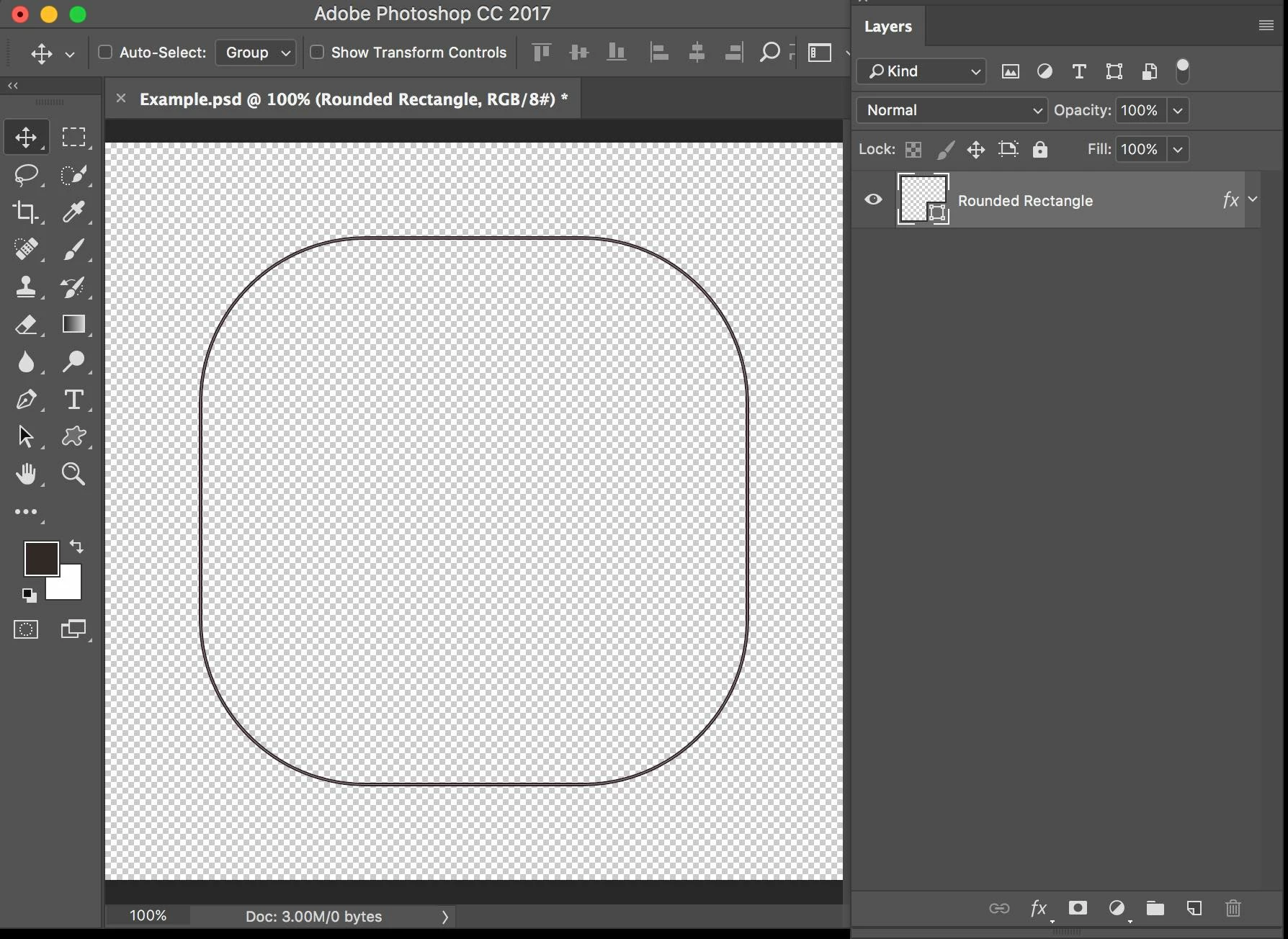
I have a hollow shape that I am trying to fill in. How do I do this? For instance, I'd like to make the entire inside area of the hollow shape below black instead of clear.

Thanks for the help!
    This topic has been closed for replies.
    Correct answer

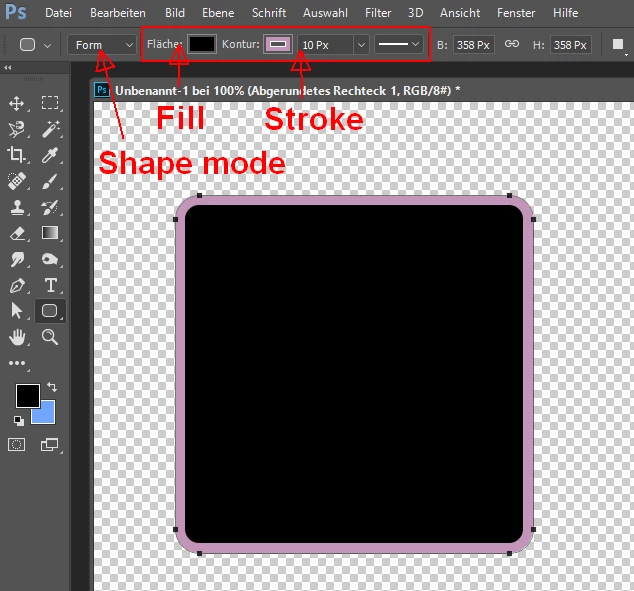
    You have drawn the rounded rectangle in the shape drawing mode.

    In this mode you can get fill and stroke simultaneously.

    Fenja

    3 replies

    Participating Frequently
    April 19, 2017

    Gret, thanks everyone!

    Trevor.Dennis
    Community Expert
    Community Expert
    April 19, 2017

    To apply a fill retrospectively, you need to select any of the Shape tools.  The Fill and Stroke tools will then reappear on the Options bar.

    Correct answer
    April 19, 2017

    You have drawn the rounded rectangle in the shape drawing mode.

    In this mode you can get fill and stroke simultaneously.

    Fenja