ghousiasalim
Participant
June 19, 2025
Answered

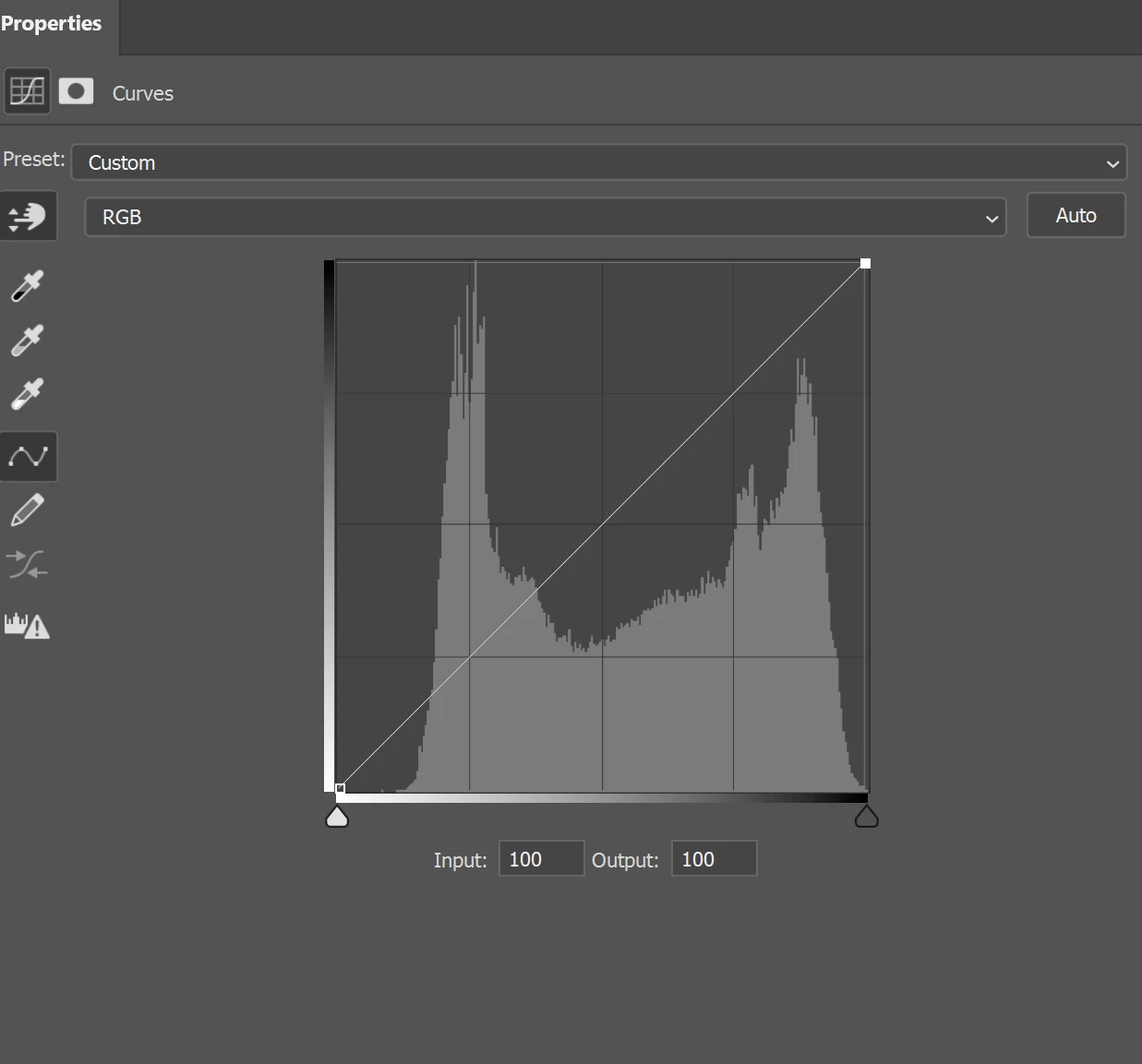
How to fix curve X-axis & Y-axis point from black to white, as its show white to black in photoshop?

  • June 19, 2025
  • 3 replies
  • 202 views


Correct answer Ged_Traynor

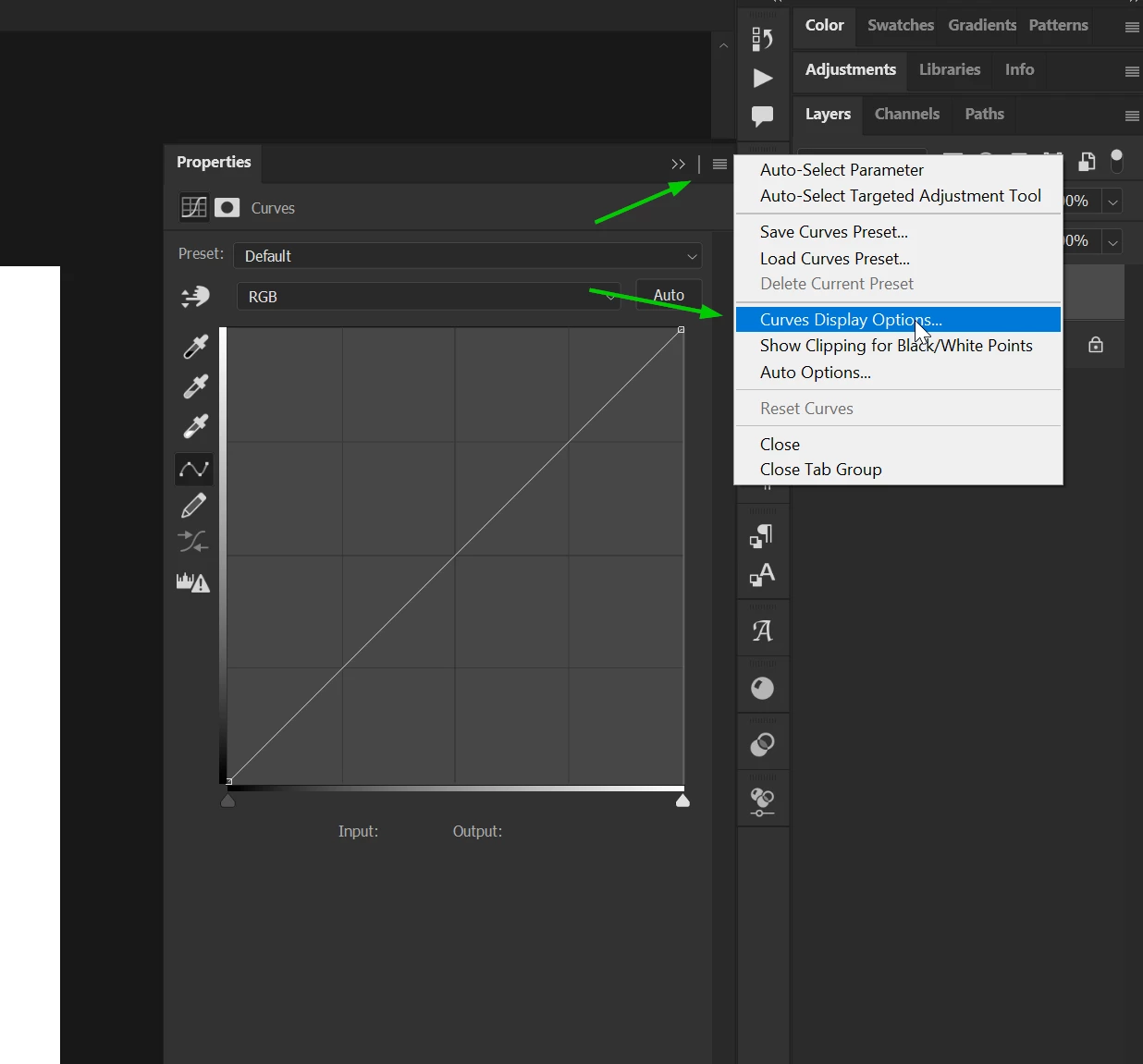
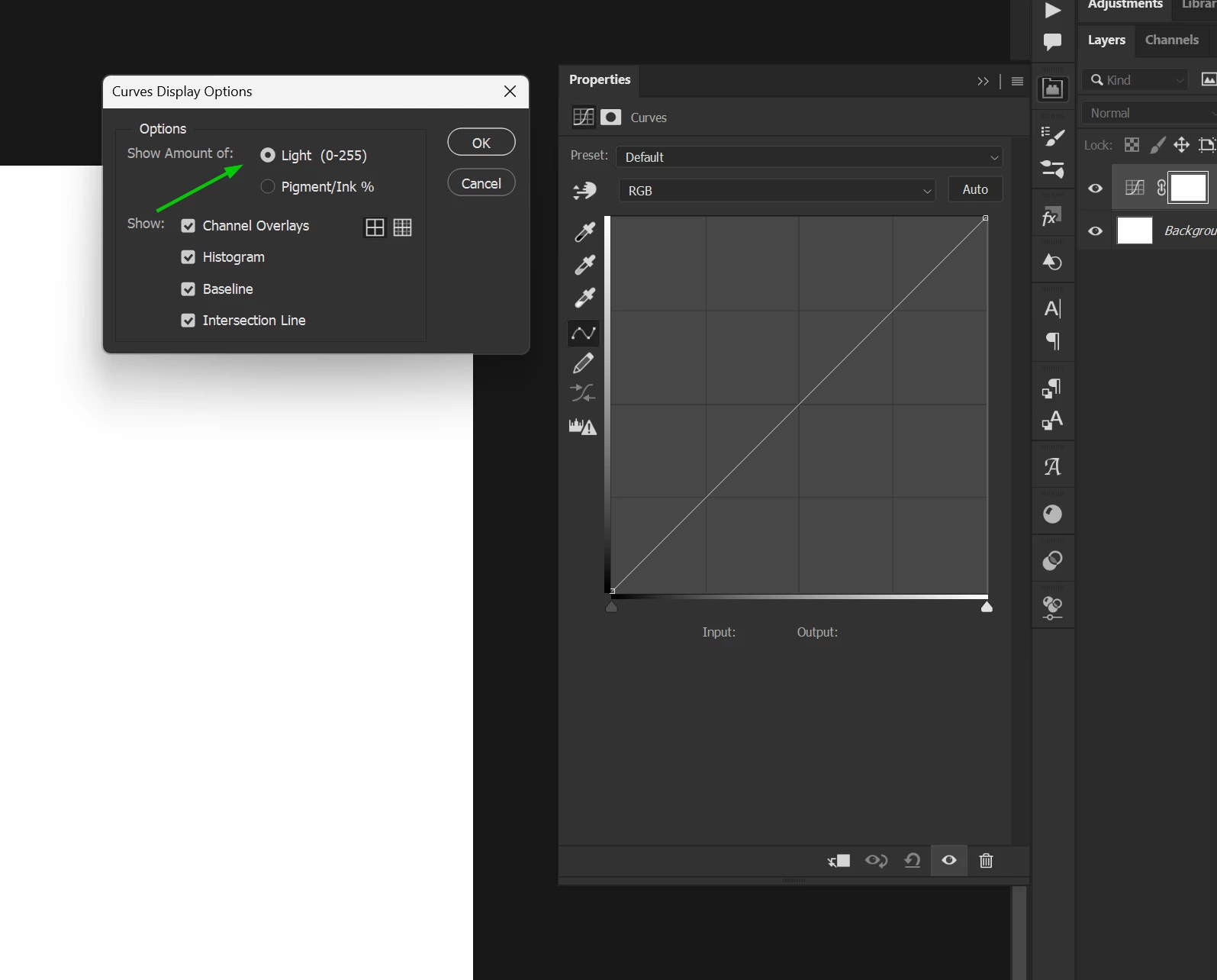
@ghousiasalim from the flyout menu, select "curves display options" and change the "show amount of" to light

3 replies

ghousiasalim
Participant
June 20, 2025

Thank you!

Chuck Uebele
Community Expert
Community Expert
June 19, 2025

Can you be more specific? What are you trying to do by "fixing' the axis points? 

Ged_Traynor
Community Expert
Ged_TraynorCommunity ExpertCorrect answer
Community Expert
June 19, 2025

@ghousiasalim from the flyout menu, select "curves display options" and change the "show amount of" to light